
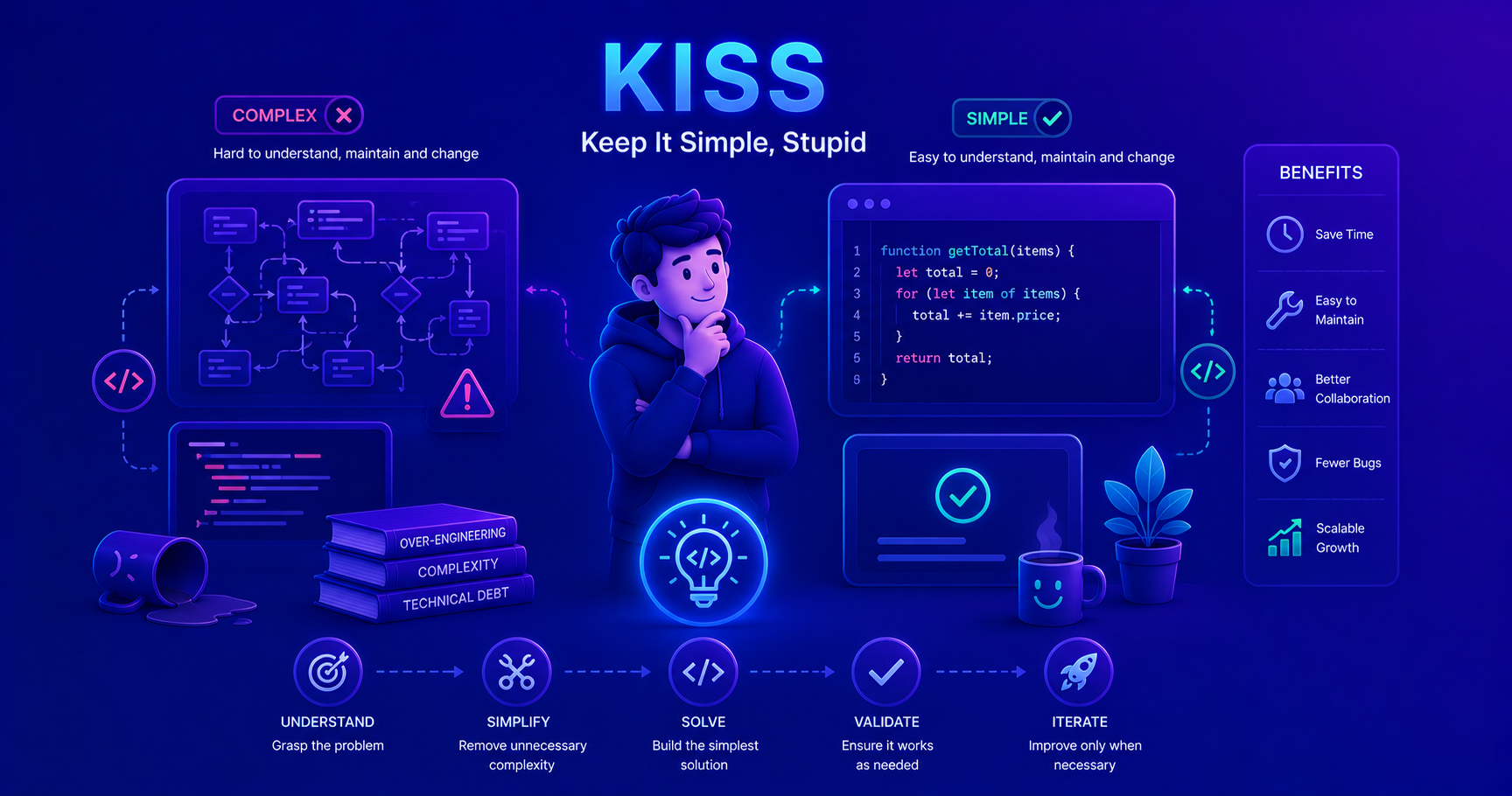
This post introduces the KISS (Keep It Simple, Stupid) principle. Understanding this fundamental concept will help you write better, more maintainable code throughout your career!
What Is the KISS Principle?
KISS stands for “Keep It Simple, Stupid” - a design principle that emphasizes simplicity as a key goal in software development. Despite its blunt name, KISS carries a profound message: systems work best when they’re kept simple rather than made complex.
The principle reminds us that unnecessary complexity is the enemy of good software. Every line of code you write becomes code someone (including future you) needs to read, understand, maintain, and debug. The simpler your solution, the easier these tasks become.
Origin and Philosophy
The KISS principle originated in the U.S. Navy in the 1960s, coined by engineer Kelly Johnson. The idea was that military equipment should be repairable by an average mechanic in combat conditions with minimal tools. This philosophy translates perfectly to software engineering: your code should be understandable by an average developer without needing a PhD.
graph TB
    P[Business Requirement]
    Simple[Simple Solution<br/>Easy to read<br/>Easy to maintain<br/>Fewer bugs]
    Complex[Complex Solution<br/>Hard to understand<br/>Difficult to modify<br/>More bugs]
    Success[Successful Project<br/>Happy Team]
    Failure[Technical Debt<br/>Frustrated Team]

    P --> Simple
    P --> Complex
    Simple --> Success
    Complex --> Failure

    style Simple fill:#90EE90
    style Complex fill:#FFB6C6
    style Success fill:#90EE90
    style Failure fill:#FFB6C6
Remember: Simple doesn’t mean simplistic or incomplete. It means elegant, straightforward, and easy to understand.
Why Complexity Hurts Software Projects
Complexity in software development isn’t just an aesthetic issue - it has real, measurable costs that impact every aspect of your project.
The Cost of Complexity
| Impact Area | Simple Code | Complex Code |
|---|---|---|
| Reading Time | Minutes to understand | Hours to decipher |
| Bug Rate | Lower - fewer places to hide | Higher - bugs lurk in complexity |
| Modification Time | Quick changes | Risky, time-consuming changes |
| Onboarding | New devs productive quickly | Steep learning curve |
| Testing | Fewer test cases needed | Exponentially more scenarios |
| Debugging | Straightforward | Like finding needles in haystacks |
Real-World Case Study
How complexity nearly killed a startup.
A startup built an e-commerce platform with a “flexible architecture” that could theoretically handle any business model. They created abstract factories, strategy patterns, and configuration systems for features they might need someday.
Result:
- 6 months to add a simple discount feature
- New developers took 3+ weeks to make their first commit
- Bug fixes regularly broke unrelated features
- The company nearly went bankrupt before rewriting the system simply
Lesson: Build what you need now, not what you might need someday. The rewrite took 3 months and delivered everything the complex version had, plus better performance and fewer bugs.
How Complexity Grows
graph LR
    A[Initial Simple Code] --> B{Developer Thinks}
    B -->|"What if we need..."| C[Add Abstraction]
    B -->|"This might change..."| D[Add Configuration]
    B -->|"Future flexibility..."| E[Add Framework]

    C --> F[More Complex]
    D --> F
    E --> F

    F --> G{Next Developer}
    G -->|Confused| H[Add More Layers]
    H --> I[Unmaintainable Mess]

    style A fill:#90EE90
    style F fill:#FFE4B5
    style I fill:#FFB6C6
Simple vs. Complex Code: Practical Examples
Let’s look at real Java examples that demonstrate the difference between simple and complex approaches to the same problems.
Example 1: Calculating Discount
Complex Version (Over-engineered):
1
2
3
4
5
6
7
8
9
10
11
12
13
14
15
16
17
18
19
20
21
22
23
24
25
26
27
28
29
30
31
32
33
34
35
36
37
// Complex: Using Strategy Pattern for simple discount
interface DiscountStrategy {
    double applyDiscount(double price);
}

class PercentageDiscountStrategy implements DiscountStrategy {
    private final double percentage;

    public PercentageDiscountStrategy(double percentage) {
        this.percentage = percentage;
    }

    @Override
    public double applyDiscount(double price) {
        return price * (1 - percentage / 100);
    }
}

class DiscountCalculator {
    private DiscountStrategy strategy;

    public void setStrategy(DiscountStrategy strategy) {
        this.strategy = strategy;
    }

    public double calculate(double price) {
        if (strategy == null) {
            throw new IllegalStateException("Strategy not set");
        }
        return strategy.applyDiscount(price);
    }
}

// Usage
DiscountCalculator calculator = new DiscountCalculator();
calculator.setStrategy(new PercentageDiscountStrategy(10));
double finalPrice = calculator.calculate(100.0);
Simple Version (KISS approach):
1
2
3
4
5
6
7
8
9
// Simple: Direct calculation
public class DiscountCalculator {
    public static double applyDiscount(double price, double discountPercent) {
        return price * (1 - discountPercent / 100);
    }
}

// Usage
double finalPrice = DiscountCalculator.applyDiscount(100.0, 10);
Why is the simple version better? It does exactly what we need, nothing more. If you need multiple discount types later, you can refactor then. Don’t build flexibility you don’t need yet.
Example 2: User Validation
Complex Version:
1
2
3
4
5
6
7
8
9
10
11
12
13
14
15
16
17
18
19
20
21
22
23
24
25
26
27
28
29
30
31
32
33
34
35
36
37
38
39
40
41
42
// Complex: Over-abstracted validation
interface ValidationRule<T> {
    ValidationResult validate(T value);
}

class ValidationResult {
    private boolean valid;
    private List<String> errors;
    // ... constructor, getters
}

class EmailValidationRule implements ValidationRule<String> {
    @Override
    public ValidationResult validate(String email) {
        List<String> errors = new ArrayList<>();
        if (email == null || email.isEmpty()) {
            errors.add("Email is required");
        }
        if (email != null && !email.contains("@")) {
            errors.add("Email must contain @");
        }
        return new ValidationResult(errors.isEmpty(), errors);
    }
}

class ValidationEngine<T> {
    private List<ValidationRule<T>> rules = new ArrayList<>();

    public void addRule(ValidationRule<T> rule) {
        rules.add(rule);
    }

    public ValidationResult validateAll(T value) {
        // Combine all validation results...
        // More complex logic here
    }
}

// Usage
ValidationEngine<String> engine = new ValidationEngine<>();
engine.addRule(new EmailValidationRule());
ValidationResult result = engine.validateAll(userEmail);
Simple Version:
1
2
3
4
5
6
7
8
9
10
11
12
13
14
15
16
17
18
19
20
21
22
23
24
25
// Simple: Direct validation with clear error messages
public class UserValidator {
    public static void validateEmail(String email) {
        if (email == null || email.trim().isEmpty()) {
            throw new IllegalArgumentException("Email is required");
        }
        if (!email.contains("@")) {
            throw new IllegalArgumentException("Invalid email format");
        }
    }

    public static void validatePassword(String password) {
        if (password == null || password.length() < 8) {
            throw new IllegalArgumentException("Password must be at least 8 characters");
        }
    }
}

// Usage
try {
    UserValidator.validateEmail(userEmail);
    UserValidator.validatePassword(userPassword);
} catch (IllegalArgumentException e) {
    System.out.println("Validation error: " + e.getMessage());
}
Example 3: Configuration Management
Complex Version:
1
2
3
4
5
6
7
8
9
10
11
12
13
14
15
16
17
18
19
20
// Complex: Over-engineered configuration system
public class ConfigurationManager {
    private Map<String, ConfigurationProvider> providers = new HashMap<>();
    private ConfigurationCache cache;
    private ConfigurationValidator validator;

    public void registerProvider(String namespace, ConfigurationProvider provider) {
        providers.put(namespace, provider);
    }

    public <T> T getValue(String namespace, String key, Class<T> type) {
        // Check cache
        // Get provider
        // Validate
        // Transform
        // ... 50 more lines
    }
}

// Usage requires understanding multiple classes and their interactions
Simple Version:
1
2
3
4
5
6
7
8
9
10
11
12
13
14
15
16
17
18
19
20
21
22
23
24
// Simple: Properties file with straightforward access
public class Config {
    private static final Properties properties = new Properties();

    static {
        try (InputStream input = Config.class.getResourceAsStream("/config.properties")) {
            properties.load(input);
        } catch (IOException e) {
            throw new RuntimeException("Failed to load configuration", e);
        }
    }

    public static String get(String key) {
        return properties.getProperty(key);
    }

    public static int getInt(String key) {
        return Integer.parseInt(get(key));
    }
}

// Usage
String dbUrl = Config.get("database.url");
int maxConnections = Config.getInt("database.maxConnections");
Warning: The complex versions aren’t “wrong” - they might be appropriate for large enterprise systems with thousands of configuration values. But for most applications, especially early on, they’re overkill.
When Simplicity Is the Right Choice
Simple solutions are almost always the right choice, but they’re especially important in these situations:
Early Development Stages
graph TB
    Start[New Feature Request] --> Q1{Do you have users?}
    Q1 -->|No| Simple1[Build Simple MVP]
    Q1 -->|Yes| Q2{Is it causing problems?}

    Q2 -->|No| Simple2[Keep It Simple]
    Q2 -->|Yes| Q3{Measured the bottleneck?}

    Q3 -->|No| Measure[Measure First]
    Q3 -->|Yes| Optimize[Optimize That Part]

    Simple1 --> Launch[Launch & Learn]
    Simple2 --> Monitor[Monitor & Iterate]

    style Simple1 fill:#90EE90
    style Simple2 fill:#90EE90
Red Flags That You’re Over-Complicating
Watch out for these warning signs:
- “Future-Proofing” Syndrome
1
2
3
4
5
6
7
8
9
10
11
12
// ❌ Bad: Building for imaginary future
interface PaymentProcessor {
    void process(Payment payment);
}
// ... when you only support credit cards right now

// ✓ Good: Build for now
public class CreditCardProcessor {
    public void processPayment(CreditCard card, double amount) {
        // Actual implementation
    }
}
- Excessive Abstraction
1
2
3
4
5
6
7
8
9
10
11
12
13
// ❌ Bad: Abstracting for one implementation
interface DataStore {
    void save(Entity entity);
}
class MySQLDataStore implements DataStore { }
// ... when you know you'll only use MySQL

// ✓ Good: Direct implementation
public class UserRepository {
    public void saveUser(User user) {
        // Direct MySQL implementation
    }
}
- Configuration Everything
1
2
3
4
5
6
7
8
9
10
11
12
13
14
15
16
// ❌ Bad: Making everything configurable
class EmailService {
    private String protocol; // Configurable
    private String encoding; // Configurable
    private String priority; // Configurable
    // 20 more configuration options you'll never change
}

// ✓ Good: Sensible defaults, configure what matters
class EmailService {
    private final String smtpHost; // This actually varies

    public EmailService(String smtpHost) {
        this.smtpHost = smtpHost;
    }
}
Quick Test
Is your solution too complex?
Ask yourself these questions:
- Can a junior developer understand this in 5 minutes? If no, it might be too complex.
- Am I solving a problem I actually have? If no, you’re over-engineering.
- Could I explain this to my grandmother? If no, reconsider the approach.
- Does this solve a current need or a hypothetical future need? If future, simplify.
- How many files do I need to touch to make a simple change? If more than 2-3, reconsider.
If you answered “no” or had red flags on multiple questions, simplify your approach.
Simple vs. Simplistic: Finding the Balance
Simple doesn’t mean simplistic. There’s a critical difference:
| Simple | Simplistic |
|---|---|
| Elegant and clear | Naive and incomplete |
| Handles real requirements | Ignores important cases |
| Easy to extend when needed | Requires full rewrite to grow |
| Well-tested core functionality | Skips error handling |
| Appropriate for the problem | Insufficient for the problem |
Example: Simple vs. Simplistic
Simplistic (too simple):
1
2
3
4
5
6
// Simplistic: Ignores error handling and edge cases
public class FileReader {
    public String read(String filename) {
        return new String(Files.readAllBytes(Paths.get(filename)));
    }
}
Simple (just right):
1
2
3
4
5
6
7
8
9
10
11
12
13
14
15
// Simple: Handles essentials without over-engineering
public class FileReader {
    public String read(String filename) throws IOException {
        if (filename == null || filename.trim().isEmpty()) {
            throw new IllegalArgumentException("Filename cannot be empty");
        }

        Path path = Paths.get(filename);
        if (!Files.exists(path)) {
            throw new FileNotFoundException("File not found: " + filename);
        }

        return Files.readString(path, StandardCharsets.UTF_8);
    }
}
Over-Engineered (too complex):
1
2
3
4
5
6
7
8
9
10
11
12
13
14
15
16
17
18
19
20
// Complex: Unnecessary abstraction for basic file reading
interface FileReader {
    String read(String filename) throws IOException;
}

interface FileReaderFactory {
    FileReader createReader(FileType type);
}

interface FileValidator {
    ValidationResult validate(String filename);
}

class FileReadingContext {
    private FileReaderFactory factory;
    private FileValidator validator;
    private CacheManager cache;
    private Logger logger;
    // ... 100 more lines
}
Pro Tip: Start simple. Add complexity only when you have a concrete need. It’s much easier to make simple code complex than to simplify complex code.
Common KISS Principle Violations
Let’s explore common mistakes that violate the KISS principle and how to avoid them.
1. Premature Optimization
1
2
3
4
5
6
7
8
9
10
11
12
13
14
15
16
17
18
19
20
21
22
23
24
// ❌ Violates KISS: Optimizing before measuring
public class UserCache {
    private ConcurrentHashMap<String, SoftReference<User>> cache;
    private ScheduledExecutorService cleanupService;
    private AtomicInteger hitCount;
    private AtomicInteger missCount;

    public UserCache() {
        // Complex caching logic for 10 users...
    }
}

// ✓ Follows KISS: Simple solution first
public class UserCache {
    private Map<String, User> cache = new HashMap<>();

    public User get(String id) {
        return cache.get(id);
    }

    public void put(String id, User user) {
        cache.put(id, user);
    }
}
Remember: Premature optimization is the root of all evil. - Donald Knuth
2. Design Pattern Overuse
1
2
3
4
5
6
7
8
9
10
11
12
13
14
15
16
17
18
19
20
21
22
23
24
25
26
27
// ❌ Violates KISS: Using patterns unnecessarily
public class LoggerFactory {
    private static LoggerFactory instance;
    private LoggerBuilder builder;

    private LoggerFactory() {
        builder = new LoggerBuilder();
    }

    public static synchronized LoggerFactory getInstance() {
        if (instance == null) {
            instance = new LoggerFactory();
        }
        return instance;
    }

    public Logger createLogger() {
        return builder.build();
    }
}

// ✓ Follows KISS: Direct approach
public class Logger {
    public static void log(String message) {
        System.out.println("[" + LocalDateTime.now() + "] " + message);
    }
}
3. Over-Generic Code
1
2
3
4
5
6
7
8
9
10
11
12
13
14
15
16
17
18
19
20
21
22
// ❌ Violates KISS: Generic for no reason
public class Calculator<T extends Number> {
    public <U extends Number, V extends Number> T calculate(
        U a, V b, BiFunction<U, V, T> operation) {
        return operation.apply(a, b);
    }
}

// ✓ Follows KISS: Specific and clear
public class Calculator {
    public static int add(int a, int b) {
        return a + b;
    }

    public static int subtract(int a, int b) {
        return a - b;
    }

    public static int multiply(int a, int b) {
        return a * b;
    }
}
4. Excessive Configurability
graph TB
    A[Feature Request:<br/>Send Email] --> B{KISS Approach}

    B -->|"Over-Engineered"| C[Create Configuration System]
    C --> D[YAML Config Files]
    C --> E[Environment Variables]
    C --> F[Database Settings]
    C --> G[Feature Flags]

    D --> H[Complex Email System]
    E --> H
    F --> H
    G --> H

    B -->|"Simple"| I[Hardcode SMTP Settings]
    I --> J[Simple Email Service]

    H --> K[6 Weeks Development]
    J --> L[2 Days Development]

    style C fill:#FFB6C6
    style I fill:#90EE90
    style K fill:#FFB6C6
    style L fill:#90EE90
KISS and Related Principles
KISS works hand-in-hand with other software development principles. Understanding how they relate helps you write better code.
KISS, YAGNI, and DRY
| Principle | Focus | Key Question |
|---|---|---|
| KISS | Simplicity | “Is this the simplest solution?” |
| YAGNI | Avoid speculation | “Do I need this now?” |
| DRY | Avoid duplication | “Am I repeating myself?” |
KISS + YAGNI
A powerful combination.
YAGNI (You Aren’t Gonna Need It) complements KISS perfectly:
1
2
3
4
5
6
7
8
9
10
11
12
13
14
15
16
17
18
// Violates both KISS and YAGNI
class User {
    private String name;
    private String email;
    private Address primaryAddress;
    private List<Address> secondaryAddresses; // YAGNI - no requirement
    private List<PhoneNumber> phones; // YAGNI - no requirement
    private PreferredContactMethod preferredContact; // YAGNI - no requirement
    private SocialMediaLinks socialMedia; // YAGNI - no requirement
}

// Follows both KISS and YAGNI
class User {
    private String name;
    private String email;

    // Add other fields when you actually need them
}
Rule of thumb: Implement what you need for current requirements. Trust that you can add features later when they’re actually needed.
KISS vs. DRY
Sometimes they conflict.
Sometimes DRY (Don’t Repeat Yourself) can make code more complex. When they conflict, favor KISS for small amounts of duplication.
1
2
3
4
5
6
7
8
9
10
11
12
13
14
15
16
17
18
19
20
21
22
23
24
// Strictly DRY but complex
class Validator {
    private <T> boolean validate(T value, Predicate<T> rule, String errorMessage) {
        if (!rule.test(value)) {
            throw new ValidationException(errorMessage);
        }
        return true;
    }
}

// Slightly repeats but simpler to understand
class Validator {
    public static void validateEmail(String email) {
        if (email == null || !email.contains("@")) {
            throw new ValidationException("Invalid email");
        }
    }

    public static void validateAge(int age) {
        if (age < 0 || age > 150) {
            throw new ValidationException("Invalid age");
        }
    }
}
When to prefer DRY over KISS:
- The duplication is significant (10+ lines)
- The logic is complex and error-prone
- Changes need to be synchronized across duplicates
- The abstraction is obvious and natural
Applying KISS with Design Principles
graph LR
    KISS[KISS<br/>Keep It Simple]
    YAGNI[YAGNI<br/>You Aren't Gonna Need It]
    DRY[DRY<br/>Don't Repeat Yourself]
    Result[Clean Code]
    Benefits[Easy to read<br/>Easy to maintain<br/>Fewer bugs<br/>Happy developers]

    KISS --> Result
    YAGNI --> Result
    DRY --> Result
    Result --> Benefits

    style KISS fill:#90EE90
    style YAGNI fill:#90EE90
    style DRY fill:#90EE90
    style Benefits fill:#87CEEB
Practical KISS Guidelines for Daily Work
Here are actionable guidelines to help you apply KISS in your daily development:
1. The 5-Minute Rule
If someone can’t understand your code in 5 minutes, it’s probably too complex. Simplify.
2. Favor Readability Over Cleverness
1
2
3
4
5
6
7
8
9
10
// ❌ Clever but confusing
int result = (x & 1) == 0 ? x >> 1 : (x >> 1) + 1;

// ✓ Simple and clear
int result = x / 2;
if (x % 2 != 0) {
    result += 1;
}
// Or even simpler with a comment
int result = (int) Math.ceil(x / 2.0); // Round up division
3. Use Descriptive Names
1
2
3
4
5
// ❌ Requires mental translation
List<User> u = repo.findByStatus(1);

// ✓ Self-documenting
List<User> activeUsers = userRepository.findActiveUsers();
4. Small Methods with Single Responsibility
1
2
3
4
5
6
7
8
9
10
11
12
13
14
15
16
17
18
19
20
21
22
23
24
25
26
27
28
// ❌ Complex method doing too much
public void processOrder(Order order) {
    // Validate order (20 lines)
    // Calculate total (15 lines)
    // Apply discount (25 lines)
    // Process payment (30 lines)
    // Send confirmation (10 lines)
    // Update inventory (15 lines)
}

// ✓ Simple methods with clear purpose
public void processOrder(Order order) {
    validateOrder(order);
    double total = calculateTotal(order);
    processPayment(order, total);
    sendConfirmation(order);
    updateInventory(order);
}

private void validateOrder(Order order) {
    // Just validation logic
}

private double calculateTotal(Order order) {
    // Just calculation logic
    return total;
}
// ... other focused methods
5. Start Simple, Refactor When Needed
graph TB
    A[New Requirement] --> B[Write Simple Solution]
    B --> C[Does it work?]

    C -->|No| D[Fix Issues]
    D --> C

    C -->|Yes| E[Ship It]
    E --> F[Get Feedback]

    F --> G{Need Changes?}
    G -->|No| H[Keep Simple Solution]
    G -->|Yes| I{Is it getting complex?}

    I -->|No| J[Make Simple Change]
    I -->|Yes| K[Refactor for Simplicity]

    J --> F
    K --> F

    style B fill:#90EE90
    style E fill:#90EE90
    style H fill:#90EE90
    style K fill:#FFE4B5
Real-World KISS Success Stories
Case Study: Instagram’s Early Architecture
Instagram started with one of the simplest architectures possible:
- Django (Python web framework)
- PostgreSQL database
- Simple server deployment
They didn’t build for scale prematurely. They focused on:
- Core features working well
- Clean, readable code
- Fast iteration
When they actually needed to scale (millions of users), they had the resources and real data to make informed decisions. The simple foundation made it easier to identify and fix actual bottlenecks.
Lesson: Simple beginnings don’t limit growth. They enable it.
Case Study: WhatsApp’s Engineering Team
WhatsApp served 900 million users with just 50 engineers. How?
- Simple, focused codebase
- Using proven technologies (Erlang)
- No feature bloat
- Every line of code had to justify its existence
They rejected complexity at every turn, asking “Do we really need this?” before adding anything.
Lesson: Small teams can do big things when they keep things simple.
Conclusion
The KISS principle isn’t about dumbing down your code - it’s about respecting the cognitive load of everyone who will work with it, including future you. Simple code is:
- Easier to understand - Less mental overhead
- Easier to modify - Fewer moving parts
- Easier to test - Fewer edge cases
- Less buggy - Fewer places for bugs to hide
- More maintainable - Lower long-term costs
Key Takeaways
- Start simple - Don’t build for hypothetical future needs
- Avoid over-engineering - Use patterns and abstractions only when justified
- Prefer clarity - Readable code beats clever code
- Question complexity - Every abstraction should earn its place
- Refactor when needed - It’s easier to add complexity later than remove it
Your Mission: This week, review your recent code. Find one piece that’s more complex than it needs to be and simplify it. Notice how much better it feels to work with simple code.
Remember: The best code is the code that doesn’t need to exist. The second best is code that’s so simple anyone can understand it.
Want to learn more about software development principles? Check out our posts on:
- Design Patterns - When complexity is justified
- Unit Testing - Testing simple code is easier
- Code Quality - Building quality software from the start