
This post builds on testing fundamentals. If you’re new to testing, check out our post on Unit Testing first to understand the basics!
What Is Integration Testing?
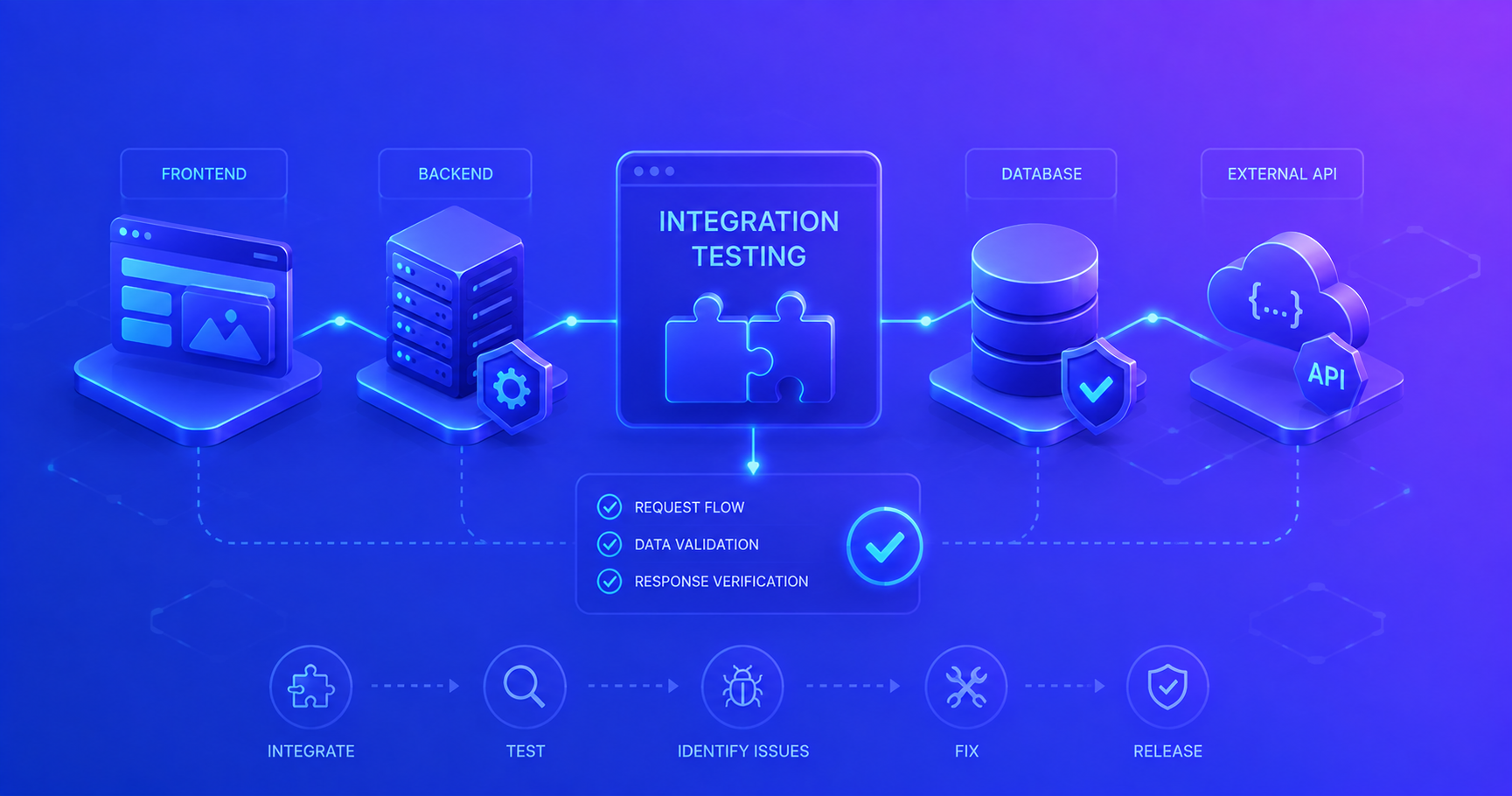
Integration testing is the phase of software testing where individual units or components are combined and tested as a group. While unit testing verifies that each piece works correctly in isolation, integration testing ensures these pieces work together properly.
Think of it like assembling a jigsaw puzzle. Unit testing verifies each puzzle piece is correctly shaped and colored. Integration testing checks that the pieces actually fit together to form the complete picture. A single piece might be perfect, but if it doesn’t connect with its neighbors, the puzzle fails.
Why Integration Testing Matters
Even when all your units pass their tests, problems can arise when they interact:
- Interface mismatches: One component expects JSON, another sends XML
- Timing issues: Components work individually but fail when dealing with concurrent requests
- Data flow problems: Data transformations between components introduce bugs
- External dependencies: Database connections, APIs, and file systems behave differently than mocks
- Configuration errors: Services are misconfigured or incompatible in the integrated environment
Pro Tip: Integration tests catch bugs that unit tests miss, they’re your safety net for component interactions.
Unit Testing vs Integration Testing
Understanding the differences helps you choose the right testing approach:
| Aspect | Unit Testing | Integration Testing |
|---|---|---|
| Scope | Individual methods/functions | Multiple components together |
| Dependencies | Mocked or stubbed | Real or partially real |
| Speed | Very fast (milliseconds) | Slower (seconds) |
| Isolation | Complete isolation | Limited isolation |
| Purpose | Verify logic correctness | Verify component interaction |
| Cost | Low (quick to write/run) | Higher (more complex setup) |
| Debugging | Easy (narrow scope) | Harder (multiple components) |
| When to Run | Every build | Regular builds, pre-deployment |
Visual Comparison
flowchart TB
    subgraph Unit["Unit Testing"]
        direction TB
        U1[Component A]
        U2[Component B]
        U3[Component C]
        UM1[Mock Dependencies]
        UM2[Mock Dependencies]
        UM3[Mock Dependencies]

        U1 -.->|uses| UM1
        U2 -.->|uses| UM2
        U3 -.->|uses| UM3
    end

    subgraph Integration["Integration Testing"]
        direction TB
        I1[Component A]
        I2[Component B]
        I3[Component C]
        ID[(Real Database)]

        I1 -->|calls| I2
        I2 -->|calls| I3
        I3 -->|reads/writes| ID
    end

    style U1 fill:#90EE90
    style U2 fill:#90EE90
    style U3 fill:#90EE90
    style I1 fill:#87CEEB
    style I2 fill:#87CEEB
    style I3 fill:#87CEEB
Testing Pyramid
The balanced approach to testing.
The testing pyramid is a concept that helps teams balance different types of tests:
graph TB
    subgraph Pyramid["Testing Pyramid"]
        E2E["End-to-End Tests<br/>(Few, Slow, Expensive)"]
        INT["Integration Tests<br/>(Moderate, Medium Speed)"]
        UNIT["Unit Tests<br/>(Many, Fast, Cheap)"]
    end

    E2E -.-> INT
    INT -.-> UNIT

    style E2E fill:#FFB6C1,stroke:#333,stroke-width:2px
    style INT fill:#87CEEB,stroke:#333,stroke-width:2px
    style UNIT fill:#90EE90,stroke:#333,stroke-width:2px
Guidelines:
- 70% Unit tests - Fast feedback on logic
- 20% Integration tests - Verify component interaction
- 10% End-to-end tests - Validate complete workflows
This balance gives you confidence while keeping tests maintainable and fast.
Types of Integration Testing Approaches
Different projects benefit from different integration testing strategies:
1. Big Bang Approach
Big Bang integration testing combines all components at once and tests them together.
flowchart LR
    A[Component A]
    B[Component B]
    C[Component C]
    D[Component D]
    I[Integrated<br/>System]

    A --> I
    B --> I
    C --> I
    D --> I

    I --> T{Test All<br/>Together}

    style I fill:#FFB6C1
    style T fill:#FF6B6B
Advantages:
- Simple approach
- Quick for small systems
- All components tested together immediately
Disadvantages:
- Hard to isolate defects
- Late defect detection
- Complex debugging
- High risk for large systems
When to use: Small applications with few components or when all components are developed simultaneously.
2. Top-Down Approach
Top-down testing starts with high-level components and progressively integrates lower-level components.
flowchart TB
    A[Main Module]
    B[Module B]
    C[Module C]
    D[Sub-module D]
    E[Sub-module E]
    F[Sub-module F]

    A --> B
    A --> C
    B --> D
    B --> E
    C --> F

    S1[Step 1: Test A with stubs]
    S2[Step 2: Integrate B, test A+B]
    S3[Step 3: Integrate C, test A+B+C]
    S4[Step 4: Integrate D,E,F]

    style A fill:#90EE90
    style B fill:#87CEEB
    style C fill:#87CEEB
    style D fill:#FFE4B5
    style E fill:#FFE4B5
    style F fill:#FFE4B5
Advantages:
- Early validation of major functionality
- Defects in high-level modules found early
- Easier to demonstrate core features
Disadvantages:
- Requires stubs for lower modules
- Lower-level defects found late
- Stubs need maintenance
When to use: When high-level logic is complex or when you need early demonstrations of core functionality.
3. Bottom-Up Approach
Bottom-up testing starts with low-level components and progressively integrates higher-level components.
flowchart BT
    D[Module D]
    E[Module E]
    F[Module F]
    B[Module B]
    C[Module C]
    A[Main Module]

    D --> B
    E --> B
    F --> C
    B --> A
    C --> A

    S1[Step 1: Test D, E, F independently]
    S2[Step 2: Integrate D+E into B]
    S3[Step 3: Integrate F into C]
    S4[Step 4: Integrate B+C into A]

    style D fill:#90EE90
    style E fill:#90EE90
    style F fill:#90EE90
    style B fill:#87CEEB
    style C fill:#87CEEB
    style A fill:#FFE4B5
Advantages:
- Easy to create test conditions
- Defects in critical modules found early
- No stubs needed
- Parallel testing possible
Disadvantages:
- Requires drivers for top modules
- High-level defects found late
- Major flaws detected late
When to use: When lower-level components contain complex logic or when bottom modules are developed first.
4. Sandwich (Hybrid) Approach
Sandwich testing combines top-down and bottom-up approaches simultaneously.
flowchart TB
    subgraph Top["Top-Down Testing"]
        A[Main Module]
        B[Module B]
    end

    subgraph Middle["Target Integration Layer"]
        M[Middle Layer]
    end

    subgraph Bottom["Bottom-Up Testing"]
        D[Module D]
        E[Module E]
    end

    A --> B
    B --> M
    D --> M
    E --> M

    style A fill:#90EE90
    style B fill:#87CEEB
    style M fill:#FFB6C1
    style D fill:#87CEEB
    style E fill:#90EE90
Advantages:
- Balances both approaches
- Parallel testing of top and bottom
- Better test coverage
- Defects found at multiple levels
Disadvantages:
- Most complex approach
- Requires more resources
- Coordination needed between teams
When to use: Large systems with multiple teams or when you need comprehensive early testing.
Pro Tip: Most modern projects use a hybrid approach, adapting the strategy based on component criticality and team structure.
When to Apply Integration Testing
Integration testing should occur at specific points in your development cycle:
Development Lifecycle Integration
flowchart LR
    A[Write Code] --> B[Unit Tests]
    B --> C[Integrate<br/>Components]
    C --> D[Integration<br/>Tests]
    D --> E{Tests Pass?}
    E -->|No| A
    E -->|Yes| F[Commit]
    F --> G[CI Pipeline]
    G --> H[Deploy]

    style B fill:#90EE90
    style D fill:#87CEEB
    style E fill:#FFB6C1
Integration Testing Scenarios
Test integration when:
- Multiple components interact
- Service calls another service
- Controller uses a repository
- Business logic accesses a database
- External systems are involved
- REST API calls
- Database operations
- Message queues
- File system operations
- Data flows between layers
- Request → Controller → Service → Repository → Database
- API → Parser → Validator → Storage
- Configuration matters
- Database connection settings
- API endpoints
- Security configurations
Important: Don’t integration test everything! Focus on critical paths and component boundaries.
Practical Java Examples
Let’s build a realistic example using Spring Boot to demonstrate integration testing.
Example Application Structure
We’ll test a simple OrderService that integrates with a database and an external payment service:
1
2
3
4
5
6
7
8
9
10
11
12
13
14
15
16
17
18
19
20
21
22
23
24
25
26
27
28
29
30
31
32
33
34
35
36
37
38
39
40
41
42
43
44
45
46
47
48
49
50
51
52
53
54
55
56
57
58
59
60
61
62
63
64
65
66
67
68
69
// Domain Model
public class Order {
    private Long id;
    private String customerName;
    private Double amount;
    private String status; // PENDING, PAID, FAILED

    // Constructors, getters, setters
    public Order(String customerName, Double amount) {
        this.customerName = customerName;
        this.amount = amount;
        this.status = "PENDING";
    }

    // Getters and setters omitted for brevity
}

// Repository Layer
@Repository
public interface OrderRepository extends JpaRepository<Order, Long> {
    List<Order> findByStatus(String status);
    Optional<Order> findByCustomerName(String customerName);
}

// Service Layer
@Service
public class OrderService {
    private final OrderRepository orderRepository;
    private final PaymentService paymentService;

    @Autowired
    public OrderService(OrderRepository orderRepository,
                       PaymentService paymentService) {
        this.orderRepository = orderRepository;
        this.paymentService = paymentService;
    }

    public Order createOrder(String customerName, Double amount) {
        Order order = new Order(customerName, amount);
        return orderRepository.save(order);
    }

    public Order processPayment(Long orderId) {
        Order order = orderRepository.findById(orderId)
            .orElseThrow(() -> new OrderNotFoundException(orderId));

        boolean paymentSuccess = paymentService.processPayment(
            order.getCustomerName(),
            order.getAmount()
        );

        order.setStatus(paymentSuccess ? "PAID" : "FAILED");
        return orderRepository.save(order);
    }

    public List<Order> getPaidOrders() {
        return orderRepository.findByStatus("PAID");
    }
}

// External Payment Service
@Service
public class PaymentService {
    public boolean processPayment(String customerName, Double amount) {
        // In real application, this would call external payment API
        // For testing, we'll use a test double
        return true;
    }
}
Integration Test Example
Now let’s write integration tests using Spring Boot Test:
1
2
3
4
5
6
7
8
9
10
11
12
13
14
15
16
17
18
19
20
21
22
23
24
25
26
27
28
29
30
31
32
33
34
35
36
37
38
39
40
41
42
43
44
45
46
47
48
49
50
51
52
53
54
55
56
57
58
59
60
61
62
63
64
65
66
67
68
69
70
71
72
73
74
75
76
77
78
79
80
81
82
83
84
85
86
87
88
89
90
91
92
93
94
95
96
97
98
99
100
101
102
103
104
105
106
@SpringBootTest
@AutoConfigureTestDatabase(replace = AutoConfigureTestDatabase.Replace.ANY)
@Transactional
class OrderServiceIntegrationTest {

    @Autowired
    private OrderService orderService;

    @Autowired
    private OrderRepository orderRepository;

    @MockBean // Mock the external payment service
    private PaymentService paymentService;

    @Test
    void shouldCreateAndSaveOrder() {
        // Given
        String customerName = "John Doe";
        Double amount = 99.99;

        // When
        Order createdOrder = orderService.createOrder(customerName, amount);

        // Then
        assertNotNull(createdOrder.getId());
        assertEquals(customerName, createdOrder.getCustomerName());
        assertEquals(amount, createdOrder.getAmount());
        assertEquals("PENDING", createdOrder.getStatus());

        // Verify it's actually in the database
        Optional<Order> foundOrder = orderRepository.findById(createdOrder.getId());
        assertTrue(foundOrder.isPresent());
        assertEquals(customerName, foundOrder.get().getCustomerName());
    }

    @Test
    void shouldProcessPaymentSuccessfully() {
        // Given
        Order order = orderService.createOrder("Jane Smith", 150.00);
        when(paymentService.processPayment(anyString(), anyDouble()))
            .thenReturn(true);

        // When
        Order processedOrder = orderService.processPayment(order.getId());

        // Then
        assertEquals("PAID", processedOrder.getStatus());
        verify(paymentService).processPayment("Jane Smith", 150.00);

        // Verify database is updated
        Order dbOrder = orderRepository.findById(order.getId()).orElseThrow();
        assertEquals("PAID", dbOrder.getStatus());
    }

    @Test
    void shouldHandlePaymentFailure() {
        // Given
        Order order = orderService.createOrder("Bob Johnson", 200.00);
        when(paymentService.processPayment(anyString(), anyDouble()))
            .thenReturn(false);

        // When
        Order processedOrder = orderService.processPayment(order.getId());

        // Then
        assertEquals("FAILED", processedOrder.getStatus());

        // Verify database reflects failure
        Order dbOrder = orderRepository.findById(order.getId()).orElseThrow();
        assertEquals("FAILED", dbOrder.getStatus());
    }

    @Test
    void shouldRetrievePaidOrders() {
        // Given - Create multiple orders with different statuses
        Order order1 = orderService.createOrder("Alice", 100.00);
        Order order2 = orderService.createOrder("Charlie", 200.00);
        Order order3 = orderService.createOrder("Diana", 300.00);

        // Process payments with different outcomes
        when(paymentService.processPayment(anyString(), anyDouble()))
            .thenReturn(true);

        orderService.processPayment(order1.getId());
        orderService.processPayment(order2.getId());

        // When
        List<Order> paidOrders = orderService.getPaidOrders();

        // Then
        assertEquals(2, paidOrders.size());
        assertTrue(paidOrders.stream()
            .allMatch(order -> order.getStatus().equals("PAID")));
    }

    @Test
    void shouldThrowExceptionForNonexistentOrder() {
        // Given
        Long nonexistentId = 99999L;

        // When & Then
        assertThrows(OrderNotFoundException.class, () -> {
            orderService.processPayment(nonexistentId);
        });
    }
}
REST Controller Integration Test
Testing the web layer with database integration:
1
2
3
4
5
6
7
8
9
10
11
12
13
14
15
16
17
18
19
20
21
22
23
24
25
26
27
28
29
30
31
32
33
34
35
36
37
38
39
40
41
42
43
44
45
46
47
48
49
50
51
52
53
54
55
56
57
58
59
60
61
62
63
64
65
66
67
68
69
70
71
72
73
74
75
76
@SpringBootTest
@AutoConfigureMockMvc
@Transactional
class OrderControllerIntegrationTest {

    @Autowired
    private MockMvc mockMvc;

    @Autowired
    private OrderRepository orderRepository;

    @MockBean
    private PaymentService paymentService;

    @Test
    void shouldCreateOrderViaAPI() throws Exception {
        // Given
        String orderJson = """
            {
                "customerName": "John Doe",
                "amount": 99.99
            }
            """;

        // When & Then
        mockMvc.perform(post("/api/orders")
                .contentType(MediaType.APPLICATION_JSON)
                .content(orderJson))
            .andExpect(status().isCreated())
            .andExpect(jsonPath("$.id").exists())
            .andExpect(jsonPath("$.customerName").value("John Doe"))
            .andExpect(jsonPath("$.amount").value(99.99))
            .andExpect(jsonPath("$.status").value("PENDING"));

        // Verify database
        assertEquals(1, orderRepository.count());
    }

    @Test
    void shouldProcessPaymentViaAPI() throws Exception {
        // Given
        Order order = new Order("Jane Smith", 150.00);
        order = orderRepository.save(order);

        when(paymentService.processPayment(anyString(), anyDouble()))
            .thenReturn(true);

        // When & Then
        mockMvc.perform(post("/api/orders/{id}/payment", order.getId()))
            .andExpect(status().isOk())
            .andExpect(jsonPath("$.status").value("PAID"));

        // Verify database updated
        Order updatedOrder = orderRepository.findById(order.getId()).orElseThrow();
        assertEquals("PAID", updatedOrder.getStatus());
    }

    @Test
    void shouldGetPaidOrders() throws Exception {
        // Given - Create test data
        Order order1 = orderRepository.save(new Order("Alice", 100.00));
        order1.setStatus("PAID");
        orderRepository.save(order1);

        Order order2 = orderRepository.save(new Order("Bob", 200.00));
        order2.setStatus("PENDING");
        orderRepository.save(order2);

        // When & Then
        mockMvc.perform(get("/api/orders/paid"))
            .andExpect(status().isOk())
            .andExpect(jsonPath("$", hasSize(1)))
            .andExpect(jsonPath("$[0].customerName").value("Alice"))
            .andExpect(jsonPath("$[0].status").value("PAID"));
    }
}
Test Configuration
Setting up integration test dependencies.
For Spring Boot integration tests, add these dependencies to your pom.xml:
1
2
3
4
5
6
7
8
9
10
11
12
13
14
15
16
17
18
19
20
21
22
<dependencies>
    <!-- Spring Boot Test -->
    <dependency>
        <groupId>org.springframework.boot</groupId>
        <artifactId>spring-boot-starter-test</artifactId>
        <scope>test</scope>
    </dependency>

    <!-- H2 In-Memory Database for Testing -->
    <dependency>
        <groupId>com.h2database</groupId>
        <artifactId>h2</artifactId>
        <scope>test</scope>
    </dependency>

    <!-- Additional test utilities -->
    <dependency>
        <groupId>org.mockito</groupId>
        <artifactId>mockito-core</artifactId>
        <scope>test</scope>
    </dependency>
</dependencies>
And configure application-test.properties:
1
2
3
4
5
6
7
8
9
10
11
# Use H2 in-memory database for tests
spring.datasource.url=jdbc:h2:mem:testdb
spring.datasource.driverClassName=org.h2.Driver
spring.jpa.database-platform=org.hibernate.dialect.H2Dialect

# Show SQL for debugging
spring.jpa.show-sql=true
spring.jpa.hibernate.ddl-auto=create-drop

# Disable external service calls in test
app.payment.external.enabled=false
Integration Testing Flow
Here’s how integration tests execute in a typical scenario:
sequenceDiagram
    participant Test as Integration Test
    participant Controller as REST Controller
    participant Service as Order Service
    participant Repo as Repository
    participant DB as H2 Database
    participant External as Payment Service<br/>(Mocked)

    Test->>Controller: POST /api/orders
    Controller->>Service: createOrder()
    Service->>Repo: save(order)
    Repo->>DB: INSERT INTO orders
    DB-->>Repo: Order saved
    Repo-->>Service: Order object
    Service-->>Controller: Order created
    Controller-->>Test: 201 Created

    Test->>Test: Verify response
    Test->>DB: Query database
    DB-->>Test: Confirm order exists

    Test->>Controller: POST /api/orders/{id}/payment
    Controller->>Service: processPayment()
    Service->>Repo: findById()
    Repo->>DB: SELECT order
    DB-->>Repo: Order found
    Repo-->>Service: Order object
    Service->>External: processPayment()
    External-->>Service: true (mocked)
    Service->>Repo: save(updatedOrder)
    Repo->>DB: UPDATE orders
    DB-->>Repo: Updated
    Repo-->>Service: Updated order
    Service-->>Controller: Order with PAID status
    Controller-->>Test: 200 OK

    Test->>Test: Assert status = PAID
Common Pitfalls and Best Practices
Pitfalls to Avoid
1. Testing Too Much
Integration tests shouldn’t duplicate unit test coverage.
Problem: Writing integration tests that verify individual method logic already covered by unit tests.
Bad Example:
1
2
3
4
5
6
7
@Test
void shouldCalculateOrderTotal() {
    // This is unit test logic in an integration test
    Order order = new Order("Customer", 100.0);
    order.addTax(0.1);
    assertEquals(110.0, order.getTotal());
}
Good Example:
1
2
3
4
5
6
7
8
@Test
void shouldSaveOrderWithCalculatedTotal() {
    // Focus on integration: does the total persist correctly?
    Order order = orderService.createOrderWithTax("Customer", 100.0, 0.1);

    Order saved = orderRepository.findById(order.getId()).orElseThrow();
    assertEquals(110.0, saved.getTotal());
}
Rule: Integration tests verify component interactions, not individual component logic.
2. Shared Test State
Tests that depend on execution order fail unpredictably.
Problem: Tests that rely on data created by other tests.
Bad Example:
1
2
3
4
5
6
7
8
9
10
11
12
13
14
15
@SpringBootTest
class OrderTests {
    static Order sharedOrder; // Dangerous!

    @Test
    void test1_CreateOrder() {
        sharedOrder = orderService.createOrder("John", 100.0);
    }

    @Test
    void test2_ProcessOrder() {
        // Fails if test1 doesn't run first!
        orderService.processPayment(sharedOrder.getId());
    }
}
Good Example:
1
2
3
4
5
6
7
8
9
10
11
12
13
14
@SpringBootTest
@Transactional // Rolls back after each test
class OrderTests {

    @Test
    void shouldProcessOrder() {
        // Each test creates its own data
        Order order = orderService.createOrder("John", 100.0);
        orderService.processPayment(order.getId());

        Order result = orderRepository.findById(order.getId()).orElseThrow();
        assertEquals("PAID", result.getStatus());
    }
}
Rule: Each test should be completely independent and create its own data.
3. Not Mocking External Services
Tests become slow and unreliable.
Problem: Calling real external APIs or services in integration tests.
Bad Example:
1
2
3
4
5
6
@Test
void shouldProcessRealPayment() {
    // Don't do this! Calls real payment gateway
    Order order = orderService.createOrder("John", 100.0);
    orderService.processPayment(order.getId()); // Real external call
}
Good Example:
1
2
3
4
5
6
7
8
9
10
11
@MockBean
private PaymentService paymentService;

@Test
void shouldProcessPayment() {
    when(paymentService.processPayment(anyString(), anyDouble()))
        .thenReturn(true);

    Order order = orderService.createOrder("John", 100.0);
    orderService.processPayment(order.getId());
}
Rule: Mock external boundaries (APIs, third-party services) but keep internal integrations real (database, message queues).
4. Ignoring Test Database State
Tests fail due to data pollution.
Problem: Not cleaning up test data between tests.
Solution Options:
Option 1: Use @Transactional (Recommended)
1
2
3
4
5
@SpringBootTest
@Transactional // Automatically rolls back after each test
class OrderTests {
    // Tests here
}
Option 2: Use @DirtiesContext (Slower)
1
2
3
4
5
@SpringBootTest
@DirtiesContext(classMode = ClassMode.AFTER_EACH_TEST_METHOD)
class OrderTests {
    // Tests here - context rebuilt each time
}
Option 3: Manual Cleanup
1
2
3
4
@AfterEach
void cleanup() {
    orderRepository.deleteAll();
}
Rule: Always ensure clean database state between tests.
Best Practices
Follow these practices to write effective integration tests:
- Test Real Interactions
- Use real databases (H2, TestContainers)
- Mock only external boundaries
- Test actual HTTP requests for APIs
- Keep Tests Fast
- Use in-memory databases
- Mock slow external services
- Run integration tests in parallel when possible
- Aim for tests under 5 seconds each
- Focus on Critical Paths
- Test main user workflows
- Test error handling across layers
- Test data persistence and retrieval
- Don’t test every permutation (that’s for unit tests)
- Use Proper Test Data
- Create realistic test scenarios
- Use test data builders for complex objects
- Include edge cases (null, empty, boundary values)
- Verify Side Effects
1
2
3
4
5
6
7
@Test
void shouldSendEmailWhenOrderPlaced() {
    Order order = orderService.createOrder("John", 100.0);

    // Verify the integration effect
    verify(emailService).sendOrderConfirmation("John", order.getId());
}
- Test Configuration
- Use separate test configuration
- Test with realistic data volumes
- Verify database constraints and indexes
- Use TestContainers for Real Dependencies
1
2
3
4
5
@Container
static PostgreSQLContainer<?> postgres = new PostgreSQLContainer<>("postgres:15")
    .withDatabaseName("testdb")
    .withUsername("test")
    .withPassword("test");
Debugging Integration Test Failures
When integration tests fail, follow this systematic approach:
flowchart TD
    Start[Test Fails] --> Check1{Is it consistent?}
    Check1 -->|No| Timing[Check for timing issues]
    Check1 -->|Yes| Check2{Does unit test pass?}

    Check2 -->|No| Unit[Fix unit test first]
    Check2 -->|Yes| Check3{Check test isolation}

    Check3 --> Data{Data state correct?}
    Data -->|No| Clean[Add cleanup or Transactional]
    Data -->|Yes| Config{Config correct?}

    Config -->|No| FixConfig[Update test configuration]
    Config -->|Yes| Mock{Mock setup correct?}

    Mock -->|No| FixMock[Fix mock behavior]
    Mock -->|Yes| Integration[Real integration issue found]

    Timing --> Await[Add explicit waits]
    Unit --> Retest[Rerun integration test]
    Clean --> Retest
    FixConfig --> Retest
    FixMock --> Retest
    Await --> Retest
    Integration --> Fix[Fix actual bug]

    style Start fill:#FFB6C1
    style Integration fill:#90EE90
    style Fix fill:#87CEEB
Debugging Tips
- Enable SQL Logging
1
2
spring.jpa.show-sql=true
logging.level.org.hibernate.SQL=DEBUG
- Use Debugger Breakpoints
- Set breakpoints in service methods
- Inspect database state during test execution
- Step through integration points
- Check Test Logs
1
2
3
4
5
6
7
8
9
10
11
@Slf4j
@SpringBootTest
class OrderTests {
    @Test
    void shouldProcessOrder() {
        log.info("Starting test with order creation");
        Order order = orderService.createOrder("John", 100.0);
        log.info("Order created with ID: {}", order.getId());
        // ...
    }
}
- Verify Test Data
1
2
3
4
5
6
7
8
9
10
@Test
void debugTest() {
    Order order = orderService.createOrder("John", 100.0);

    // Print database state for debugging
    List<Order> allOrders = orderRepository.findAll();
    allOrders.forEach(o ->
        System.out.println("Order: " + o.getId() + " - " + o.getStatus())
    );
}
Real-World Integration Testing Scenarios
Scenario 1: Testing Database Transactions
1
2
3
4
5
6
7
8
9
10
11
12
13
14
15
16
@Test
void shouldRollbackOnPaymentFailure() {
    // Given
    Order order = orderService.createOrder("John", 100.0);
    when(paymentService.processPayment(anyString(), anyDouble()))
        .thenThrow(new PaymentException("Payment gateway down"));

    // When
    assertThrows(PaymentException.class, () -> {
        orderService.processPayment(order.getId());
    });

    // Then - Order status should remain PENDING (transaction rolled back)
    Order unchangedOrder = orderRepository.findById(order.getId()).orElseThrow();
    assertEquals("PENDING", unchangedOrder.getStatus());
}
Scenario 2: Testing API Pagination
1
2
3
4
5
6
7
8
9
10
11
12
13
14
15
16
17
18
19
@Test
void shouldPaginateOrders() throws Exception {
    // Given - Create 25 orders
    for (int i = 0; i < 25; i++) {
        orderRepository.save(new Order("Customer" + i, 100.0));
    }

    // When & Then - First page
    mockMvc.perform(get("/api/orders?page=0&size=10"))
        .andExpect(status().isOk())
        .andExpect(jsonPath("$.content", hasSize(10)))
        .andExpect(jsonPath("$.totalElements").value(25))
        .andExpect(jsonPath("$.totalPages").value(3));

    // Last page
    mockMvc.perform(get("/api/orders?page=2&size=10"))
        .andExpect(status().isOk())
        .andExpect(jsonPath("$.content", hasSize(5)));
}
Scenario 3: Testing Concurrent Access
1
2
3
4
5
6
7
8
9
10
11
12
13
14
15
16
17
18
19
20
21
22
23
24
25
26
@Test
void shouldHandleConcurrentOrderCreation() throws Exception {
    // Given
    int numberOfThreads = 10;
    ExecutorService executor = Executors.newFixedThreadPool(numberOfThreads);
    CountDownLatch latch = new CountDownLatch(numberOfThreads);

    // When - Create orders concurrently
    for (int i = 0; i < numberOfThreads; i++) {
        final int index = i;
        executor.submit(() -> {
            try {
                orderService.createOrder("Customer" + index, 100.0);
            } finally {
                latch.countDown();
            }
        });
    }

    latch.await(10, TimeUnit.SECONDS);
    executor.shutdown();

    // Then - All orders should be created
    List<Order> orders = orderRepository.findAll();
    assertEquals(numberOfThreads, orders.size());
}
Conclusion
Integration testing is a crucial skill that bridges the gap between unit testing and end-to-end testing. While unit tests verify individual components work correctly, integration tests ensure these components cooperate properly in realistic scenarios.
Key Takeaways
- Purpose: Integration tests verify component interactions and data flow
- Scope: Test multiple components together with real or partially real dependencies
- Approach: Choose the right strategy (Big Bang, Top-Down, Bottom-Up, or Sandwich) based on your project
- Balance: Follow the testing pyramid, more unit tests, moderate integration tests, few end-to-end tests
- Focus: Test critical paths and boundary interactions, not every permutation
- Speed: Keep tests fast using in-memory databases and mocking external services
- Isolation: Ensure tests are independent and don’t share state
Remember: Integration tests complement unit tests, they don’t replace them. Together they give you confidence that your application works correctly both in parts and as a whole.
Next Steps
Now that you understand integration testing, consider exploring:
- Test Containers - Run real databases in Docker for more realistic tests
- Contract Testing - Verify API contracts between services
- Performance Testing - Ensure integrations perform under load
- Acceptance Testing - Validate complete user workflows
Start small, add integration tests to your most critical workflows first, then expand coverage as you gain experience. Happy testing!