
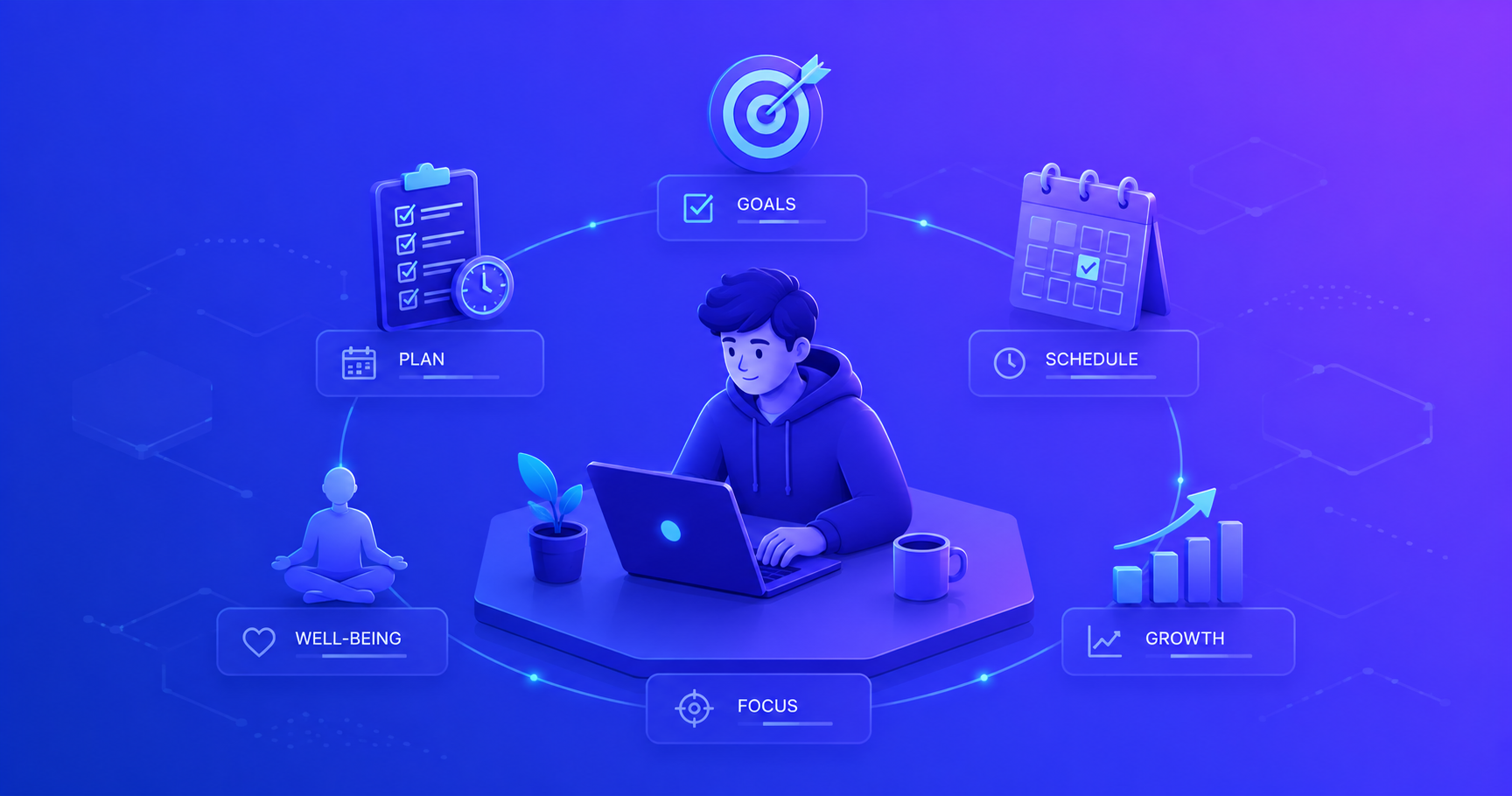
As a junior developer, you’ll hear a lot about technical skills, algorithms, design patterns, frameworks. But here’s what they don’t tell you: your ability to manage yourself often determines your success more than your coding skills.
What is Self-Management?
Self-management is your ability to regulate your emotions, thoughts, and behaviors in different situations. It’s about taking responsibility for your own development, productivity, and well-being, without needing constant external oversight.
For junior software engineers, self-management encompasses:
- Setting and achieving learning goals
- Managing your time and priorities effectively
- Handling stress and setbacks constructively
- Staying motivated through challenges
- Regulating your emotions in team settings
- Taking ownership of your career growth
Think of self-management as your personal operating system. Just as good code requires solid architecture, a successful career requires strong self-management skills.
According to MindTools, people with strong self-management skills are more productive, better at handling stress, and more likely to achieve their long-term goals, all critical for thriving in the demanding field of software engineering.
Why Self-Management Matters in Software Development
Software engineering presents unique challenges that make self-management essential:
| Challenge | Why Self-Management Matters | Without Self-Management |
|---|---|---|
| Rapid Technology Change | Need to continuously learn new tools and frameworks | Fall behind, become outdated |
| Complex Problem Solving | Must stay focused and manage frustration | Give up too easily, produce poor solutions |
| Autonomous Work | Often work independently with minimal supervision | Miss deadlines, need constant direction |
| High Cognitive Load | Must manage mental energy and avoid burnout | Chronic stress, declining code quality |
| Imposter Syndrome | Need to manage self-doubt and maintain confidence | Paralysis, avoid challenges |
"In my first three months as a developer, I struggled with everything: staying focused, managing stress when bugs appeared, and knowing what to learn next. Once I started actively managing myself, setting daily goals, taking breaks, tracking my progress, everything changed. My code improved, my confidence grew, and work became enjoyable instead of overwhelming."
The Core Components of Self-Management
Self-management isn’t a single skill, it’s a system of interconnected abilities that work together:
flowchart TB
    subgraph SM["Self-Management System"]
        direction TB

        subgraph GS["Goal Setting"]
            G1[Define Objectives]
            G2[Create Action Plans]
            G3[Track Progress]
        end

        subgraph TM["Time Management"]
            T1[Prioritize Tasks]
            T2[Avoid Distractions]
            T3[Maintain Focus]
        end

        subgraph STM["Stress Management"]
            S1[Recognize Triggers]
            S2[Apply Coping Strategies]
            S3[Maintain Balance]
        end

        subgraph MOT["Self-Motivation"]
            M1[Find Purpose]
            M2[Build Habits]
            M3[Celebrate Wins]
        end

        subgraph ER["Emotional Regulation"]
            E1[Identify Emotions]
            E2[Process Feelings]
            E3[Respond Constructively]
        end
    end

    GS <--> TM
    TM <--> STM
    STM <--> ER
    ER <--> MOT
    MOT <--> GS

    SM ==> Success[Professional Success]
    Success --> Quality[Better Code Quality]
    Success --> Growth[Faster Career Growth]
    Success --> Wellbeing[Improved Well-being]
Let’s explore each component in the context of software development.
Component 1: Goal Setting for Developers
Effective goal setting provides direction and motivation. Without clear goals, you’ll drift aimlessly through your career, learning randomly without purpose.
The SMART Framework for Developer Goals
Use SMART goals to create clear, actionable objectives:
Specific
Define exactly what you want to achieve.
Vague: “Get better at Python” Specific: “Complete three Python web scraping projects using BeautifulSoup and Selenium”
Why it matters: Specific goals give you a clear target. You know exactly when you’ve succeeded and what actions to take.
Measurable
Define how you’ll track progress.
Not Measurable: “Improve my coding skills” Measurable: “Solve 50 LeetCode problems (20 easy, 25 medium, 5 hard) in the next 3 months”
Why it matters: Measurable goals let you track progress and stay motivated by seeing improvement.
Achievable
Ensure goals are realistic given your current situation.
Unrealistic: “Learn 5 programming languages this month while working full-time” Achievable: “Master JavaScript fundamentals over the next 2 months with 1 hour of daily practice”
Why it matters: Unrealistic goals lead to frustration and demotivation. Achievable goals build confidence through success.
Relevant
Align goals with your career objectives.
Not Relevant: “Learn COBOL” (if you work with modern web applications) Relevant: “Learn React hooks and state management” (if your team uses React)
Why it matters: Relevant goals accelerate your career rather than waste time on skills you won’t use.
Time-Bound
Set a deadline for completion.
Open-ended: “Eventually learn Docker” Time-bound: “Deploy 3 applications using Docker by end of Q1”
Why it matters: Deadlines create urgency and help you prioritize. Without them, goals get perpetually postponed.
Practical Goal Examples for Junior Developers
Here are realistic goals organized by timeframe:
Daily Goals:
- Write at least 100 lines of quality code
- Complete 2 code reviews for teammates
- Learn one new VS Code shortcut
- Document one function or module
Weekly Goals:
- Complete 3 user stories from the sprint backlog
- Attend and actively participate in all team meetings
- Solve 5 algorithm problems on LeetCode
- Read 2 technical articles related to current project
Monthly Goals:
- Complete one side project (e.g., personal portfolio website)
- Learn one new testing framework feature
- Improve code review response time by 20%
- Mentor a coding bootcamp student for 2 hours
Quarterly Goals:
- Master one new major technology (e.g., GraphQL, Redis)
- Give a tech talk to your team
- Contribute to one open-source project
- Reduce average bug count in your code by 30%
Start with just 2-3 goals at a time. Too many goals dilute your focus and reduce the likelihood of success. Master goal-setting by achieving small wins first.
Component 2: Time Management
Effective time management allows you to accomplish more while maintaining quality and avoiding burnout. As a junior developer, you’ll juggle coding, learning, meetings, and code reviews, all requiring different mental modes.
The Time Management Matrix for Developers
Building on the Eisenhower Matrix, here’s how to prioritize your daily work:
flowchart TB
    subgraph Matrix["Daily Time Management"]
        subgraph DO["Do Now (Urgent & Important)"]
            D1["Critical bugs in production"]
            D2["Blocking issues for teammates"]
            D3["Today's sprint commitments"]
        end

        subgraph SCHEDULE["Schedule (Important, Not Urgent)"]
            SC1["Learning new skills"]
            SC2["Code refactoring"]
            SC3["Writing documentation"]
            SC4["Career planning"]
        end

        subgraph DELEGATE["Minimize (Urgent, Not Important)"]
            DG1["Non-critical interruptions"]
            DG2["Some meetings"]
            DG3["Excessive Slack messages"]
        end

        subgraph ELIMINATE["Eliminate (Neither Urgent nor Important)"]
            E1["Social media during work"]
            E2["Perfectionism on minor tasks"]
            E3["Unnecessary meetings"]
        end
    end

    DO -.->|"2-3 hours"| Morning[Deep Work Morning]
    SCHEDULE -.->|"1-2 hours"| Growth[Growth Time]
    DELEGATE -.->|"< 1 hour"| Admin[Admin Time]
    ELIMINATE -.->|"0 hours"| None[Avoid Completely]

    style SCHEDULE fill:#90ee90,stroke:#228b22
Time Blocking for Developers
Time blocking is a powerful technique for managing your day. Here’s a sample schedule:
| Time Block | Activity | Purpose |
|---|---|---|
| 9:00-11:30 | Deep Work: Feature Development | Most creative work when energy is highest |
| 11:30-12:00 | Code Reviews | Help teammates, learn from others’ code |
| 12:00-13:00 | Lunch + Walk | Recharge, prevent afternoon slump |
| 13:00-14:00 | Meetings/Standups | Collaborate with team |
| 14:00-16:00 | Focused Coding: Bug Fixes | Tactical work, easier when slightly tired |
| 16:00-17:00 | Learning Time | Study new concepts, watch tutorials |
| 17:00-17:30 | Planning Tomorrow | Review today, prepare tomorrow’s priorities |
Protecting Your Deep Work Time
The most important practice.
Deep work is focused, uninterrupted time on cognitively demanding tasks. For developers, this is when you solve complex problems, design architectures, and write quality code.
How to protect deep work:
- Block calendar time: Mark 2-3 hour blocks as “Focus Time” or “Do Not Disturb”
- Close Slack/email: Check messages at scheduled times only (e.g., 11:30 AM, 2:30 PM)
- Use headphones: Signal to others you’re in focus mode (even if not playing music)
- Disable notifications: Turn off all desktop and phone notifications
- Work offline if possible: Disconnect from internet to eliminate temptation
Result: What takes 4 hours with interruptions takes 90 minutes in deep work mode.
The Pomodoro Technique for Coding
For tasks that feel overwhelming or when you’re struggling with focus:
- Choose a task: Pick one specific coding task
- Set timer for 25 minutes: Work with complete focus
- Take 5-minute break: Stand up, stretch, look away from screen
- Repeat 4 times: Then take a longer 15-30 minute break
This technique is particularly effective for:
- Debugging difficult issues
- Learning new concepts from documentation
- Writing tests (often tedious but necessary)
- Tackling tasks you’re avoiding
Component 3: Stress Management
Software development is inherently stressful. Bugs appear minutes before deployment. Code reviews reveal errors you missed. Features take twice as long as estimated. Learning to manage stress is non-negotiable.
Common Stress Triggers for Junior Developers
flowchart LR
    subgraph Triggers["Stress Triggers"]
        T1[Unclear Requirements]
        T2[Tight Deadlines]
        T3[Difficult Bugs]
        T4[Code Review Feedback]
        T5[Imposter Syndrome]
        T6[New Technologies]
    end

    subgraph Response["Your Response"]
        R1{Recognize Trigger}
        R2[Apply Coping Strategy]
        R3[Reflect & Learn]
    end

    subgraph Strategies["Coping Strategies"]
        S1[Take Short Breaks]
        S2[Ask for Help]
        S3[Break Down Problem]
        S4[Practice Mindfulness]
        S5[Exercise/Walk]
        S6[Talk to Mentor]
    end

    Triggers --> R1
    R1 --> R2
    R2 --> Strategies
    Strategies --> R3
    R3 -.->|"Build Resilience"| Triggers
Practical Stress Management Techniques
1. The 5-Minute Reset
When you feel overwhelmed.
When to use: You’ve been stuck on a bug for an hour, you’re frustrated, and your mind is spinning.
What to do:
- Stand up and walk away from your computer
- Go outside or to a different room
- Take 10 deep breaths (4 seconds in, 4 seconds hold, 4 seconds out)
- Drink water
- Return with fresh perspective
Why it works: Stepping away allows your subconscious to process the problem. Many developers have their best insights away from the keyboard.
2. Rubber Duck Debugging
Explain the problem out loud.
When to use: You’re stuck on a problem and growing frustrated.
What to do:
- Find a rubber duck (or any object, or even a willing colleague)
- Explain your code line-by-line out loud
- Describe what you expect vs. what’s happening
- Often, you’ll realize the issue mid-explanation
Why it works: Articulating the problem forces you to think differently and often reveals assumptions or oversights.
3. Daily Reflection Journal
Process emotions and learn from experiences.
When to use: End of each workday (5-10 minutes).
What to write:
- What went well today?
- What challenged me?
- What did I learn?
- What will I do differently tomorrow?
- How am I feeling about my progress?
Why it works: Writing externalizes stress and helps you recognize patterns, celebrate progress, and develop solutions.
4. The “Not Yet” Mindset
Reframe failure as growth.
Fixed Mindset: “I can’t understand this algorithm” Growth Mindset: “I can’t understand this algorithm yet”
Fixed Mindset: “I’m bad at testing” Growth Mindset: “I haven’t learned testing best practices yet”
Why it works: The word “yet” acknowledges current limitations while affirming your ability to grow.
When to Ask for Help
Knowing when to ask for help is a critical self-management skill. Many junior developers wait too long, wasting hours on problems a senior could solve in minutes.
The 30-Minute Rule: If you’re completely stuck after 30 minutes of focused effort, ask for help. You’re not bothering anyone, you’re being efficient and showing good judgment.
Before asking for help, prepare:
- What are you trying to accomplish?
- What have you already tried?
- What specifically are you stuck on?
- What error messages or unexpected behavior are you seeing?
This preparation shows respect for others’ time and helps you learn more from their response.
Component 4: Self-Motivation
Motivation isn’t something you have or don’t have, it’s something you actively cultivate. As a junior developer, you’ll face periods where learning feels slow, bugs are frustrating, and progress seems invisible.
Understanding Intrinsic vs. Extrinsic Motivation
| Intrinsic Motivation | Extrinsic Motivation |
|---|---|
| Driven by internal satisfaction | Driven by external rewards |
| “I love solving puzzles with code” | “I want a promotion and raise” |
| Sustainable long-term | Fades when rewards are absent |
| Creates resilience | Creates dependency |
The key: Build intrinsic motivation while working toward extrinsic rewards.
Building Intrinsic Motivation
1. Connect to Purpose
Understand the “why” behind your work.
Instead of: “I’m fixing a bug in the payment module” Think: “I’m ensuring customers can complete purchases smoothly, directly impacting revenue and user trust”
Instead of: “I’m writing unit tests” Think: “I’m building confidence that our code works correctly and preventing future bugs that could waste days”
Action: Before starting any task, write one sentence about how it adds value.
2. Track Small Wins
Celebrate progress, not just completion.
Keep a “wins journal” where you record daily achievements:
- ✅ Fixed authentication bug that was blocking QA
- ✅ Learned how to use React’s useEffect hook
- ✅ Received positive feedback on code review
- ✅ Helped junior teammate debug their issue
- ✅ Wrote comprehensive tests for new feature
Review weekly: You’ll be amazed at how much you’ve accomplished when it’s written down.
3. Create Learning Challenges
Gamify your growth.
Examples:
- “30-Day LeetCode Challenge”: Solve 1 problem daily
- “Feature Friday”: Build a small feature in a side project every Friday
- “Tech Talk Tuesday”: Watch one conference talk each Tuesday morning
- “Refactor Wednesday”: Improve one piece of old code each week
Why it works: Structure and routine reduce decision fatigue and build momentum.
4. Find Your Developer Community
Surround yourself with motivated peers.
Online communities:
- Join Discord servers for your tech stack
- Participate in Twitter/X tech communities
- Contribute to open-source projects
- Share your learning journey on LinkedIn
Local communities:
- Attend local meetups (JavaScript meetup, Python users group)
- Join coding bootcamp alumni groups
- Participate in hackathons
Why it works: Community provides accountability, inspiration, and proof that others face similar challenges.
Overcoming Motivation Slumps
Even with good habits, motivation fluctuates. Here’s how to handle low-motivation periods:
flowchart TB
    Start[Feeling Unmotivated] --> Identify{Identify Cause}

    Identify --> Burnout[Burnout/Exhaustion]
    Identify --> Lost[Lost/Unclear Direction]
    Identify --> Stuck[Stuck on Difficult Problem]
    Identify --> Bored[Bored/Unchallenged]

    Burnout --> RestSolution[Take Time Off<br/>Reduce Hours<br/>Practice Self-Care]
    Lost --> ClaritySolution[Review Goals<br/>Talk to Mentor<br/>Create Learning Plan]
    Stuck --> HelpSolution[Ask for Help<br/>Switch Tasks<br/>Take Breaks]
    Bored --> ChallengeSolution[Seek Stretch Projects<br/>Learn New Tech<br/>Contribute to Design]

    RestSolution --> Recovery[Recovery]
    ClaritySolution --> Recovery
    HelpSolution --> Recovery
    ChallengeSolution --> Recovery

    Recovery --> |"With Better Strategies"| MotivationRestored[Motivation Restored]

    style Start fill:#ff9999
    style MotivationRestored fill:#90ee90
Component 5: Emotional Regulation
Code reviews can sting. Bugs can be frustrating. Deployments can be nerve-wracking. Your ability to manage emotions determines how effectively you work with others and how quickly you learn from mistakes.
Common Emotional Challenges
Dealing with Harsh Code Review Feedback
Separate ego from code.
The Situation: A senior developer leaves 20 comments on your pull request, some sounding critical.
Emotional Reaction: Defensiveness, embarrassment, imposter syndrome
Healthy Response:
- Take a breath: Don’t respond immediately
- Reframe: This feedback makes you better. They’re investing time in your growth
- Separate: Criticism of code ≠ criticism of you as a person
- Ask questions: If feedback is unclear, ask for clarification
- Thank them: Express appreciation for their time and insights
- Learn: Identify patterns in feedback to prevent future issues
Remember: Every senior developer received harsh feedback when they were junior. It’s part of growth.
Managing Frustration with Difficult Bugs
Stay calm under pressure.
The Situation: You’ve been debugging the same issue for 3 hours. Nothing works.
Emotional Reaction: Frustration, anger, feeling stupid
Healthy Response:
- Acknowledge emotion: “I’m frustrated right now, and that’s okay”
- Take a break: Walk away for 5-15 minutes
- Start fresh: Write down everything you know about the problem
- Ask for help: After 30 minutes of genuine effort, get another perspective
- Learn: Once solved, document the issue and solution for your future self
Remember: Difficult bugs are learning opportunities. The harder the bug, the more you’ll learn.
Handling Imposter Syndrome
Everyone feels it.
The Situation: You’re in a meeting and don’t understand what people are discussing. You feel like you don’t belong.
Emotional Reaction: Anxiety, self-doubt, fear of being “found out”
Healthy Response:
- Normalize it: 70% of people experience imposter syndrome, especially in tech
- Reality check: You were hired because you have value. They saw your potential
- Focus on growth: Compare yourself to past you, not to senior developers with 10 years experience
- Ask questions: Not knowing is expected for juniors. Pretending to know is harmful
- Share feelings: Talk to peers, you’ll find they feel the same way
Remember: Feeling like an imposter often means you’re challenging yourself and growing.
The STOP Technique for Emotional Regulation
When emotions run high, use the STOP technique:
S - Stop: Pause whatever you’re doing T - Take a breath: Three deep breaths O - Observe: Notice your thoughts and feelings without judgment P - Proceed: Continue with awareness and intention
This simple technique creates space between stimulus and response, allowing you to choose your reaction rather than acting on impulse.
Putting It All Together: Your Self-Management System
Self-management isn’t about doing everything perfectly, it’s about creating systems that support your growth and well-being.
Your Weekly Self-Management Routine
| Day | Self-Management Activity | Time |
|---|---|---|
| Monday | Set weekly goals and priorities | 15 min morning |
| Tuesday | Mid-sprint check-in: Am I on track? | 10 min end of day |
| Wednesday | Learning session: Follow through on learning goals | 1 hour |
| Thursday | Code quality review: Refactor one thing | 30 min |
| Friday | Weekly reflection: What worked? What didn’t? | 15 min end of day |
| Weekend | Complete separation: No work thoughts | - |
Self-Management Checklist for Junior Developers
Daily:
- Started day with top 3 priorities identified
- Protected at least 2 hours of deep work time
- Took breaks away from screen (lunch, short walks)
- Asked for help when stuck > 30 minutes
- Noted one thing learned today
Weekly:
- Reviewed and adjusted goals based on progress
- Completed planned learning activities
- Reflected on what went well and what to improve
- Connected with mentor or peers
- Celebrated at least 3 wins from the week
Monthly:
- Assessed progress toward quarterly goals
- Identified gaps in knowledge or skills
- Adjusted learning plan based on project needs
- Reviewed stress levels and work-life balance
- Planned next month’s priorities
Common Self-Management Pitfalls
Be aware of these traps that derail junior developers:
Perfectionism: Spending 3 hours making variable names perfect while missing the deadline. Good enough is often good enough, learn when to ship.
Over-commitment: Saying yes to everything, then delivering nothing well. Practice saying “I’d love to, but I’m at capacity. Can we revisit next week?”
Tutorial hell: Watching endless tutorials without building anything. Learning happens through doing, not just watching.
Comparison trap: Measuring your day-1 against someone’s year-3. Everyone starts somewhere. Focus on your own trajectory.
Isolation: Struggling alone instead of asking for help. Your team wants you to succeed, use their expertise.
The Impact of Strong Self-Management
When you develop strong self-management skills, everything improves:
On Your Code Quality
- Fewer bugs: Better focus leads to more careful code
- Better architecture: Time for thinking leads to better designs
- More tests: Discipline to do the right thing, not just the fast thing
- Better documentation: Taking time to help future you and teammates
On Your Career Growth
- Faster skill acquisition: Structured learning beats random learning
- More opportunities: Reliable self-managers get assigned important projects
- Better relationships: Emotional regulation improves team dynamics
- Stronger reputation: Known for delivering consistently and handling pressure
On Your Well-being
- Less stress: Control over your day reduces anxiety
- More satisfaction: Achieving goals provides fulfillment
- Better work-life balance: Efficient work means more personal time
- Increased confidence: Seeing progress builds self-assurance
Your Action Plan
Ready to strengthen your self-management? Start here:
Week 1: Assess Current State
- Track your time for 3 days: Where does your time actually go?
- Identify stress triggers: What situations cause you the most stress?
- Note emotional patterns: When do you feel most frustrated, anxious, or confident?
- List current goals: What are you actually working toward?
Week 2: Implement Basic Systems
- Set 3 SMART goals: 1 technical, 1 career, 1 personal
- Create time blocks: Schedule deep work time in your calendar
- Start a wins journal: Write down 3 wins each day
- Practice the STOP technique: Use it once daily when stressed
Week 3: Build Habits
- Morning ritual: Start each day with priority identification (5 min)
- Deep work: Protect 2 hours daily for focused coding
- End-of-day reflection: What went well? What to improve? (5 min)
- Weekly review: Friday afternoon, review progress on goals (15 min)
Week 4: Refine and Iterate
- Assess what’s working: Which practices helped most?
- Adjust what’s not: Which practices felt forced or ineffective?
- Add complexity gradually: Introduce one new technique
- Share with peers: Discuss self-management with other juniors
Conclusion
Self-management is the meta-skill that amplifies all your other abilities. You can be a brilliant programmer, but without self-management, you’ll struggle with deadlines, burn out quickly, and plateau in your career.
The good news? Self-management is a skill you can develop systematically. Start small, build consistency, and watch as your productivity, code quality, and career satisfaction all improve together.
Key Takeaways:
- Self-management encompasses goal-setting, time management, stress management, self-motivation, and emotional regulation
- Use SMART goals to create clear, actionable objectives
- Protect deep work time for complex coding tasks
- Develop stress management techniques before you need them
- Build intrinsic motivation through purpose, progress tracking, and community
- Practice emotional regulation to separate ego from code
- Start with simple systems and iterate based on what works
Remember: Every senior developer you admire mastered self-management. It wasn’t optional, it was essential. Start building these skills today, and you’ll thank yourself for years to come.
Additional Resources:
- MindTools: Self-Management - Comprehensive guide to self-management principles
- Time Management - Deep dive into time management specifics
- Work-Life Balance - Maintaining sustainable career practices
Next Steps: Ready to take your soft skills further? Continue developing your capabilities by exploring time management techniques and maintaining work-life balance. Check out our Development Methodologies post to understand how teams organize their work.