
What Are Build Tools?
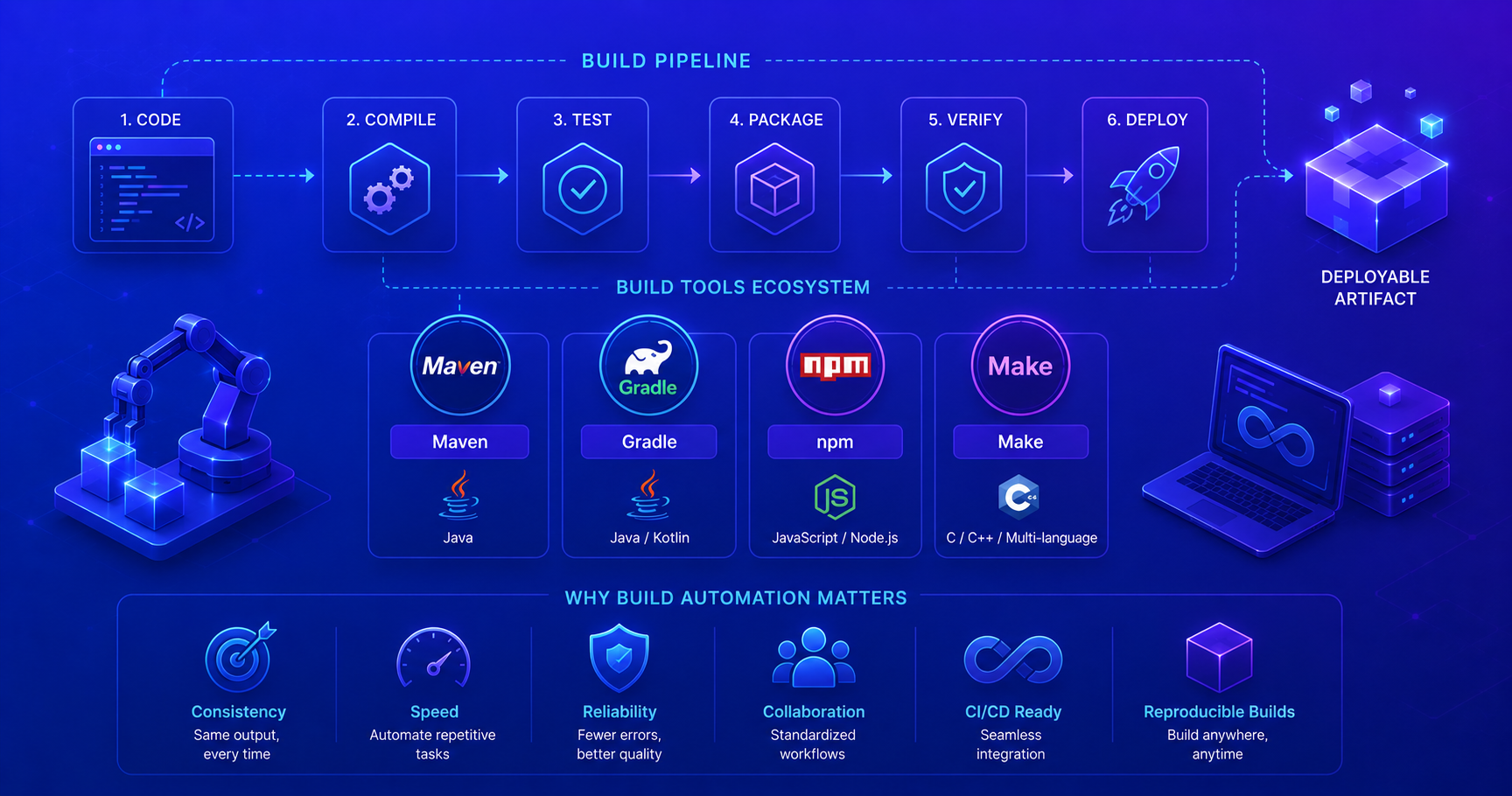
When you start programming, you might compile your code, run tests, and package everything manually. As projects grow, this becomes tedious and error-prone. Build tools are software that automatically handle the repetitive tasks of transforming your source code into executable artifacts, like JAR files, executables, or deployable packages.
Think of a build tool as an orchestra conductor. Just as a conductor coordinates all the musicians to play together perfectly, a build tool orchestrates all the steps needed to transform raw source code into a polished, ready-to-use product.
Why Build Automation Matters?
Build automation isn’t just about convenience, it’s about consistency, reliability, and speed. When your build process is automated, every team member builds the same way, every time.
Consider these benefits:
| Aspect | Manual Building | Automated Building |
|---|---|---|
| Consistency | Prone to human error | Same result every time |
| Speed | Time-consuming | Seconds or minutes |
| Reproducibility | Difficult across machines | Guaranteed same output |
| CI/CD Support | Impossible without automation | Seamlessly integrated |
| Scalability | Doesn’t scale with team | Scales automatically |
| Documentation | Build steps scattered | Build process is documented |
Core Build Tool Functions
All build tools automate several key tasks:
- Compilation: Convert source code into bytecode or machine code
- Testing: Run automated tests to verify functionality
- Dependency Management: Handle external libraries your project needs
- Packaging: Bundle code into distributions (JAR, WAR, executable, etc.)
- Documentation: Generate API docs and reports
- Deployment Prep: Prepare artifacts for distribution or deployment
Common Build Tools
Different languages and project types have different build tools. Here are the most popular ones:
Build Tools by Language/Platform
Different languages and project types use different build tools:
Java Ecosystem:
- Maven: Declarative, convention-based, XML configuration, industry standard for enterprise
- Gradle: Flexible, Groovy/Kotlin scripts, excellent for complex builds and Android
- Ant: Legacy tool, imperative scripting, full control but requires more manual configuration
Python:
- pip: Package manager, often paired with
setup.pyorpyproject.tomlfor building - Poetry: Modern dependency management and packaging
- setuptools: Traditional Python packaging
JavaScript/Node:
- npm: Default Node.js package manager and build tool
- Yarn: Faster, more reliable alternative to npm
- webpack: Module bundler and build tool
Go:
- go build: Built-in build tool, no external dependency needed
- Make: Often used for complex build workflows
C/C++:
- Make: Industry standard, uses Makefiles
- CMake: Cross-platform build configuration
- Bazel: Google’s powerful build system for large projects
Key Takeaways
✓ Build tools automate the repetitive tasks of transforming code into deployable artifacts
✓ Standardization - Build tools provide consistent processes across teams and projects
✓ Dependency management - Automatically handle external libraries and their dependencies
✓ Different tools for different needs - Choose based on your language, project type, and team preferences
✓ CI/CD integration - Build automation is essential for continuous integration and deployment pipelines
Build tools are foundational to professional software development. They save time, prevent errors, and make collaboration easier.
Next Steps
- Identify your tech stack: What language/platform are you using?
- Learn the standard tool: Use the dominant build tool for your ecosystem
- Practice locally: Create a test project and practice building
- Explore your team’s setup: How does your team configure builds?