
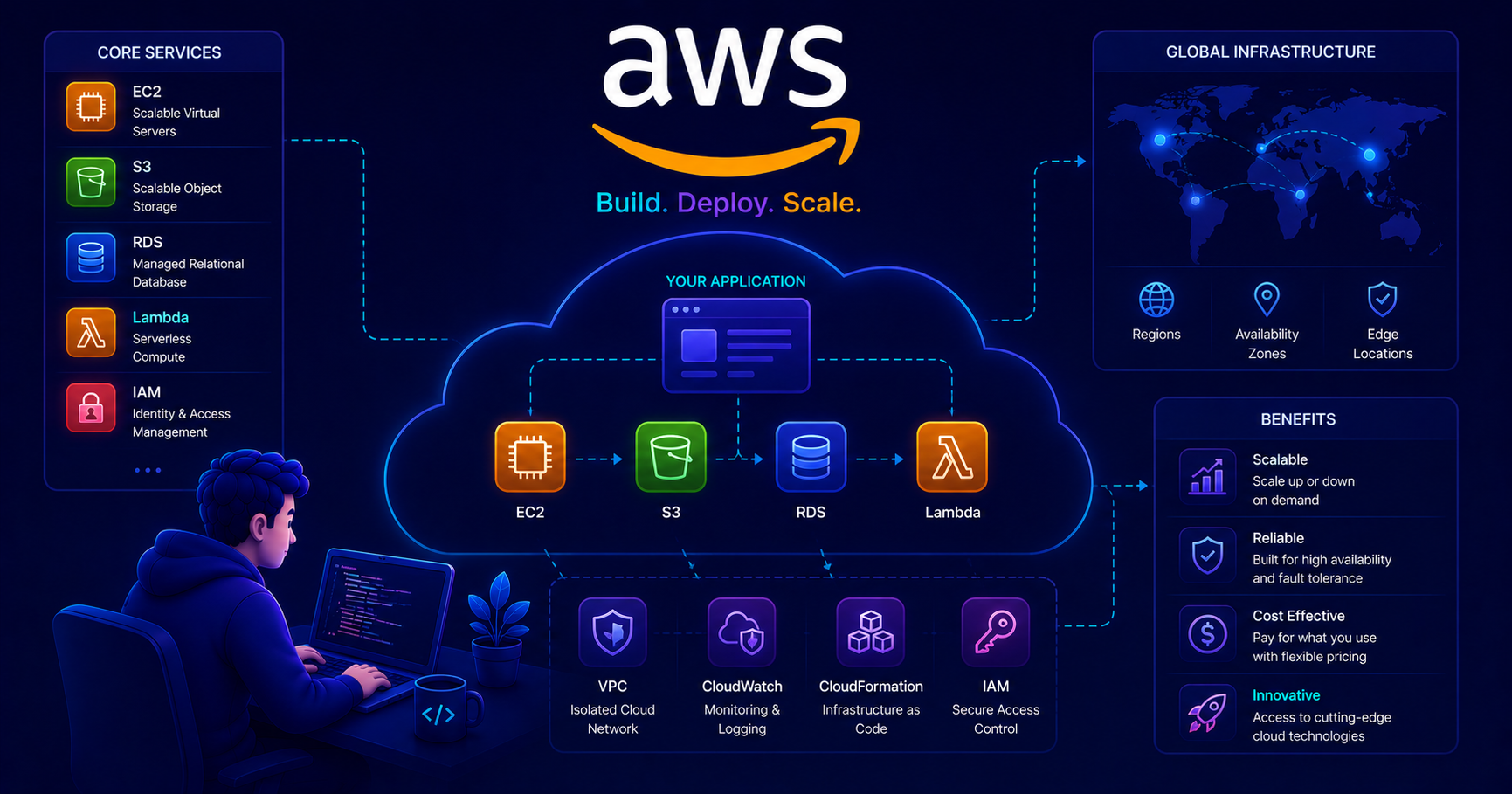
This post introduces AWS and cloud computing concepts. Familiarity with Docker containerization and DevOps principles will help you understand deployment concepts better!
What is AWS and Why Cloud Computing Matters
Amazon Web Services (AWS) is the world’s most comprehensive and widely adopted cloud platform, offering over 200 fully featured services from data centers globally. But what does that actually mean for you as a junior developer?
Imagine you’ve built an amazing application on your laptop. How do you share it with the world? Traditionally, you’d need to:
- Buy physical servers (expensive!)
- Set up a data center (complex!)
- Maintain hardware 24/7 (exhausting!)
- Scale infrastructure as users grow (risky!)
Cloud computing solves all these problems by providing computing resources over the internet on a pay-as-you-go basis. Think of it like electricity—you don’t build your own power plant; you just use what you need and pay for consumption.
Why AWS Matters for Junior Developers
flowchart LR
    subgraph Traditional["Traditional Approach"]
        direction TB
        A[Buy Servers] --> B[Setup Infrastructure]
        B --> C[Deploy Application]
        C --> D[Maintain 24/7]
        D --> E[Scale Manually]
    end

    subgraph Cloud["AWS Cloud Approach"]
        direction TB
        F[Create AWS Account] --> G[Choose Services]
        G --> H[Deploy in Minutes]
        H --> I[Auto-scale]
        I --> J[Pay Only for Usage]
    end

    Traditional -->|Time: Weeks<br/>Cost: $$$$| K[Production]
    Cloud -->|Time: Hours<br/>Cost: $| K
Key benefits:
- No upfront investment - Start with the free tier
- Global reach - Deploy worldwide in minutes
- Scalability - Handle 10 or 10 million users
- Reliability - 99.99% uptime guarantees
- Security - Enterprise-grade protection
Fun Fact: Netflix runs entirely on AWS, streaming billions of hours of content to 200+ million subscribers worldwide!
Core AWS Concepts
Before diving into specific services, let’s understand fundamental AWS concepts.
Regions and Availability Zones
AWS infrastructure is distributed globally through regions and availability zones.
flowchart TB
    subgraph AWS["AWS Global Infrastructure"]
        direction TB

        subgraph Region1["Region: us-east-1 (N. Virginia)"]
            direction LR
            AZ1a["Availability<br/>Zone 1a"]
            AZ1b["Availability<br/>Zone 1b"]
            AZ1c["Availability<br/>Zone 1c"]
        end

        subgraph Region2["Region: eu-west-1 (Ireland)"]
            direction LR
            AZ2a["Availability<br/>Zone 2a"]
            AZ2b["Availability<br/>Zone 2b"]
            AZ2c["Availability<br/>Zone 2c"]
        end

        subgraph Region3["Region: ap-south-1 (Mumbai)"]
            direction LR
            AZ3a["Availability<br/>Zone 3a"]
            AZ3b["Availability<br/>Zone 3b"]
            AZ3c["Availability<br/>Zone 3c"]
        end
    end

    User1[User in USA] -.->|Low latency| Region1
    User2[User in Europe] -.->|Low latency| Region2
    User3[User in Asia] -.->|Low latency| Region3
Region
A physical location with multiple data centers.
A region is a geographic area where AWS has multiple data centers. Each region is completely independent, allowing you to:
- Comply with data residency laws (e.g., EU data must stay in EU)
- Reduce latency by serving users from nearby regions
- Build disaster recovery strategies across regions
Examples: us-east-1 (N. Virginia), eu-west-1 (Ireland), ap-south-1 (Mumbai)
Availability Zone (AZ)
An isolated data center within a region.
An Availability Zone is one or more discrete data centers with redundant power, networking, and connectivity. Key points:
- Each region has at least 2 AZs (most have 3 or more)
- AZs are isolated from failures in other AZs
- AZs within a region are connected with low-latency links
- Deploying across multiple AZs provides high availability
Best Practice: Always deploy production applications across multiple AZs to ensure uptime even if one data center fails.
IAM (Identity and Access Management)
IAM controls who can access your AWS resources and what they can do.
flowchart TB
    Root[Root Account<br/>Full Access]

    subgraph IAM["IAM Service"]
        Users[IAM Users]
        Groups[IAM Groups]
        Roles[IAM Roles]
        Policies[IAM Policies]
    end

    Root -->|Creates| Users
    Root -->|Creates| Groups
    Root -->|Creates| Roles

    Policies -.->|Attached to| Users
    Policies -.->|Attached to| Groups
    Policies -.->|Attached to| Roles

    Users -->|Member of| Groups

    EC2[EC2 Instance] -->|Assumes| Roles
    Lambda[Lambda Function] -->|Assumes| Roles
Key IAM concepts:
| Component | Purpose | Example |
|---|---|---|
| User | Individual person or application | dev-john, ci-cd-bot |
| Group | Collection of users with similar permissions | Developers, Admins |
| Role | Set of permissions for AWS services | EC2-S3-Access-Role |
| Policy | JSON document defining permissions | AllowReadS3Buckets |
Security Best Practice: Never use your root account for daily tasks! Create IAM users with specific permissions instead.
Core AWS Services for Beginners
Let’s explore the essential services you’ll use as a junior developer.
EC2 (Elastic Compute Cloud)
Virtual servers in the cloud.
What is EC2?
EC2 provides resizable virtual servers (called instances) in the cloud. Think of it as renting a computer in AWS’s data center that you can access remotely.
Common use cases:
- Hosting web applications
- Running backend services
- Processing batch jobs
- Development and testing environments
Instance types:
- t2.micro - Free tier eligible, good for small apps
- t2.small - Light production workloads
- m5.large - General-purpose computing
- c5.xlarge - Compute-optimized for CPU-intensive tasks
Key features:
- Choose your operating system (Linux, Windows)
- Scale up/down based on demand
- Pay only for running time
- Stop instances when not in use to save money
1
2
3
4
5
6
7
8
9
10
11
12
13
14
15
16
17
18
19
20
21
22
23
24
25
26
27
28
// Example: Starting an EC2 instance using AWS SDK for Java
import software.amazon.awssdk.services.ec2.Ec2Client;
import software.amazon.awssdk.services.ec2.model.*;

public class EC2Example {
    public static void main(String[] args) {
        Ec2Client ec2 = Ec2Client.builder()
            .region(Region.US_EAST_1)
            .build();

        // Create a run instance request
        RunInstancesRequest runRequest = RunInstancesRequest.builder()
            .imageId("ami-0c55b159cbfafe1f0") // Amazon Linux 2 AMI
            .instanceType(InstanceType.T2_MICRO)
            .minCount(1)
            .maxCount(1)
            .keyName("my-key-pair") // For SSH access
            .build();

        // Launch the instance
        RunInstancesResponse response = ec2.runInstances(runRequest);
        String instanceId = response.instances().get(0).instanceId();

        System.out.println("Successfully started EC2 instance: " + instanceId);

        ec2.close();
    }
}
S3 (Simple Storage Service)
Object storage for any type of data.
What is S3?
S3 is a highly scalable object storage service. Think of it as a massive, secure hard drive in the cloud where you can store and retrieve any amount of data.
Common use cases:
- Storing application files, images, videos
- Hosting static websites
- Backup and disaster recovery
- Data lakes for analytics
Key concepts:
- Bucket - A container for objects (like a top-level folder)
- Object - A file and its metadata (up to 5TB per file)
- Key - Unique identifier for an object within a bucket
Storage classes:
- S3 Standard - Frequent access, highest cost
- S3 Infrequent Access - Less frequent access, lower cost
- S3 Glacier - Archive storage, lowest cost, slower retrieval
1
2
3
4
5
6
7
8
9
10
11
12
13
14
15
16
17
18
19
20
21
22
23
24
25
26
27
# Example: Uploading a file to S3 using AWS SDK for Python (Boto3)
import boto3

# Create S3 client
s3_client = boto3.client('s3', region_name='us-east-1')

# Upload file
def upload_file_to_s3(file_path, bucket_name, object_name):
    try:
        # Upload the file
        s3_client.upload_file(file_path, bucket_name, object_name)
        print(f"Successfully uploaded {file_path} to {bucket_name}/{object_name}")

        # Generate a public URL
        url = f"https://{bucket_name}.s3.amazonaws.com/{object_name}"
        return url
    except Exception as e:
        print(f"Error uploading file: {e}")
        return None

# Example usage
bucket = "my-app-assets"
file = "/local/path/logo.png"
key = "images/logo.png"

url = upload_file_to_s3(file, bucket, key)
print(f"File accessible at: {url}")
Cost Tip: Use S3 lifecycle policies to automatically move old files to cheaper storage classes or delete them after a certain period.
RDS (Relational Database Service)
Managed database service.
What is RDS?
RDS makes it easy to set up, operate, and scale relational databases in the cloud. AWS handles backups, patching, and maintenance while you focus on your application.
Supported database engines:
- PostgreSQL
- MySQL
- MariaDB
- Oracle
- SQL Server
- Amazon Aurora (AWS’s high-performance database)
Why use RDS instead of installing a database on EC2?
- Automated backups - Daily snapshots with point-in-time recovery
- Automatic updates - Security patches applied automatically
- High availability - Multi-AZ deployment for failover
- Easy scaling - Resize with a few clicks
- Monitoring - Built-in performance insights
1
2
3
4
5
6
7
8
9
10
11
12
13
14
15
16
17
18
19
20
21
22
23
24
25
26
27
28
29
30
31
32
33
34
// Example: Connecting to RDS PostgreSQL from Java
import java.sql.Connection;
import java.sql.DriverManager;
import java.sql.ResultSet;
import java.sql.Statement;

public class RDSExample {
    public static void main(String[] args) {
        // RDS endpoint from AWS console
        String dbEndpoint = "mydb.abc123.us-east-1.rds.amazonaws.com";
        String dbName = "myapplication";
        String username = "admin";
        String password = "securepassword";

        String url = String.format(
            "jdbc:postgresql://%s:5432/%s",
            dbEndpoint,
            dbName
        );

        try (Connection conn = DriverManager.getConnection(url, username, password)) {
            System.out.println("Connected to RDS PostgreSQL!");

            Statement stmt = conn.createStatement();
            ResultSet rs = stmt.executeQuery("SELECT version()");

            if (rs.next()) {
                System.out.println("Database version: " + rs.getString(1));
            }
        } catch (Exception e) {
            System.err.println("Connection failed: " + e.getMessage());
        }
    }
}
Security Best Practice: Always deploy RDS in a private subnet with no public access. Only your application servers should be able to connect to it.
Lambda
Run code without managing servers (serverless computing).
What is Lambda?
AWS Lambda lets you run code without provisioning or managing servers. You just upload your code, and Lambda handles everything required to run and scale it.
How it works:
- Upload your code (Java, Python, Node.js, Go, etc.)
- Configure a trigger (HTTP request, file upload, schedule, etc.)
- Lambda automatically runs your code when triggered
- You pay only for execution time (measured in milliseconds)
Common use cases:
- REST API backends (with API Gateway)
- Image/video processing on upload
- Scheduled tasks (like cron jobs)
- Real-time data processing
Benefits:
- No server management - Focus on code, not infrastructure
- Automatic scaling - Handles 1 or 1 million requests
- Pay per execution - No charges when code isn’t running
- Built-in high availability - Runs across multiple AZs
1
2
3
4
5
6
7
8
9
10
11
12
13
14
15
16
17
18
19
20
21
22
23
24
25
# Example: Simple Lambda function in Python
import json
import boto3

def lambda_handler(event, context):
    """
    Lambda function that processes uploaded images.
    Triggered when a file is uploaded to S3.
    """
    # Get the S3 bucket and object key from the event
    bucket = event['Records'][0]['s3']['bucket']['name']
    key = event['Records'][0]['s3']['object']['key']

    print(f"Processing file: {key} from bucket: {bucket}")

    # Your processing logic here
    # For example: resize image, extract metadata, etc.

    return {
        'statusCode': 200,
        'body': json.dumps({
            'message': f'Successfully processed {key}',
            'bucket': bucket
        })
    }
Pricing example:
- First 1 million requests per month: FREE
- After that: $0.20 per 1 million requests
- Execution time: $0.00001667 per GB-second
Pro Tip: Lambda is perfect for intermittent workloads. If your code runs 24/7, a traditional EC2 instance might be more cost-effective.
AWS Service Comparison
Here’s a quick reference to help you choose the right service:
| Service | Type | Best For | Pricing Model |
|---|---|---|---|
| EC2 | Virtual Servers | Full control, long-running processes | Per hour/second |
| Lambda | Serverless Functions | Event-driven, short tasks | Per execution |
| S3 | Object Storage | Files, images, backups | Per GB stored |
| RDS | Managed Database | Relational data with minimal ops | Per hour + storage |
| ECS | Container Service | Running Docker containers | Per EC2/Fargate usage |
| CloudFront | CDN | Fast global content delivery | Per GB transferred |
| Route 53 | DNS Service | Domain names and routing | Per hosted zone |
Getting Started with AWS
Let’s walk through setting up your first AWS account and deploying a simple application.
Step 1: Create Your AWS Account
- Go to aws.amazon.com
- Click “Create an AWS Account”
- Provide email, password, and account name
- Enter payment information (required, but free tier is genuinely free)
- Verify your identity (phone call or SMS)
- Choose “Basic Support - Free”
Important: AWS requires a credit card, but you won’t be charged if you stay within free tier limits. Set up billing alerts to avoid surprises!
Step 2: Understanding the Free Tier
AWS offers a generous free tier for 12 months:
| Service | Free Tier Allowance |
|---|---|
| EC2 | 750 hours/month of t2.micro instances |
| S3 | 5 GB storage, 20,000 GET requests, 2,000 PUT requests |
| RDS | 750 hours/month of db.t2.micro, 20 GB storage |
| Lambda | 1 million requests/month, 400,000 GB-seconds compute |
| CloudWatch | 10 custom metrics, 10 alarms |
Pro Tip: Some services like Lambda and DynamoDB offer free tiers that never expire!
Step 3: Secure Your Account
flowchart TB
    Start[New AWS Account] --> Root[Root User Created]
    Root --> MFA[Enable MFA on Root]
    MFA --> CreateIAM[Create IAM Admin User]
    CreateIAM --> MFA2[Enable MFA on IAM User]
    MFA2 --> Groups[Create IAM Groups]
    Groups --> Policies[Attach Policies]
    Policies --> Daily[Use IAM User for Daily Work]

    Root -.->|"Never use<br/>for daily tasks"| Stop["🔒 Lock Away Root"]

    style Stop fill:#ff6b6b
    style Daily fill:#51cf66
Security checklist:
- ✅ Enable MFA (Multi-Factor Authentication) on root account
- ✅ Create an IAM admin user for daily work
- ✅ Enable MFA on IAM admin user
- ✅ Create billing alerts
- ✅ Use IAM roles instead of access keys when possible
1
2
3
4
5
6
7
8
# Example: Configure AWS CLI with IAM user credentials
aws configure

# You'll be prompted for:
# AWS Access Key ID: AKIAIOSFODNN7EXAMPLE
# AWS Secret Access Key: wJalrXUtnFEMI/K7MDENG/bPxRfiCYEXAMPLEKEY
# Default region name: us-east-1
# Default output format: json
Deploying a Simple Application on AWS
Let’s deploy a real application using multiple AWS services. We’ll build a simple image upload service.
Architecture Overview
flowchart LR
    User[User] -->|HTTPS| ALB[Application<br/>Load Balancer]
    ALB -->|Routes traffic| EC2[EC2 Instance<br/>Web Application]
    EC2 -->|Stores images| S3[S3 Bucket<br/>Image Storage]
    EC2 -->|Saves metadata| RDS[(RDS PostgreSQL<br/>Database)]
    S3 -->|Upload trigger| Lambda[Lambda Function<br/>Resize Images]
    Lambda -->|Stores thumbnails| S3

    subgraph VPC["Virtual Private Cloud"]
        ALB
        EC2
        RDS
    end

    IAM[IAM Roles] -.->|Permissions| EC2
    IAM -.->|Permissions| Lambda

    style User fill:#ffd43b
    style S3 fill:#51cf66
    style Lambda fill:#ff6b6b
Step-by-Step Deployment
1. Create an S3 bucket for images:
1
2
3
4
5
# Using AWS CLI
aws s3 mb s3://my-image-upload-app-2026
aws s3api put-bucket-versioning \
    --bucket my-image-upload-app-2026 \
    --versioning-configuration Status=Enabled
2. Create an RDS database:
1
2
3
4
5
6
7
8
9
10
# Create a PostgreSQL RDS instance
aws rds create-db-instance \
    --db-instance-identifier my-app-db \
    --db-instance-class db.t2.micro \
    --engine postgres \
    --master-username admin \
    --master-user-password SecurePassword123! \
    --allocated-storage 20 \
    --backup-retention-period 7 \
    --no-publicly-accessible
3. Launch an EC2 instance:
1
2
3
4
5
6
7
8
9
# Launch Ubuntu instance
aws ec2 run-instances \
    --image-id ami-0c55b159cbfafe1f0 \
    --instance-type t2.micro \
    --key-name my-key-pair \
    --security-group-ids sg-0123456789abcdef \
    --subnet-id subnet-0123456789abcdef \
    --iam-instance-profile Name=EC2-S3-Access-Role \
    --tag-specifications 'ResourceType=instance,Tags=[{Key=Name,Value=ImageUploadApp}]'
4. Deploy application code:
1
2
3
4
5
6
7
8
9
10
11
12
13
14
15
16
17
18
19
20
21
22
23
24
25
26
27
28
29
30
31
32
33
34
35
36
37
38
39
40
41
42
43
// Simple Spring Boot application running on EC2
@RestController
@RequestMapping("/api/images")
public class ImageController {

    @Autowired
    private AmazonS3 s3Client;

    @Autowired
    private ImageRepository imageRepository;

    @PostMapping("/upload")
    public ResponseEntity<ImageResponse> uploadImage(
        @RequestParam("file") MultipartFile file
    ) {
        try {
            // Generate unique filename
            String key = UUID.randomUUID() + "_" + file.getOriginalFilename();

            // Upload to S3
            s3Client.putObject(
                "my-image-upload-app-2026",
                key,
                file.getInputStream(),
                new ObjectMetadata()
            );

            // Save metadata to RDS
            Image image = new Image();
            image.setFilename(file.getOriginalFilename());
            image.setS3Key(key);
            image.setUploadDate(LocalDateTime.now());
            imageRepository.save(image);

            // Generate S3 URL
            String url = s3Client.getUrl("my-image-upload-app-2026", key).toString();

            return ResponseEntity.ok(new ImageResponse(image.getId(), url));
        } catch (Exception e) {
            return ResponseEntity.status(500).build();
        }
    }
}
5. Create a Lambda function for thumbnail generation:
1
2
3
4
5
6
7
8
9
10
11
12
13
14
15
16
17
18
19
20
21
22
23
24
25
26
27
28
29
30
31
32
33
34
35
36
37
38
# lambda_function.py - Triggered when image uploaded to S3
import boto3
from PIL import Image
import io

s3_client = boto3.client('s3')

def lambda_handler(event, context):
    # Get bucket and key from S3 event
    bucket = event['Records'][0]['s3']['bucket']['name']
    key = event['Records'][0]['s3']['object']['key']

    # Download original image
    response = s3_client.get_object(Bucket=bucket, Key=key)
    image_data = response['Body'].read()

    # Create thumbnail
    img = Image.open(io.BytesIO(image_data))
    img.thumbnail((200, 200))

    # Save thumbnail
    buffer = io.BytesIO()
    img.save(buffer, format='JPEG')
    buffer.seek(0)

    # Upload thumbnail to S3
    thumbnail_key = f"thumbnails/{key}"
    s3_client.put_object(
        Bucket=bucket,
        Key=thumbnail_key,
        Body=buffer,
        ContentType='image/jpeg'
    )

    return {
        'statusCode': 200,
        'body': f'Thumbnail created: {thumbnail_key}'
    }
Real-world Note: This architecture can handle thousands of concurrent users and automatically scales. Companies like Airbnb and Pinterest use similar patterns!
Cost Management and Best Practices
Managing costs is crucial when working with AWS. Here’s how to avoid surprise bills.
Setting Up Billing Alerts
flowchart TB
    Start[AWS Account] --> CloudWatch[CloudWatch]
    CloudWatch --> Alarm[Create Billing Alarm]
    Alarm --> Threshold[Set Threshold<br/>e.g., $10]
    Threshold --> SNS[SNS Topic]
    SNS --> Email[Email Notification]

    Usage[AWS Usage] -->|Exceeds threshold| Alarm
    Alarm -->|Triggers| SNS

    style Alarm fill:#ff6b6b
    style Email fill:#ffd43b
Steps to set up:
- Go to CloudWatch console
- Click “Alarms” → “Create alarm”
- Select “Billing” → “Total Estimated Charge”
- Set threshold (e.g., $10 for free tier buffer)
- Create SNS topic for notifications
- Confirm email subscription
Cost Optimization Tips
| Strategy | Savings Potential | Complexity |
|---|---|---|
| Stop unused EC2 instances | Up to 100% | Low |
| Use S3 lifecycle policies | 50-90% | Low |
| Right-size instances | 20-50% | Medium |
| Use Reserved Instances | Up to 75% | Medium |
| Enable S3 Intelligent Tiering | 30-70% | Low |
| Use Spot Instances | Up to 90% | High |
Pro Tip: Tag all resources with project names and owners. This makes it easy to track costs per project using AWS Cost Explorer.
Common Cost Pitfalls
"I accidentally left an EC2 instance running for a month and got a $200 bill!"
How to avoid:
- ✅ Set up billing alerts (as shown above)
- ✅ Use tags to track resources
- ✅ Review AWS Cost Explorer weekly
- ✅ Enable “EC2 Instance Termination Protection” on important instances
- ✅ Use AWS Budgets to set spending limits
1
2
3
4
5
6
7
8
# Script to find and stop idle EC2 instances
aws ec2 describe-instances \
    --filters "Name=instance-state-name,Values=running" \
    --query 'Reservations[].Instances[].[InstanceId,LaunchTime,Tags[?Key==`Name`].Value|[0]]' \
    --output table

# Stop instance if idle
aws ec2 stop-instances --instance-ids i-1234567890abcdef0
Security Basics for Junior Developers
Security is everyone’s responsibility. Here are essential practices:
IAM Best Practices
flowchart TB
    subgraph Bad["❌ Bad Practices"]
        direction TB
        B1[Use root account daily]
        B2[Share IAM credentials]
        B3[Hardcode access keys in code]
        B4[Grant full admin access to everyone]
    end

    subgraph Good["✅ Good Practices"]
        direction TB
        G1[Use IAM users with MFA]
        G2[Use IAM roles for applications]
        G3[Store credentials in AWS Secrets Manager]
        G4[Grant least privilege access]
        G5[Rotate access keys regularly]
        G6[Enable CloudTrail for audit logs]
    end

    Bad -.->|Replace with| Good

    style Bad fill:#ff6b6b
    style Good fill:#51cf66
The Principle of Least Privilege
Always grant the minimum permissions needed to do the job.
Example: Restrictive IAM policy for S3 read-only access:
1
2
3
4
5
6
7
8
9
10
11
12
13
14
15
16
{
  "Version": "2012-10-17",
  "Statement": [
    {
      "Effect": "Allow",
      "Action": [
        "s3:GetObject",
        "s3:ListBucket"
      ],
      "Resource": [
        "arn:aws:s3:::my-app-bucket",
        "arn:aws:s3:::my-app-bucket/*"
      ]
    }
  ]
}
Never Hardcode Credentials
1
2
3
4
5
6
7
8
9
10
11
12
13
14
15
16
17
18
19
// ❌ BAD - Never do this!
String accessKey = "AKIAIOSFODNN7EXAMPLE";
String secretKey = "wJalrXUtnFEMI/K7MDENG/bPxRfiCYEXAMPLEKEY";

// ✅ GOOD - Use IAM roles or environment variables
AmazonS3 s3Client = AmazonS3ClientBuilder.standard()
    .withRegion(Regions.US_EAST_1)
    .build(); // Automatically uses IAM role if running on EC2

// ✅ GOOD - Use AWS Secrets Manager
import software.amazon.awssdk.services.secretsmanager.*;

SecretsManagerClient client = SecretsManagerClient.builder().build();
GetSecretValueResponse response = client.getSecretValue(
    GetSecretValueRequest.builder()
        .secretId("prod/database/password")
        .build()
);
String dbPassword = response.secretString();
Critical: If you accidentally commit AWS credentials to GitHub, assume they’re compromised immediately. Delete them in IAM and rotate all keys!
Security Checklist
- ✅ Enable MFA on all accounts
- ✅ Use IAM roles instead of access keys
- ✅ Enable CloudTrail for audit logging
- ✅ Encrypt data at rest (S3, RDS, EBS)
- ✅ Use HTTPS/TLS for data in transit
- ✅ Keep security groups restrictive (minimal open ports)
- ✅ Regularly review IAM permissions
- ✅ Enable AWS GuardDuty for threat detection
Common Pitfalls and How to Avoid Them
Let’s learn from common mistakes junior developers make with AWS.
Pitfall 1: Leaving Resources Running
Problem: Forgetting to stop EC2 instances or delete unused resources.
Solution:
1
2
3
4
5
# Create a daily cron job to stop dev instances at night
0 22 * * * aws ec2 stop-instances --instance-ids i-dev123 i-dev456

# Start them in the morning
0 8 * * 1-5 aws ec2 start-instances --instance-ids i-dev123 i-dev456
Pitfall 2: Public S3 Buckets
Problem: Accidentally making S3 buckets public, exposing sensitive data.
Solution:
1
2
3
4
5
# Block all public access at account level
aws s3control put-public-access-block \
    --public-access-block-configuration \
    BlockPublicAcls=true,IgnorePublicAcls=true,BlockPublicPolicy=true,RestrictPublicBuckets=true \
    --account-id YOUR-ACCOUNT-ID
Warning: Capital One’s 2019 data breach exposed 100 million customer records partly due to misconfigured S3 buckets. Always verify your bucket permissions!
Pitfall 3: Not Using Multiple Availability Zones
Problem: Deploying everything in a single AZ, leading to downtime during AZ failures.
Solution:
flowchart TB
    subgraph Single["❌ Single AZ Deployment"]
        direction TB
        AZ1[Availability Zone 1]
        EC2_1[EC2 Instance]
        RDS_1[(RDS Database)]
        AZ1 --> EC2_1
        AZ1 --> RDS_1
        Fail1[AZ Fails] -.->|Complete outage| EC2_1
    end

    subgraph Multi["✅ Multi-AZ Deployment"]
        direction LR
        AZ2[Availability Zone 1]
        AZ3[Availability Zone 2]
        EC2_2[EC2 Instance]
        EC2_3[EC2 Instance]
        RDS_2[(RDS Primary)]
        RDS_3[(RDS Standby)]
        AZ2 --> EC2_2
        AZ2 --> RDS_2
        AZ3 --> EC2_3
        AZ3 --> RDS_3
        RDS_2 -.->|Replicates| RDS_3
        Fail2[AZ Fails] -.->|App still runs| EC2_3
    end

    style Single fill:#ff6b6b
    style Multi fill:#51cf66
Implementation:
- Deploy EC2 instances across multiple AZs using Auto Scaling Groups
- Enable Multi-AZ for RDS databases (one checkbox!)
- Use Elastic Load Balancer to distribute traffic
Pitfall 4: Ignoring CloudWatch Metrics
Problem: Not monitoring application performance and health.
Solution: Set up basic CloudWatch alarms.
1
2
3
4
5
6
7
8
9
10
11
12
13
14
15
16
17
18
19
20
21
22
23
# Create CloudWatch alarm for high EC2 CPU usage
import boto3

cloudwatch = boto3.client('cloudwatch')

cloudwatch.put_metric_alarm(
    AlarmName='HighCPUUsage',
    ComparisonOperator='GreaterThanThreshold',
    EvaluationPeriods=2,
    MetricName='CPUUtilization',
    Namespace='AWS/EC2',
    Period=300,
    Statistic='Average',
    Threshold=80.0,
    ActionsEnabled=True,
    AlarmDescription='Alert when CPU exceeds 80%',
    Dimensions=[
        {
            'Name': 'InstanceId',
            'Value': 'i-1234567890abcdef0'
        }
    ]
)
Pitfall 5: Not Using Infrastructure as Code
Problem: Manually creating resources through the console, making it hard to replicate or version control.
Solution: Use AWS CloudFormation or Terraform (start simple!).
1
2
3
4
5
6
7
8
9
10
11
12
13
14
15
16
17
18
19
20
21
# Simple CloudFormation template for S3 bucket
AWSTemplateFormatVersion: '2010-09-09'
Description: 'Simple S3 bucket with versioning'

Resources:
  MyAppBucket:
    Type: AWS::S3::Bucket
    Properties:
      BucketName: my-app-bucket-2026
      VersioningConfiguration:
        Status: Enabled
      PublicAccessBlockConfiguration:
        BlockPublicAcls: true
        BlockPublicPolicy: true
        IgnorePublicAcls: true
        RestrictPublicBuckets: true

Outputs:
  BucketName:
    Description: 'S3 Bucket Name'
    Value: !Ref MyAppBucket
Next Steps and Learning Resources
Congratulations! You now have a solid foundation in AWS. Here’s how to continue learning:
Hands-On Practice
- Complete AWS Labs:
- Build a Portfolio Project:
- Deploy your personal website on S3 + CloudFront
- Create a serverless REST API with Lambda + API Gateway
- Build a scalable web app with EC2 + RDS + S3
- Get Certified:
- AWS Certified Cloud Practitioner (entry-level)
- AWS Certified Solutions Architect - Associate
Advanced Topics to Explore
flowchart TB
    Current[You Are Here:<br/>AWS Basics]

    subgraph Next["Next Steps"]
        direction TB
        Container[Container Services<br/>ECS, EKS]
        Serverless[Advanced Serverless<br/>Step Functions, EventBridge]
        Network[Networking<br/>VPC, Route 53]
        Security[Advanced Security<br/>KMS, WAF, Shield]
        IaC[Infrastructure as Code<br/>CloudFormation, Terraform]
    end

    Current --> Next

    Container --> Expert[Expert Level]
    Serverless --> Expert
    Network --> Expert
    Security --> Expert
    IaC --> Expert
Essential AWS Services to Learn Next
| Service | Purpose | Priority |
|---|---|---|
| VPC | Virtual Private Cloud networking | High |
| CloudFront | CDN for fast content delivery | Medium |
| API Gateway | Create and manage REST/WebSocket APIs | High |
| DynamoDB | NoSQL database service | Medium |
| ECS/EKS | Container orchestration | High |
| SNS/SQS | Messaging and queuing | Medium |
| CloudFormation | Infrastructure as Code | High |
Conclusion
AWS is a powerful platform that can seem overwhelming at first, but you don’t need to learn everything at once. Start with the core services we covered:
- EC2 for virtual servers
- S3 for object storage
- RDS for managed databases
- Lambda for serverless computing
- IAM for security and access control
Remember these key principles:
- 🔒 Security first - Use IAM roles, enable MFA, never hardcode credentials
- 💰 Watch your costs - Set billing alarms, stop unused resources
- 🏗️ Use multiple AZs - Build for high availability from the start
- 📊 Monitor everything - Set up CloudWatch alarms and dashboards
- 🔄 Automate infrastructure - Learn Infrastructure as Code tools
AWS skills are in high demand, and understanding cloud computing will accelerate your career as a software engineer. Start small, experiment with the free tier, and gradually build more complex applications.
Final Pro Tip: Join AWS communities, read the AWS blog, and follow AWS on Twitter. The cloud landscape evolves quickly, and staying updated will keep your skills relevant!
Related Posts
- Docker Containerization - Learn containers before deploying to ECS/EKS
- Development Methodologies - Understand DevOps principles
- Jenkins CI/CD - Automate deployments to AWS
- REST API - Build APIs to deploy on Lambda
Happy cloud computing! ☁️