
This post introduces design patterns, reusable solutions to common problems in software design. If you need a refresher on Object-Oriented Programming concepts, check out our post on Object-Oriented Programming first!
What Are Design Patterns?
Design patterns are proven solutions to recurring problems in software design. Think of them as blueprints or templates that you can customize to solve specific design challenges in your code. They aren’t finished code you can copy-paste directly, but rather guidelines for structuring your solutions.
Design patterns can be broadly categorized into three main types:
| Type | Scope | Focus |
|---|---|---|
| Implementation Patterns | Low-level (classes, objects) | How to structure code within components and modules |
| Architectural Patterns | High-level (system, application) | How to organize the overall structure of an application |
| Integration Patterns | Cross-system (services, APIs) | How systems and components communicate and share data |
Implementation patterns (also known as GoF patterns) focus on class-level design decisions. How objects are created, composed, and communicate. Examples include Factory Method, Singleton, Adapter, and Observer.
Architectural patterns address system-wide concerns. How to structure the entire application or its major components. Examples include Model-View-Controller (MVC), Client-Server, Layered Architecture, and Microservices.
Integration patterns solve problems related to connecting different systems, services, or components. They are essential in distributed systems, microservices, and enterprise applications. Examples include Message Broker, API Gateway, Publish-Subscribe, and Circuit Breaker.
This post focuses on Implementation Patterns. Architectural and Integration patterns will be covered in future posts as you progress in your software engineering journey.
Why Learn Design Patterns?
Understanding design patterns offers several benefits that will accelerate your growth as a software engineer.
First, they provide a common vocabulary. When you say “let’s use a Factory here,” other developers instantly understand your intent without lengthy explanations. Second, patterns represent proven solutions that have been refined over decades of software development, so you’re building on collective wisdom rather than reinventing the wheel. Third, code structured with patterns tends to have better maintainability, making it easier for you and your team to understand, modify, and extend.
Finally, patterns give your designs flexibility, helping you build systems that can evolve gracefully as requirements change.
Implementation Patterns
Implementation patterns are low-level design solutions that describe how to structure and organize code to solve recurring problems during software development. They focus on classes, objects, and their interactions, guiding developers on how to implement functionality within a component or module rather than defining the overall system architecture.
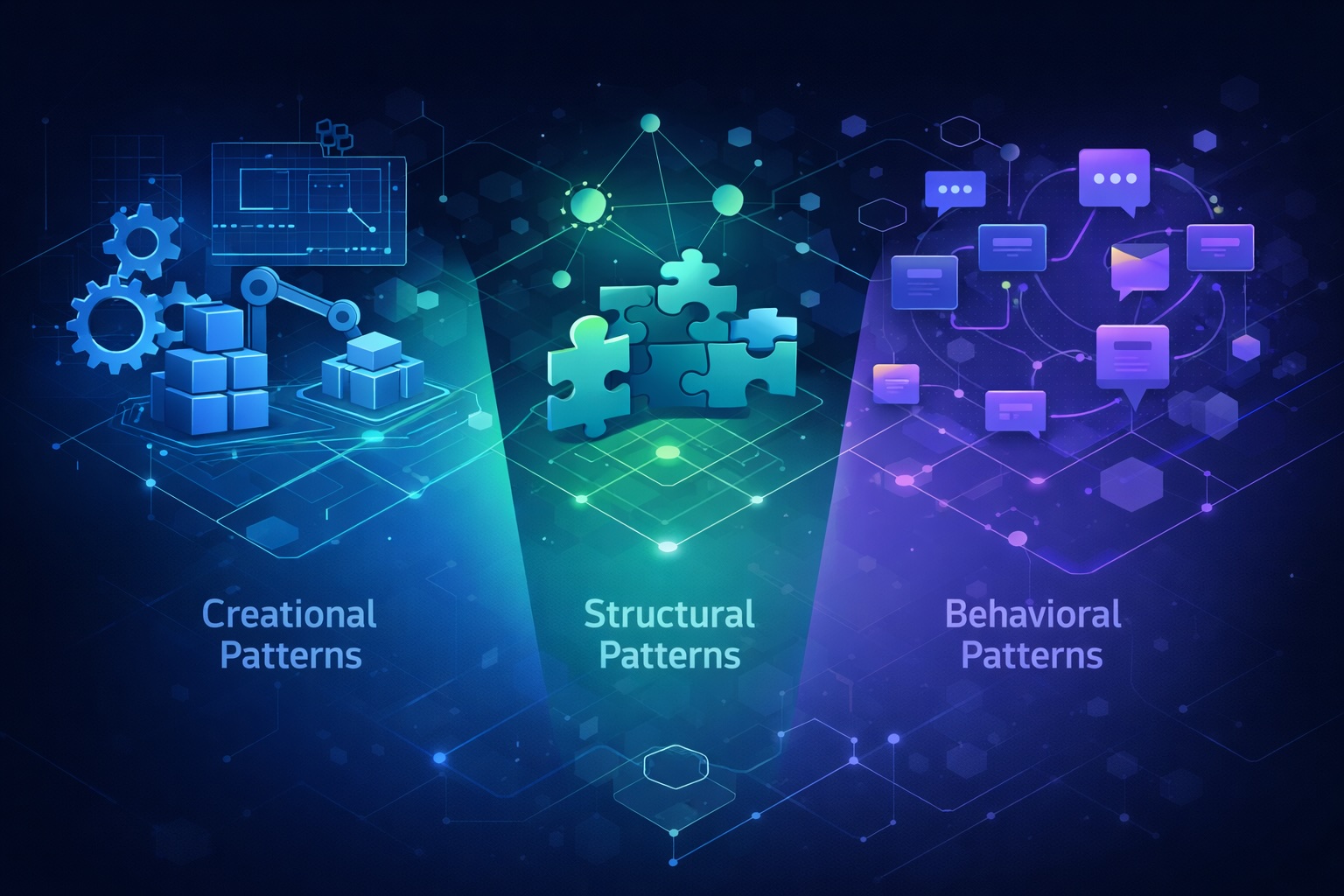
These patterns were popularized by the “Gang of Four” (GoF), four authors who wrote the influential book Design Patterns: Elements of Reusable Object-Oriented Software in 1994. Their work categorized implementation patterns into three main groups:
flowchart TB
    subgraph DP[Design Patterns]
        direction TB
        subgraph Creational["    Creational Patterns    "]
            direction LR
            FM[Factory Method]
            BU[Builder]
            SI[Singleton]
        end
        subgraph Structural["    Structural Patterns    "]
            direction LR
            AD[Adapter]
            BR[Bridge]
        end
        subgraph Behavioral["    Behavioral Patterns    "]
            direction LR
            CM[Command]
            IT[Iterator]
            ST[State]
        end
    end

    Creational --> |"How objects<br/>are created"| OBJ[Objects]
    Structural --> |"How objects<br/>are composed"| OBJ
    Behavioral --> |"How objects<br/>communicate"| OBJ
Design patterns are language-agnostic. While our examples use Java, these patterns apply to any object-oriented language like Python, C++, or C#.
In the following sections, we’ll explore some of the most commonly used implementation patterns from each category.
Creational Patterns
Creational patterns deal with object creation mechanisms, trying to create objects in a manner suitable to the situation. They abstract the instantiation process, making your system independent of how its objects are created, composed, and represented.
Let’s explore three essential creational patterns: Factory Method, Builder, and Singleton.
Factory Method
The Factory Method pattern defines an interface for creating an object but lets subclasses decide which class to instantiate. It delegates the instantiation logic to child classes.
The Problem
Imagine you’re building a logistics application. Initially, you only handle truck transportation, so most of your code lives inside the Truck class. But what happens when you need to add ships, planes, or trains? Adding new transport types would require significant changes throughout your codebase.
The Solution
The Factory Method suggests replacing direct object construction calls with calls to a special factory method. Objects returned by a factory method are often referred to as “products.”
classDiagram
    class Logistics {
        <<abstract>>
        +createTransport()* Transport
        +planDelivery()
    }
    class RoadLogistics {
        +createTransport() Transport
    }
    class SeaLogistics {
        +createTransport() Transport
    }
    class Transport {
        <<interface>>
        +deliver()
    }
    class Truck {
        +deliver()
    }
    class Ship {
        +deliver()
    }

    Logistics <|-- RoadLogistics
    Logistics ..> Transport : creates
    Logistics <|-- SeaLogistics
    Transport <|.. Truck
    Transport <|.. Ship
    SeaLogistics ..> Ship : creates
    RoadLogistics ..> Truck : creates
Code Example
1
2
3
4
5
6
7
8
9
10
11
12
13
14
15
16
17
18
19
20
21
22
23
24
25
26
27
28
29
30
31
32
33
34
35
36
37
38
39
40
41
42
43
44
45
// Product interface
interface Transport {
    void deliver();
}

// Concrete products
class Truck implements Transport {
    @Override
    public void deliver() {
        System.out.println("Delivering by land in a truck");
    }
}

class Ship implements Transport {
    @Override
    public void deliver() {
        System.out.println("Delivering by sea in a ship");
    }
}

// Creator abstract class
abstract class Logistics {
    // Factory method
    abstract Transport createTransport();

    public void planDelivery() {
        Transport transport = createTransport();
        transport.deliver();
    }
}

// Concrete creators
class RoadLogistics extends Logistics {
    @Override
    Transport createTransport() {
        return new Truck();
    }
}

class SeaLogistics extends Logistics {
    @Override
    Transport createTransport() {
        return new Ship();
    }
}
Usage Example
1
2
3
4
5
6
7
8
9
10
11
12
13
public class Main {
    public static void main(String[] args) {
        Logistics logistics;

        // Use road logistics
        logistics = new RoadLogistics();
        logistics.planDelivery(); // Output: Delivering by land in a truck

        // Use sea logistics
        logistics = new SeaLogistics();
        logistics.planDelivery(); // Output: Delivering by sea in a ship
    }
}
When to Use Factory Method
You don't know exact types - When you don't know beforehand the exact types and dependencies of objects your code should work with.
The Factory Method separates product construction code from the code that uses the product. This makes it easier to extend the product construction code independently.Extensibility - When you want to provide users of your library or framework with a way to extend its internal components.
Users can subclass the creator and override the factory method to provide their own implementation.Resource reuse - When you want to save system resources by reusing existing objects instead of rebuilding them each time.
The factory method can return cached objects or manage object pooling.Builder
The Builder pattern separates the construction of a complex object from its representation, allowing the same construction process to create different representations.
The Problem
Imagine creating a House object. A simple house might just have walls, a door, and a roof. But what about a house with a garage, a swimming pool, a garden, or a fancy lighting system? You could create a giant constructor with all possible parameters, but most of them would be unused most of the time.
1
2
// Constructor with too many parameters. Hard to read and use!
House house = new House(4, 2, true, false, true, false, "modern", 2, true);
The Solution
The Builder pattern extracts the object construction code out of its own class and moves it to separate objects called builders.
classDiagram
    class House {
        -walls: int
        -doors: int
        -windows: int
        -hasGarage: boolean
        -hasSwimmingPool: boolean
        -hasGarden: boolean
        +toString() String
    }
    class HouseBuilder {
        <<interface>>
        +buildWalls(count) HouseBuilder
        +buildDoors(count) HouseBuilder
        +buildWindows(count) HouseBuilder
        +buildGarage() HouseBuilder
        +buildSwimmingPool() HouseBuilder
        +buildGarden() HouseBuilder
        +getResult() House
    }
    class StandardHouseBuilder {
        -house: House
        +buildWalls(count) HouseBuilder
        +buildDoors(count) HouseBuilder
        +buildWindows(count) HouseBuilder
        +buildGarage() HouseBuilder
        +buildSwimmingPool() HouseBuilder
        +buildGarden() HouseBuilder
        +getResult() House
    }

    HouseBuilder <|.. StandardHouseBuilder
    StandardHouseBuilder ..> House : builds
Code Example
1
2
3
4
5
6
7
8
9
10
11
12
13
14
15
16
17
18
19
20
21
22
23
24
25
26
27
28
29
30
31
32
33
34
35
36
37
38
39
40
41
42
43
44
45
46
47
48
49
50
51
52
53
54
55
56
57
58
59
60
61
62
63
64
65
66
67
68
69
70
71
72
73
74
75
76
77
78
79
80
81
82
83
84
85
86
87
88
89
90
// Product
class House {
    private int walls;
    private int doors;
    private int windows;
    private boolean hasGarage;
    private boolean hasSwimmingPool;
    private boolean hasGarden;

    // Package-private constructor - only accessible by builder
    House() {}

    // Setters (package-private, used by builder)
    void setWalls(int walls) { this.walls = walls; }
    void setDoors(int doors) { this.doors = doors; }
    void setWindows(int windows) { this.windows = windows; }
    void setHasGarage(boolean hasGarage) { this.hasGarage = hasGarage; }
    void setHasSwimmingPool(boolean hasSwimmingPool) { this.hasSwimmingPool = hasSwimmingPool; }
    void setHasGarden(boolean hasGarden) { this.hasGarden = hasGarden; }

    @Override
    public String toString() {
        return "House with " + walls + " walls, " + doors + " doors, " +
               windows + " windows" +
               (hasGarage ? ", garage" : "") +
               (hasSwimmingPool ? ", swimming pool" : "") +
               (hasGarden ? ", garden" : "");
    }
}

// Builder interface
interface HouseBuilder {
    HouseBuilder buildWalls(int count);
    HouseBuilder buildDoors(int count);
    HouseBuilder buildWindows(int count);
    HouseBuilder buildGarage();
    HouseBuilder buildSwimmingPool();
    HouseBuilder buildGarden();
    House getResult();
}

// Concrete builder
class StandardHouseBuilder implements HouseBuilder {
    private House house;

    public StandardHouseBuilder() {
        this.house = new House();
    }

    @Override
    public HouseBuilder buildWalls(int count) {
        house.setWalls(count);
        return this;
    }

    @Override
    public HouseBuilder buildDoors(int count) {
        house.setDoors(count);
        return this;
    }

    @Override
    public HouseBuilder buildWindows(int count) {
        house.setWindows(count);
        return this;
    }

    @Override
    public HouseBuilder buildGarage() {
        house.setHasGarage(true);
        return this;
    }

    @Override
    public HouseBuilder buildSwimmingPool() {
        house.setHasSwimmingPool(true);
        return this;
    }

    @Override
    public HouseBuilder buildGarden() {
        house.setHasGarden(true);
        return this;
    }

    @Override
    public House getResult() {
        return house;
    }
}
Usage Example
1
2
3
4
5
6
7
8
9
10
11
12
13
14
15
16
17
18
19
20
21
22
23
24
25
26
public class Main {
    public static void main(String[] args) {
        // Build a simple house
        House simpleHouse = new StandardHouseBuilder()
            .buildWalls(4)
            .buildDoors(1)
            .buildWindows(4)
            .getResult();

        System.out.println(simpleHouse);
        // Output: House with 4 walls, 1 door, 4 windows

        // Build a luxury house
        House luxuryHouse = new StandardHouseBuilder()
            .buildWalls(4)
            .buildDoors(3)
            .buildWindows(10)
            .buildGarage()
            .buildSwimmingPool()
            .buildGarden()
            .getResult();

        System.out.println(luxuryHouse);
        // Output: House with 4 walls, 3 doors, 10 windows, garage, swimming pool, garden
    }
}
Notice how the Builder pattern uses method chaining (fluent interface) to make the code more readable. Each method returns
this, allowing you to chain calls together.
When to Use Builder
Complex objects - When you need to create objects with many optional parameters or configurations.
The Builder pattern eliminates the need for "telescoping constructors" with many parameters.Step-by-step construction - When you want to create different representations of a product using the same construction code.
Different builders can produce different products using the same building steps.Immutable objects - When you want to create immutable objects but the construction process is complex.
The builder collects parameters and creates the immutable object in one final step.Singleton
The Singleton pattern ensures a class has only one instance and provides a global point of access to it.
The Problem
Sometimes you need exactly one instance of a class. For example:
- A database connection pool
- A configuration manager
- A logging service
- A thread pool
Creating multiple instances of these objects could lead to resource conflicts, inconsistent state, or wasted resources.
The Solution
The Singleton pattern makes the class itself responsible for keeping track of its sole instance. The class can ensure that no other instance can be created and provides a way to access the instance.
classDiagram
    class DatabaseConnection {
        -instance : DatabaseConnection
        -connectionString : String
        -DatabaseConnection()
        +getInstance() DatabaseConnection
        +query(sql)
        +getConnectionString() String
    }

    class Client1
    class Client2

    Client1 ..> DatabaseConnection : uses getInstance
    Client2 ..> DatabaseConnection : uses getInstance

    note for DatabaseConnection "Only one instance exists"
Code Example
1
2
3
4
5
6
7
8
9
10
11
12
13
14
15
16
17
18
19
20
21
22
23
24
25
26
27
28
29
30
31
// Thread-safe Singleton using double-checked locking
class DatabaseConnection {
    private static volatile DatabaseConnection instance;
    private String connectionString;

    // Private constructor prevents instantiation from other classes
    private DatabaseConnection() {
        this.connectionString = "jdbc:mysql://localhost:3306/mydb";
        System.out.println("Database connection initialized");
    }

    // Thread-safe lazy initialization
    public static DatabaseConnection getInstance() {
        if (instance == null) {
            synchronized (DatabaseConnection.class) {
                if (instance == null) {
                    instance = new DatabaseConnection();
                }
            }
        }
        return instance;
    }

    public void query(String sql) {
        System.out.println("Executing query: " + sql);
    }

    public String getConnectionString() {
        return connectionString;
    }
}
Usage Example
1
2
3
4
5
6
7
8
9
10
11
public class Main {
    public static void main(String[] args) {
        // Both references point to the same instance
        DatabaseConnection db1 = DatabaseConnection.getInstance();
        DatabaseConnection db2 = DatabaseConnection.getInstance();

        System.out.println(db1 == db2); // Output: true

        db1.query("SELECT * FROM users");
    }
}
Warning: Singleton is sometimes considered an anti-pattern because it introduces global state and can make testing difficult. Use it sparingly and consider dependency injection as an alternative.
When to Use Singleton
Single instance requirement - When a class should have just a single instance available to all clients.
For example, a shared resource like a database or file system access.Global access point - When you need stricter control over global variables.
Singleton provides a single access point, unlike global variables which can be overwritten.Lazy initialization - When you want to delay the creation of an object until it's first needed.
The instance is created only when `getInstance()` is called for the first time.Structural Patterns
Structural patterns explain how to assemble objects and classes into larger structures while keeping these structures flexible and efficient. They focus on composition. How classes and objects are combined to form larger structures.
Let’s explore two important structural patterns: Adapter and Bridge.
Adapter
The Adapter pattern allows objects with incompatible interfaces to collaborate. It acts as a wrapper between two objects, catching calls for one object and transforming them to format and interface recognizable by the second object.
The Problem
Imagine you’re building a stock market monitoring app that downloads stock data in XML format. Later, you decide to use a third-party analytics library, but it only works with JSON. You can’t change the library code, and modifying your existing code to work with JSON would break existing functionality.
The Solution
Create an adapter - a special object that converts the interface of one object so that another object can understand it.
classDiagram
    class JsonData {
        <<interface>>
        +getJson() String
    }
    class XmlData {
        -xml: String
        +getXml() String
    }
    class XmlToJsonAdapter {
        -xmlData: XmlData
        +getJson() String
        -convertXmlToJson(xml) String
    }
    class AnalyticsLibrary {
        +analyze(data: JsonData)
    }

    JsonData <|.. XmlToJsonAdapter
    XmlToJsonAdapter o-- XmlData : adapts
    AnalyticsLibrary ..> JsonData : uses

    note for XmlToJsonAdapter "Adapter converts\nXML to JSON format"
Code Example
1
2
3
4
5
6
7
8
9
10
11
12
13
14
15
16
17
18
19
20
21
22
23
24
25
26
27
28
29
30
31
32
33
34
35
36
37
38
39
40
41
42
43
44
45
46
47
// Target interface (what the client expects)
interface JsonData {
    String getJson();
}

// Adaptee (existing class with incompatible interface)
class XmlData {
    private String xml;

    public XmlData(String xml) {
        this.xml = xml;
    }

    public String getXml() {
        return xml;
    }
}

// Adapter
class XmlToJsonAdapter implements JsonData {
    private XmlData xmlData;

    public XmlToJsonAdapter(XmlData xmlData) {
        this.xmlData = xmlData;
    }

    @Override
    public String getJson() {
        // Convert XML to JSON (simplified for demonstration)
        String xml = xmlData.getXml();
        // In real code, you would use a proper XML-to-JSON converter
        return convertXmlToJson(xml);
    }

    private String convertXmlToJson(String xml) {
        // Simplified conversion logic
        // Real implementation would use libraries like Jackson or JAXB
        return "{ \"converted\": \"from XML: " + xml + "\" }";
    }
}

// Analytics library that only works with JSON
class AnalyticsLibrary {
    public void analyze(JsonData data) {
        System.out.println("Analyzing: " + data.getJson());
    }
}
Usage Example
1
2
3
4
5
6
7
8
9
10
11
12
13
14
public class Main {
    public static void main(String[] args) {
        // Existing XML data
        XmlData stockDataXml = new XmlData("<stock><symbol>AAPL</symbol><price>150.00</price></stock>");

        // Create adapter to make XML compatible with JSON-expecting library
        JsonData adaptedData = new XmlToJsonAdapter(stockDataXml);

        // Now we can use the analytics library
        AnalyticsLibrary analytics = new AnalyticsLibrary();
        analytics.analyze(adaptedData);
        // Output: Analyzing: { "converted": "from XML: <stock><symbol>AAPL</symbol><price>150.00</price></stock>" }
    }
}
When to Use Adapter
Incompatible interfaces - When you want to use an existing class, but its interface isn't compatible with the rest of your code.
The Adapter pattern lets you create a middle-layer class that serves as a translator.Reusing existing classes - When you want to reuse several existing subclasses that lack some common functionality.
Instead of extending each subclass, you can wrap them with an adapter that adds the missing functionality.Third-party integration - When integrating with external libraries or APIs that have different interfaces.
Adapters help isolate your code from changes in third-party components.Bridge
The Bridge pattern lets you split a large class or a set of closely related classes into two separate hierarchies - abstraction and implementation - which can be developed independently of each other.
The Problem
Consider a Shape class with subclasses Circle and Square. Now you want to extend this class hierarchy to incorporate colors, so you create RedCircle, BlueCircle, RedSquare, BlueSquare. Adding a new shape or color requires adding multiple classes, leading to exponential growth.
The Solution
The Bridge pattern suggests switching from inheritance to composition. Extract one of the dimensions (color) into a separate class hierarchy. The original classes (shapes) will reference an object of the new hierarchy (color) instead of having all of its state and behaviors within one class.
classDiagram
    class Color {
        <<interface>>
        +fill() String
    }
    class RedColor {
        +fill() String
    }
    class BlueColor {
        +fill() String
    }
    class GreenColor {
        +fill() String
    }
    class Shape {
        <<abstract>>
        #color: Color
        +Shape(color: Color)
        +draw()*
    }
    class Circle {
        -radius: int
        +Circle(radius, color)
        +draw()
    }
    class Square {
        -side: int
        +Square(side, color)
        +draw()
    }

    Color <|.. RedColor
    Color <|.. BlueColor
    Color <|.. GreenColor
    Shape <|-- Circle
    Shape <|-- Square
    Shape o-- Color : has

    note for Shape "Abstraction"
    note for Color "Implementation"
Code Example
1
2
3
4
5
6
7
8
9
10
11
12
13
14
15
16
17
18
19
20
21
22
23
24
25
26
27
28
29
30
31
32
33
34
35
36
37
38
39
40
41
42
43
44
45
46
47
48
49
50
51
52
53
54
55
56
57
58
59
60
61
62
63
64
65
66
// Implementation interface (Color)
interface Color {
    String fill();
}

// Concrete implementations
class RedColor implements Color {
    @Override
    public String fill() {
        return "red";
    }
}

class BlueColor implements Color {
    @Override
    public String fill() {
        return "blue";
    }
}

class GreenColor implements Color {
    @Override
    public String fill() {
        return "green";
    }
}

// Abstraction (Shape)
abstract class Shape {
    protected Color color;

    public Shape(Color color) {
        this.color = color;
    }

    abstract void draw();
}

// Refined abstractions
class Circle extends Shape {
    private int radius;

    public Circle(int radius, Color color) {
        super(color);
        this.radius = radius;
    }

    @Override
    void draw() {
        System.out.println("Drawing a " + color.fill() + " circle with radius " + radius);
    }
}

class Square extends Shape {
    private int side;

    public Square(int side, Color color) {
        super(color);
        this.side = side;
    }

    @Override
    void draw() {
        System.out.println("Drawing a " + color.fill() + " square with side " + side);
    }
}
Usage Example
1
2
3
4
5
6
7
8
9
10
11
12
public class Main {
    public static void main(String[] args) {
        // Create shapes with different colors
        Shape redCircle = new Circle(10, new RedColor());
        Shape blueSquare = new Square(5, new BlueColor());
        Shape greenCircle = new Circle(7, new GreenColor());

        redCircle.draw();   // Output: Drawing a red circle with radius 10
        blueSquare.draw();  // Output: Drawing a blue square with side 5
        greenCircle.draw(); // Output: Drawing a green circle with radius 7
    }
}
The Bridge pattern is especially useful when you need to extend a class in several independent dimensions. It keeps the Single Responsibility Principle by separating concerns.
When to Use Bridge
Multiple dimensions of variation - When you need to extend a class in several orthogonal (independent) dimensions.
The Bridge pattern suggests extracting a separate class hierarchy for each dimension.Runtime switching - When you need to switch implementations at runtime.
Since the abstraction uses composition, you can replace the implementation object at runtime.Platform independence - When you want to divide and organize a monolithic class that has several variants of some functionality.
For example, if a class can work with various database servers.Behavioral Patterns
Behavioral patterns are concerned with algorithms and the assignment of responsibilities between objects. They describe not just patterns of objects or classes but also the patterns of communication between them.
Let’s explore three essential behavioral patterns: Command, Iterator, and State.
Command
The Command pattern turns a request into a stand-alone object that contains all information about the request. This transformation lets you pass requests as method arguments, delay or queue a request’s execution, and support undoable operations.
The Problem
Imagine you’re building a text editor. You need to implement various operations like copy, cut, paste, and undo. Each button in your toolbar triggers a specific action, but you don’t want buttons to contain the actual business logic. You also need to support keyboard shortcuts that trigger the same operations.
The Solution
The Command pattern suggests that objects shouldn’t send requests directly. Instead, you should extract all of the request details into a separate command class with a single method that triggers the request.
classDiagram
    class Command {
        <<interface>>
        +execute()
        +undo()
    }
    class WriteCommand {
        -editor: TextEditor
        -text: String
        +execute()
        +undo()
    }
    class TextEditor {
        -text: StringBuilder
        +write(content: String)
        +delete(length: int)
        +getText() String
    }
    class CommandManager {
        -history: Stack~Command~
        +executeCommand(cmd: Command)
        +undo()
    }

    Command <|.. WriteCommand
    WriteCommand o-- TextEditor : receiver
    CommandManager o-- Command : stores history

    note for CommandManager "Invoker - manages
    command execution"
    note for TextEditor "Receiver - performs
    actual work"
Code Example
1
2
3
4
5
6
7
8
9
10
11
12
13
14
15
16
17
18
19
20
21
22
23
24
25
26
27
28
29
30
31
32
33
34
35
36
37
38
39
40
41
42
43
44
45
46
47
48
49
50
51
52
53
54
55
56
57
58
59
60
61
62
63
// Command interface
interface Command {
    void execute();
    void undo();
}

// Receiver
class TextEditor {
    private StringBuilder text = new StringBuilder();

    public void write(String content) {
        text.append(content);
    }

    public void delete(int length) {
        int start = text.length() - length;
        if (start >= 0) {
            text.delete(start, text.length());
        }
    }

    public String getText() {
        return text.toString();
    }
}

// Concrete commands
class WriteCommand implements Command {
    private TextEditor editor;
    private String text;

    public WriteCommand(TextEditor editor, String text) {
        this.editor = editor;
        this.text = text;
    }

    @Override
    public void execute() {
        editor.write(text);
    }

    @Override
    public void undo() {
        editor.delete(text.length());
    }
}

// Invoker
class CommandManager {
    private java.util.Stack<Command> history = new java.util.Stack<>();

    public void executeCommand(Command command) {
        command.execute();
        history.push(command);
    }

    public void undo() {
        if (!history.isEmpty()) {
            Command command = history.pop();
            command.undo();
        }
    }
}
Usage Example
1
2
3
4
5
6
7
8
9
10
11
12
13
14
15
16
17
18
19
20
21
public class Main {
    public static void main(String[] args) {
        TextEditor editor = new TextEditor();
        CommandManager manager = new CommandManager();

        // Execute commands
        manager.executeCommand(new WriteCommand(editor, "Hello "));
        System.out.println(editor.getText()); // Output: Hello

        manager.executeCommand(new WriteCommand(editor, "World!"));
        System.out.println(editor.getText()); // Output: Hello World!

        // Undo last command
        manager.undo();
        System.out.println(editor.getText()); // Output: Hello

        // Undo again
        manager.undo();
        System.out.println(editor.getText()); // Output: (empty)
    }
}
When to Use Command
Parameterize objects - When you want to parameterize objects with operations.
Commands turn operations into objects that can be passed, stored, and executed later.Queue operations - When you want to queue operations, schedule their execution, or execute them remotely.
Commands can be serialized and sent over a network to be executed on another machine.Undo/Redo - When you want to implement reversible operations.
Store command history and implement undo by calling the reverse operation.Iterator
The Iterator pattern provides a way to access the elements of an aggregate object sequentially without exposing its underlying representation.
The Problem
Collections can be stored in various ways: simple lists, stacks, trees, graphs, and other complex data structures. But no matter how a collection is structured, you need a way to go through each element. The same collection might need to be traversed in different ways (depth-first, breadth-first, random access).
The Solution
The Iterator pattern extracts the traversal behavior into a separate object called an iterator. The iterator object encapsulates all of the traversal details, such as the current position and how many elements are left.
classDiagram
    class Iterator~T~ {
        <<interface>>
        +hasNext() boolean
        +next() T
    }
    class IterableCollection~T~ {
        <<interface>>
        +createIterator() Iterator~T~
    }
    class BookCollection {
        -books: String[]
        -size: int
        +addBook(book: String)
        +getSize() int
        +getBookAt(index) String
        +createIterator() Iterator~String~
    }
    class BookIterator {
        -collection: BookCollection
        -currentIndex: int
        +hasNext() boolean
        +next() String
    }

    Iterator <|.. BookIterator
    IterableCollection <|.. BookCollection
    BookCollection ..> BookIterator : creates
    BookIterator o-- BookCollection : traverses
Code Example
1
2
3
4
5
6
7
8
9
10
11
12
13
14
15
16
17
18
19
20
21
22
23
24
25
26
27
28
29
30
31
32
33
34
35
36
37
38
39
40
41
42
43
44
45
46
47
48
49
50
51
52
53
54
55
56
57
58
59
60
61
62
// Iterator interface
interface Iterator<T> {
    boolean hasNext();
    T next();
}

// Aggregate interface
interface IterableCollection<T> {
    Iterator<T> createIterator();
}

// Concrete collection
class BookCollection implements IterableCollection<String> {
    private String[] books;
    private int size = 0;

    public BookCollection(int capacity) {
        books = new String[capacity];
    }

    public void addBook(String book) {
        if (size < books.length) {
            books[size++] = book;
        }
    }

    public int getSize() {
        return size;
    }

    public String getBookAt(int index) {
        return books[index];
    }

    @Override
    public Iterator<String> createIterator() {
        return new BookIterator(this);
    }
}

// Concrete iterator
class BookIterator implements Iterator<String> {
    private BookCollection collection;
    private int currentIndex = 0;

    public BookIterator(BookCollection collection) {
        this.collection = collection;
    }

    @Override
    public boolean hasNext() {
        return currentIndex < collection.getSize();
    }

    @Override
    public String next() {
        if (hasNext()) {
            return collection.getBookAt(currentIndex++);
        }
        return null;
    }
}
Usage Example
1
2
3
4
5
6
7
8
9
10
11
12
13
14
15
16
17
18
19
20
21
public class Main {
    public static void main(String[] args) {
        BookCollection library = new BookCollection(5);
        library.addBook("Design Patterns");
        library.addBook("Clean Code");
        library.addBook("The Pragmatic Programmer");

        // Using iterator to traverse the collection
        Iterator<String> iterator = library.createIterator();

        System.out.println("Books in the library:");
        while (iterator.hasNext()) {
            System.out.println("- " + iterator.next());
        }
        // Output:
        // Books in the library:
        // - Design Patterns
        // - Clean Code
        // - The Pragmatic Programmer
    }
}
Java’s built-in
java.util.Iteratorinterface and enhanced for-loop (for-each) are implementations of this pattern. Most collection classes in Java already implementIterable.
When to Use Iterator
Complex data structures - When your collection has a complex data structure, but you want to hide its complexity from clients.
The iterator encapsulates the details of working with a complex data structure.Reduce duplication - When you want to reduce duplication of traversal code across your app.
Non-trivial iteration algorithms can be extracted into separate iterator classes.Traverse different structures - When you want your code to be able to traverse different data structures uniformly.
The pattern provides a common interface for traversing any collection type.State
The State pattern lets an object alter its behavior when its internal state changes. It appears as if the object changed its class.
The Problem
Consider a Document class in a publishing application. A document can be in one of three states: Draft, Moderation, or Published. The publish method works slightly differently depending on the current state. This leads to massive conditionals that are hard to maintain.
The Solution
The State pattern suggests that you create new classes for all possible states of an object and extract all state-specific behaviors into these classes. Instead of implementing all behaviors on its own, the original object (called context) stores a reference to one of the state objects and delegates all state-related work to it.
classDiagram
    class DocumentState {
        <<interface>>
        +publish(doc: Document)
        +render()
        +getStateName() String
    }
    class DraftState {
        +publish(doc: Document)
        +render()
        +getStateName() String
    }
    class ModerationState {
        +publish(doc: Document)
        +render()
        +getStateName() String
    }
    class PublishedState {
        +publish(doc: Document)
        +render()
        +getStateName() String
    }
    class Document {
        -state: DocumentState
        -content: String
        +setState(state: DocumentState)
        +publish()
        +render()
        +getCurrentState() String
    }

    DocumentState <|.. DraftState
    DocumentState <|.. ModerationState
    DocumentState <|.. PublishedState
    Document o-- DocumentState : current state

    DraftState ..> ModerationState : transitions to
    ModerationState ..> PublishedState : transitions to
Code Example
1
2
3
4
5
6
7
8
9
10
11
12
13
14
15
16
17
18
19
20
21
22
23
24
25
26
27
28
29
30
31
32
33
34
35
36
37
38
39
40
41
42
43
44
45
46
47
48
49
50
51
52
53
54
55
56
57
58
59
60
61
62
63
64
65
66
67
68
69
70
71
72
73
74
75
76
77
78
79
80
81
82
83
84
85
86
87
// State interface
interface DocumentState {
    void publish(Document document);
    void render();
    String getStateName();
}

// Concrete states
class DraftState implements DocumentState {
    @Override
    public void publish(Document document) {
        System.out.println("Moving document from Draft to Moderation...");
        document.setState(new ModerationState());
    }

    @Override
    public void render() {
        System.out.println("Rendering document in edit mode");
    }

    @Override
    public String getStateName() {
        return "Draft";
    }
}

class ModerationState implements DocumentState {
    @Override
    public void publish(Document document) {
        System.out.println("Reviewing and publishing document...");
        document.setState(new PublishedState());
    }

    @Override
    public void render() {
        System.out.println("Rendering document in review mode");
    }

    @Override
    public String getStateName() {
        return "Moderation";
    }
}

class PublishedState implements DocumentState {
    @Override
    public void publish(Document document) {
        System.out.println("Document is already published!");
    }

    @Override
    public void render() {
        System.out.println("Rendering document in read-only mode");
    }

    @Override
    public String getStateName() {
        return "Published";
    }
}

// Context
class Document {
    private DocumentState state;
    private String content;

    public Document(String content) {
        this.content = content;
        this.state = new DraftState(); // Initial state
    }

    public void setState(DocumentState state) {
        this.state = state;
    }

    public void publish() {
        state.publish(this);
    }

    public void render() {
        state.render();
    }

    public String getCurrentState() {
        return state.getStateName();
    }
}
Usage Example
1
2
3
4
5
6
7
8
9
10
11
12
13
14
15
16
17
18
19
20
21
22
23
24
25
26
27
28
29
30
public class Main {
    public static void main(String[] args) {
        Document doc = new Document("My Article");

        System.out.println("Current state: " + doc.getCurrentState());
        doc.render();
        // Output:
        // Current state: Draft
        // Rendering document in edit mode

        doc.publish();
        System.out.println("Current state: " + doc.getCurrentState());
        doc.render();
        // Output:
        // Moving document from Draft to Moderation...
        // Current state: Moderation
        // Rendering document in review mode

        doc.publish();
        System.out.println("Current state: " + doc.getCurrentState());
        doc.render();
        // Output:
        // Reviewing and publishing document...
        // Current state: Published
        // Rendering document in read-only mode

        doc.publish();
        // Output: Document is already published!
    }
}
When to Use State
State-dependent behavior - When you have an object that behaves differently depending on its current state.
The number of states is substantial, and state-specific code changes frequently.Massive conditionals - When you have massive conditionals that alter how the class behaves according to current state values.
The State pattern lets you extract branches of these conditionals into methods of corresponding state classes.Duplicate code across states - When you have a lot of duplicate code across similar states and transitions of a condition-based state machine.
The State pattern lets you compose hierarchies of state classes and reduce duplication.Pattern Relationships
Design patterns don’t exist in isolation. They often work together or provide alternatives to each other:
| Pattern | Related Patterns |
|---|---|
| Factory Method | Can evolve into Abstract Factory, Prototype, or Builder |
| Builder | Often combined with other patterns to build complex objects |
| Singleton | Can be implemented using Factory Method or Builder |
| Adapter | Similar to Bridge, but Adapter changes interface of existing object |
| Bridge | Similar to Strategy, but Bridge varies both abstraction and implementation |
| Command | Often used with Memento for undo operations |
| Iterator | Often used with Composite to traverse tree structures |
| State | Similar to Strategy, but State patterns transition between states |
flowchart LR
    subgraph Creational
        FM[Factory Method]
        BU[Builder]
        SI[Singleton]
    end

    subgraph Structural
        AD[Adapter]
        BR[Bridge]
    end

    subgraph Behavioral
        CM[Command]
        IT[Iterator]
        ST[State]
    end

    FM -.->|"can evolve into"| BU
    FM -.->|"can use"| SI
    BU -.->|"can use"| SI

    AD -.->|"similar to but<br/>different intent"| BR

    CM -.->|"often used with<br/>Memento for undo"| ST
    IT -.->|"often used with<br/>Composite"| BR
    ST -.->|"similar to<br/>Strategy"| BR
Summary
Let’s recap what we’ve covered:
Creational Patterns
- Factory Method - Defines an interface for creating objects, letting subclasses decide which class to instantiate
- Builder - Separates complex object construction from its representation
- Singleton - Ensures a class has only one instance with global access
Structural Patterns
- Adapter - Allows incompatible interfaces to work together
- Bridge - Separates abstraction from implementation, allowing independent variation
Behavioral Patterns
- Command - Encapsulates a request as an object, enabling undo, queue, and parameterization
- Iterator - Provides sequential access to elements without exposing underlying structure
- State - Allows an object to alter its behavior when its internal state changes
Design patterns are powerful tools, but don’t force them into every problem. Use them when they genuinely simplify your code and improve maintainability.
Conclusion
Design patterns are essential knowledge for any software developer. They provide tested solutions to common problems and create a shared vocabulary for discussing software design.
As you continue your journey in software engineering, you’ll encounter these patterns repeatedly. Start by recognizing them in existing codebases, then gradually apply them in your own projects. Remember:
- Don’t overcomplicate - Use patterns when they solve a real problem
- Understand the trade-offs - Every pattern has pros and cons
- Practice recognition - Learn to spot when a pattern applies
- Stay flexible - Patterns are guidelines, not rigid rules
Keep learning and happy coding!