
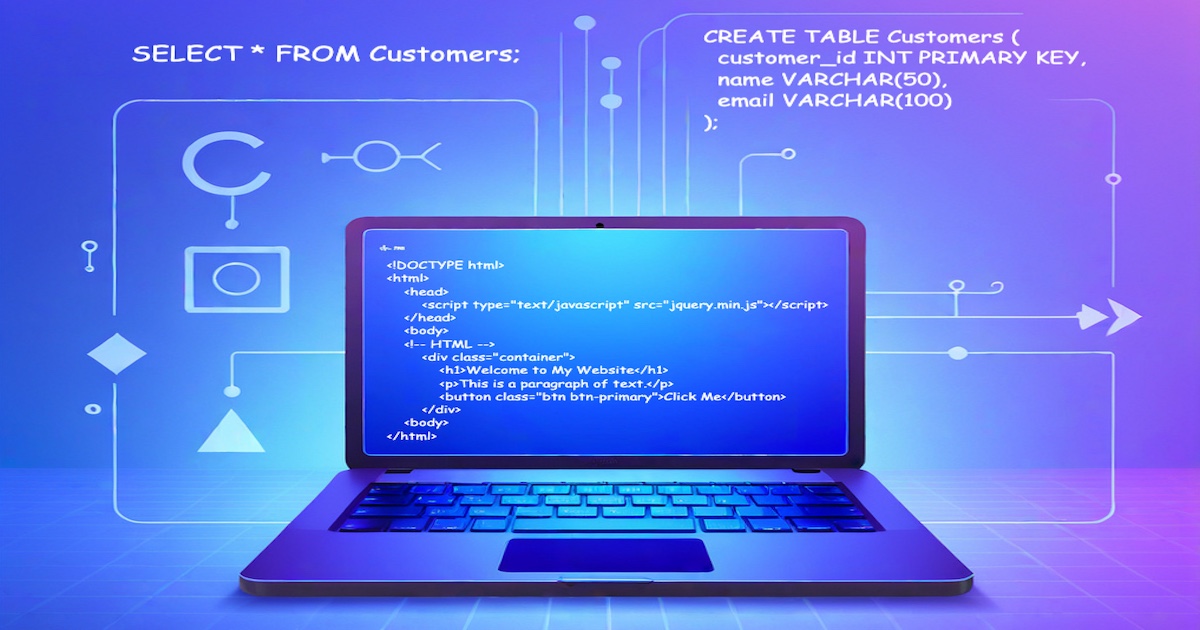
This is part 2 of our Programming Paradigms series, click here to see part 1 if you missed it!
Declarative Programming
This programming style focuses on describing what we want to achieve when we write a program, rather than how to achieve it. In other words, while using this paradigm, we specify a desired result or outcome, and the programming language itself takes care of the implementation details. This approach abstracts away the control flow and mutable states, which allows the developer to focus on the domain problem. Instead of defining an explicit flow, the developer works with a high-level concept.
Similar to Imperative Programming, a variety of programming languages support Declarative Programming. Some examples worth mentioning are SQL, HTML & CSS, and Regular Expressions (Regexes).
Key characteristics
Let’s go deeper into this topic and consider the characteristics of this paradigm. Declarative programming certainly involves (click an item to unfold its description):
Declarative Specification - Describing the desired result or outcome, rather than the step-by-step instructions.
- Unlike Imperative Programming, Declarative languages construct and abstract away implementation details. We can say that by using very high-level abstractions, the programmer creates a kind of rules template, and the language takes care of all the details.
Immutability - Minimizing or even avoiding mutable state, emphasizing immutable data structures.
- Using immutable data structures and values prevents side effects and ensures referential transparency. We still have a possibility to access and manipulate that data (see Declarative Queries).
Data Dependencies - When programs express relationships and dependencies between entities.
- Declarative relationships, constraints, and dependencies are specified through declarations or expressions.
Data Transformation - Specifying data transformation operations without explicitly controlling the control flow.
- Using declarative languages we can perform transformations like mapping, filtering, and reducing over collections or data streams.
High-level Abstractions - Utilizing high-level abstractions and domain-specific languages (DSLs).
- Specialized languages or frameworks designed for specific problem domains. An example and at the same time a special case is regex, a type of language we may call a rational expression, which can be embedded into imperative programs, and used to extract a string by providing a pattern to match against.
Declarative Queries - Express queries to retrieve or manipulate data and not specify how to achieve the result.
- With query languages like SQL for relational databases or XPath for XML we can just define the query and get the data. SQL here is a great example because we can get any custom-structured data we want from the database.
Declarative Constraints - Defining constraints and rules that the system enforces automatically.
- Constraint-based programming and declarative rule engines, which automatically enforce and interpret what kind of data should be used.
Logic-based Rules - Using logic-based rules and facts to reason about knowledge.
- Logic-based programming uses declarative constraints in languages like Prolog and Datalog.
Declarative UI - Describing the user interface and its behavior declaratively.
- Markup languages like HTML and CSS, but also XML are used to describe UI structure and style.
Lazy Evaluation - Evaluating expressions or computations only when they're needed.
- Lazy evaluation strategies like expressions or computations defer computations until the results are required, so the result is evaluated only when needed. In other words, nothing happens until the results are required.
Declarative Programming differs from Imperative on the idea standing behind it, which implies a different approach and rules that define it. It also has its ups and downsides and - as usual - its usage depends strongly on the context (more on that topic later on).
Any code examples?
Three different code examples (yes, three!) will show us different faces of Declarative Programming.
SQL - Structured Query Language
Our first example will be an SQL, language describing declarative relationships in relational databases. We will go through relationship declarations, querying data, and data transformations. Here is the whole example we will walk step by step (you can try it out here!):
1
2
3
4
5
6
7
8
9
10
11
12
13
14
15
16
17
18
19
20
21
22
23
24
25
26
27
-- Declarative relationships in SQL

-- Declarative Specification - Creating two tables with a foreign key relationship:
CREATE TABLE Customers (
  customer_id INT PRIMARY KEY,
  name VARCHAR(50),
  email VARCHAR(100)
);

CREATE TABLE Orders (
  order_id INT PRIMARY KEY,
  customer_id INT,
  order_date DATE,
-- Data Dependencies - Using key to refer to other table key:
  FOREIGN KEY (customer_id) REFERENCES Customers(customer_id)
);

-- Declarative Queries - Retrieve all customers from the "Customers" table with their names and email addresses:
SELECT name, email FROM Customers;

-- Declarative Queries - Retrieve customers with orders from specific countries:
SELECT Customers.name, Orders.order_date
FROM Customers
-- Declarative Transformation - Joining the query result based on customer_id:
JOIN Orders ON Customers.customer_id = Orders.customer_id
-- Declarative Constraints - Query result based on country field value:
WHERE Customers.country IN ('USA', 'Canada');
Let’s break down some key concepts through a detailed step-by-step description.
Creating Tables and Defining Keys
In SQL, data is organized in tables, and these tables are often connected through keys. Here’s an example that creates two tables with a primary and foreign key relationship:
1
2
3
4
5
6
7
8
9
10
11
12
CREATE TABLE Customers (
  customer_id INT PRIMARY KEY,
  name VARCHAR(50),
  email VARCHAR(100)
);

CREATE TABLE Orders (
  order_id INT PRIMARY KEY,
  customer_id INT,
  order_date DATE,
  FOREIGN KEY (customer_id) REFERENCES Customers(customer_id)
);
In this snippet:
- The
Customerstable has a primary key (customer_id) to uniquely identify each record. It also includes fields likenameandemail. - The
Orderstable as well has a primary key (order_id). Additionally, it has acustomer_idfield, which is a foreign key pointing back toCustomers. This foreign key establishes a link between the two tables.
With these definitions, the structure of the database and the relationships between the tables are explicitly declared.
Writing Declarative Queries
In SQL, queries are declarative, meaning you state what data you want without specifying how to get it. To retrieve all columns from a table, you can use the SELECT * query:
1
SELECT * FROM TableName;
This command selects all columns from the table named TableName. It’s a simple way to express the intent to retrieve every record without getting into the details of how the database processes the query.
If you’re interested in specific fields, you can narrow down your query to retrieve only certain columns. For example, to get the names and email addresses of customers, you could write:
1
SELECT name, email FROM Customers;
This query is clear and concise, without extra procedural instructions.
Joining Tables to Explore Relationships
SQL’s declarative nature extends to joining tables based on foreign keys. The JOIN operation allows you to connect related tables based on common keys. Here’s an example that joins Customers and Orders to get customer names and their order dates:
1
2
3
SELECT Customers.name, Orders.order_date
FROM Customers
JOIN Orders ON Customers.customer_id = Orders.customer_id;
The JOIN clause indicates how to link the tables, in this case, by customer_id. This declarative approach abstracts the complexity of merging different data sources.
Applying Constraints to Refine Queries
Declarative queries can be further refined with constraints using the WHERE clause. Consider a query that retrieves only the customers from specific countries and their order dates:
1
2
3
4
SELECT Customers.name, Orders.order_date
FROM Customers
JOIN Orders ON Customers.customer_id = Orders.customer_id
WHERE Customers.country IN ('USA', 'Canada');
The WHERE clause applies a condition to the query, filtering the results to include only customers from ‘USA’ and ‘Canada’.
Conclusion
In declarative SQL, you express what data you want and leave the internal processes to the SQL engine. This approach abstracts the complexity of database management, allowing you to focus on the desired results. In this guide, we explored declarative programming in SQL, focusing on table creation, key relationships, basic and joined queries, and constraints. SQL allows you to define data structures and relationships and retrieve data with simple declarative commands. Understanding these concepts is critical for effective database design and querying.
HTML & CSS
The next example will show a simple HTML and CSS implementation, along with the use of JavaScript for interactivity. In web development, HTML and CSS are declarative languages that focus on defining structure and styling, while JavaScript, an imperative language, provides dynamic behavior and interactivity. This example explores how these languages work together to create interactive and visually appealing web content (you can try it out here!):
1
2
3
4
5
6
7
8
9
10
11
12
13
14
<!DOCTYPE html>
<html>
    <head>
        <script type="text/javascript" src="https://cdnjs.cloudflare.com/ajax/libs/jquery/2.2.1/jquery.min.js"></script>
    </head>
    <body>
    <!-- HTML -->
        <div class="container">
            <h1>Welcome to My Website</h1>
            <p>This is a paragraph of text.</p>
            <button class="btn btn-primary">Click Me</button>
        </div>
    <body>
</html>
1
2
3
4
5
6
7
8
9
10
11
12
13
14
15
16
17
<style type="text/css">
/* CSS */
.container {
  width: 500px;
  margin: 20px auto;
  padding: 10px;
  background-color: #f2f2f2;
}

.btn {
  background-color: #007bff;
  color: #fff;
  padding: 8px 16px;
  border: none;
  cursor: pointer;
}
</style>
1
2
3
4
5
<script type="text/javascript">
$(document).ready(function() {
  $(".welcome").append("!!!");
});
</script>
That looks like a lot of code, right? Although this seems a bit confusing, it is actually a very simple example. Let’s try to figure it out step by step.
Defining Structure with HTML
HTML (HyperText Markup Language) is the backbone of web content, describing the structure of a webpage. It uses tags to define elements like headings, paragraphs, and buttons. Here’s an example that creates a simple webpage structure:
1
2
3
4
5
6
7
8
9
10
11
12
13
14
<!DOCTYPE html>
<html>
    <head>
        <script type="text/javascript" src="https://cdnjs.cloudflare.com/ajax/libs/jquery/2.2.1/jquery.min.js"></script>
    </head>
    <body>
        <!-- HTML Structure -->
        <div class="container">
            <h1>Welcome to My Website</h1>
            <p>This is a paragraph of text.</p>
            <button class="btn btn-primary">Click Me</button>
        </div>
    </body>
</html>
In this code snippet:
- The
<div class="container">tag creates a container for other elements. - The
<h1>tag defines a heading, while<p>creates a paragraph. - The
<button class="btn btn-primary">tag creates a button with a CSS class applied to it.
These elements are arranged declaratively, focusing on what they represent rather than how to construct them.
Adding Style with CSS
CSS (Cascading Style Sheets) is a declarative language that defines the appearance of HTML elements. You can specify styles for individual elements or groups of elements using classes. Here’s a basic CSS example that styles the HTML structure defined earlier:
1
2
3
4
5
6
7
8
9
10
11
12
13
14
15
16
17
<style type="text/css">
/* CSS Styling */
.container {
  width: 500px;
  margin: 20px auto;
  padding: 10px;
  background-color: #f2f2f2;
}

.btn {
  background-color: #007bff;
  color: #fff;
  padding: 8px 16px;
  border: none;
  cursor: pointer;
}
</style>
In this CSS snippet:
- The
.containerclass applies styling to thedivcontainer, including width, margin, padding, and background color. - The
.btnclass styles the button with a specific background color, text color, padding, and cursor behavior.
CSS enables a declarative approach to styling, where you define how elements should look without specifying the step-by-step process to achieve it.
Introducing Interactivity with JavaScript
JavaScript is an imperative language that adds interactivity to webpages. It allows you to manipulate HTML elements and respond to user actions. The following example uses jQuery, a JavaScript library, to append text to a heading when the document is ready:
1
2
3
4
5
<script type="text/javascript">
$(document).ready(function() {
  $(".welcome").append("!!!");
});
</script>
In this JavaScript snippet:
- The
$(document).ready(function() {...});syntax ensures that the code runs when the document is fully loaded. - The
$(".welcome").append("!!!");command appends “!!!” to elements with the class “welcome,” dynamically modifying the webpage content.
JavaScript introduces imperative programming concepts, allowing for state changes and interaction with the webpage based on events or user input.
Conclusion
Combining declarative and imperative programming creates dynamic and interactive web applications. HTML and CSS provide the static structure and styling, while JavaScript introduces interactivity and dynamic content. This combination is common in modern web development, where static elements are styled and enhanced with dynamic behavior through JavaScript. Understanding how these languages work together is crucial for building engaging and user-friendly web applications.
Regex - Regular Expressions
The last example is the declarative approach based on regex, a regular expression. This will be something completely different, but we warn you that it is worth knowing this tool. Regular expressions (regex) are a powerful tool for pattern matching in strings. Although regex can seem complex, it provides a declarative way to define constraints and extract specific information from text. Let’s take a closer look at regex through an example that matches email addresses (you can try it out here!):
1
2
3
4
5
6
7
8
9
10
11
# High-level abstraction - Match email addresses:

# Declarative Specification/Constraints - char types, groups, counts etc:
/^[\w-]+(\.[\w-]+)*@[a-zA-Z\d-]+(\.[a-zA-Z\d-]+)*\.[a-zA-Z]{2,4}$/

// Example: software.engineering.growth@gmail.com
// ^[\w-]+(\.[\w-]+)* => software.engineering.growth
// @ => @
// [a-zA-Z\d-]+(\.[a-zA-Z\d-]+)*\ => gmail
// . => .
// [a-zA-Z]{2,4}$ => com
Looks like magic, doesn’t it? And again, contrary to appearances, this is not rocket science. Let’s take a closer look at the above example.
The Structure of Regex
A regex pattern is a sequence of characters that describes a search pattern. To demonstrate, let’s use a regex to match a common pattern: email addresses. Here’s the regex pattern to match most email formats:
/^[\w-]+(\.[\w-]+)*@[a-zA-Z\d-]+(\.[a-zA-Z\d-]+)*\.[a-zA-Z]{2,4}$/
This pattern can seem daunting at first, but let’s break it down to understand its components and the constraints it uses to match email addresses.
Breaking Down the Regex Pattern
Regular expressions are built using a combination of character classes, quantifiers, and special symbols. Let’s break down the email regex to understand how it works.
The Start and End Anchors
^: This symbol indicates the start of a string. It ensures that the match begins at the very beginning of the text.$: This symbol represents the end of a string, indicating that the match must end at the end of the text.
Matching the Local Part of the Email
[\w-]+: This section matches one or more word characters (letters, digits, or underscores) or hyphens. It represents the local part of the email address (the part before the “@” symbol).(\.[\w-]+)*: This section matches zero or more groups of a dot followed by one or more word characters or hyphens. It accounts for email addresses with dots in the local part.
Matching the Domain and Top-Level Domain
@[a-zA-Z\d-]+: The “@” symbol is explicitly matched, followed by one or more alphanumeric characters or hyphens. This represents the domain name.(\.[a-zA-Z\d-]+)*: This part matches zero or more groups of a dot followed by alphanumeric characters or hyphens, representing subdomains.\.[a-zA-Z]{2,4}: This section matches a dot followed by 2 to 4 alphabetic characters, representing the top-level domain (TLD), like.com,.org, or.net.
Applying the Regex Pattern
Now that we’ve broken down the regex pattern, let’s see how it would match a specific email address, such as software.engineering.growth@gmail.com:
^[\w-]+(\.[\w-]+)*: This matches the local part of the email address, capturingsoftware.engineering.growth.@: This matches the “@” symbol.[a-zA-Z\d-]+(\.[a-zA-Z\d-]+)*: This captures the domain part, which in this case isgmail.\.[a-zA-Z]{2,4}$: This represents the top-level domain, likecom.
By combining these sections, the regex pattern matches the structure of an email address, validating the input and ensuring it conforms to the expected format.
Conclusion
Regular expressions are a form of declarative programming, that allows you to define constraints and patterns for text matching. Although regex may seem complex due to its various symbols and patterns, understanding how each component works helps demystify the process. By using regex, you can extract specific data from strings and validate input based on predefined patterns.
What is it useful for?
We already saw some examples of declarative languages, but which domain problems that declarative programming is well suited for? Some key examples of where this paradigm unfolds its potential are (click an item to unfold its description):
Database Querying and Data Manipulation - Querying and manipulating relational databases.
- Languages like SQL are commonly used to query an manipulate relational databases. Using declarative statements, developers can express complex queries and data transformations, and database systems optimize and execute them efficiently.
Rule-based Systems - Where a set of rules defines the behavior or decision-making process.
- Rule-based systems, such as expert systems, AI, and business rule engines use sets of rules defined by developers to make decisions or reason about specific scenarios.
Graphical User Interface (GUI) Development - Frameworks for building graphical user interfaces.
- Developers describe the structure and behavior of the UI components declaratively using markup languages like HTML, or configuration files, enabling rapid prototyping of data presentation and interaction.
Constraint Solving - Constraint satisfaction and optimization problems.
- Developers specify variables, constraints and relationships, and a constraint solver or optimizer determines the solution. This approach is useful for scheduling, resource allocation, configuration problems, and more.
Markup Languages - Declarative programming is widely used in markup languages such as HTML and XML.
- Developers define the structure and presentation of content, leaving it to rendering engines to interpret and display the content appropriately.
Configuration Management - Managing system configurations and orchestrating complex deployments.
- Configuration management tools like Puppet or Ansible allow developers to specify desired configurations declaratively, making it easier to manage complex deployments and provisioning of systems automatically.
Functional Programming - Evaluating mathematical functions and avoiding mutable state and side effects.
- Very useful approach to solving problems related to concurrency, parallelism, mathematical computations, and processing of large datasets.
Parsing and Pattern Matching - Declaring patterns to parse and match within data.
- Developers specify patterns or grammars to match or extract specific patterns from input data, simplifying the implementation of parsers or pattern-matching algorithms.
Language Processing - Declarative programming is used in natural language processing and generation.
- Used in language processing tasks, developers define grammar or semantic rules, kind of templates, to analyze and manipulate text, including code.
By carefully considering these factors and aligning them with the project’s needs, you can make informed decisions about the programming style that will best suit your objectives and deliver the desired results. Things like characteristics of the business domain, complexity, performance, maintainability, and scalability, but also team expertise should drive the selection of the programming style and its subset to be chosen.
Imperative vs Declarative
We already talked about Imperative Programming, now we have introduced another important paradigm. What would the crucial comparison between these two look like?
Main points
We believe a basic summary table on this topic could look like this:
| Areas | Declarative | Imperative |
|---|---|---|
| Focus | Specifies what should be achieved. | Specifies how to achieve a certain result. |
| Program Structure | Describes relationships and dependencies between entities. | Organized as a sequence of instructions and/or statements. |
| Control Flow | Abstracted away by the language or system. | Explicitly controlled using control structures (loops, conditionals, etc.). |
| Mutable State | Minimizes or avoids mutable state. | Relies on mutable state for storing and modifying data. |
| Data Flow | Data flow is implicit, based on dependencies and relationships. | Data flow is explicitly manipulated and controlled. |
| Concurrency | Allows for easier parallelism and concurrency due to minimized shared mutable state. | Requires explicit synchronization and management of shared mutable state. |
| Abstraction | Emphasizes high-level abstractions often with domain-specific languages (DSLs). | Allows for fine-grained control and low-level optimizations. |
| Readability | Programs tend to be more concise and expressive, focusing on specifying the data and its structure. | Programs may have more explicit and detailed instructions on how things should be manipulated and behave. |
| Error Handling | Error handling is often handled by the language or system. | Developers have more control over error handling and exception management. |
| Example languages | SQL, HTML/CSS, Regular Expressions | C, Java, Python, Ruby |
Considering these distinctions plays a crucial role when choosing the most appropriate paradigm. Let’s go a bit deeper on this and see what are the pros & cons for both styles.
Pros & Cons
Understanding the pros and cons of each programming paradigm is crucial for understanding their implications. That brings several important points:
| Imperative | Declarative |
|---|---|
| Control flow & Data Flow | |
| More flexible in handling state changes and program flow. Becomes necessary when fine-grained control over execution and data flow is required, especially if certain behaviors need to be changed dynamically. | Is favored when the goal is to abstract away from the system, allowing the system to control things without needing explicit instructions. But in the same time offers less fine-grained control over program flow and data manipulation. |
| Mutable State & Concurrency | |
| All or most of the control stays on the developer’s side. But be careful, managing mutable state can lead to race conditions. | Easier to implement parallelism due to the minimized mutable state. But this requires potentially more complex logic. Also, concurrent operations may use more system resources. |
| Readability and Maintainability* | |
| Can be less concise and expressive, leading to code that’s harder to understand and maintain - code can become “spaghetti code”🍝 if not well-structured. | Emphasizes specifying data and its structure, leading to clearer and more understandable code, but on the other hand, it may suffer from complexity in large files. |
| Error handling | |
| Allows for more fine-grained error handling, which can be advantageous in meeting specific business requirements. At the same time, it requires explicit error handling, adding potential complexity. | Errors are often handled by the system, so it may lack control over error handling, leading to less meaningful error messages or notifications. |
Both imperative and declarative programs can be easily readable or incomprehensible. It all depends on how they are implemented, and various factors such as the team’s experience and the size and complexity of the codebase.
Additionally, some key points worth noticing and which did not suit the above table are:
Imperative
- Resource Management: Potentially more efficient due to explicit control.
- Customizability: Allows for customization based on requirements.
Declarative
- Abstraction: Provides high-level structured abstractions, often with domain-specific languages, making code more concise and expressive.
- Complexity: It can be challenging to navigate complex examples, especially in large codebases.
Quick summary
Summarizing, both styles have their strengths and weaknesses. The decision between imperative and declarative programming should be made based on a thorough understanding of the project requirements, team capabilities, and the desired outcomes. Also, factors like maintainability and performance considerations should be reasoned. Each approach offers its own set of advantages and challenges, and the appropriate choice will vary from project to project.
Live discussion
Do you prefer to see a live discussion on the topic? No problem! Check out this online discussion on YouTube:
Stay tuned!
That’s not all folks - our paradigms adventure continues! In the next parts, we’ll delve into some noteworthy and popular flavors of programming styles, starting with the next topic which is OOP - Object Oriented Programming. Stay tuned!