
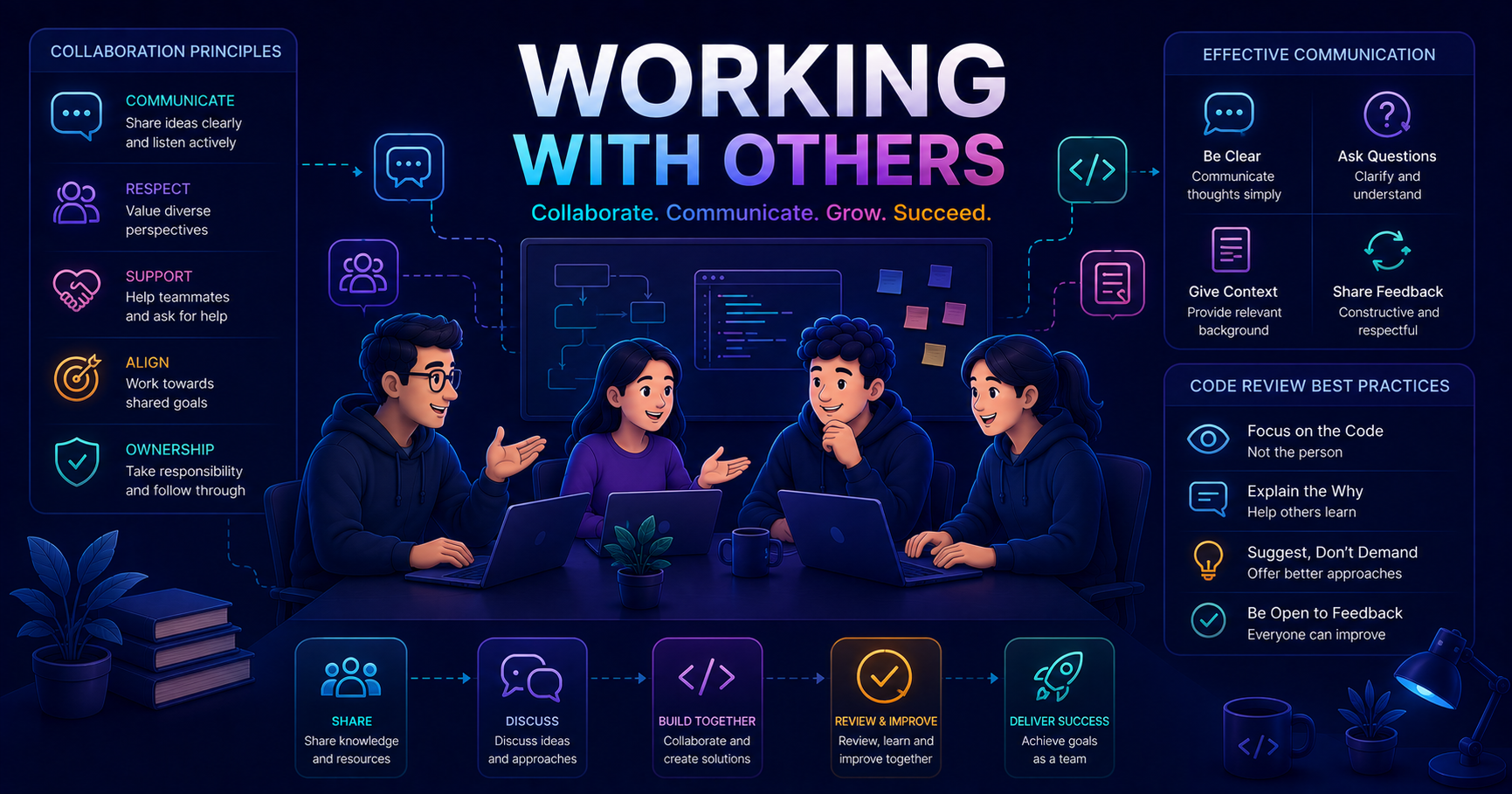
This post builds on our Soft Skills series for software engineers. If you want to strengthen your foundation first, check out Team Management and Self-Management!
Why Collaboration Skills Matter in Software Engineering
"I thought software engineering was about writing code alone in a dark room. Reality hit me fast, most of my day was spent talking to people, reviewing code, explaining decisions, and working through problems together."
Working with others isn’t just a soft skill you can ignore as a developer, it’s fundamental to your success. Modern software development is inherently collaborative:
- Code is written by teams, not individuals
- Complex problems require multiple perspectives
- Your code will be read, reviewed, and maintained by others
- Features span multiple developers and systems
- Learning accelerates through collaboration
According to research on workplace collaboration (see Working with Others - MindTools), effective collaboration requires mutual respect, clear communication, and shared goals. In software development, this translates to writing maintainable code, giving constructive feedback, and working toward project success together.
The best junior developers aren’t necessarily the ones who write the most code, they’re the ones who collaborate effectively, ask good questions, and help their team succeed.
Key Principles of Effective Collaboration
1. Mutual Respect and Trust
Respect is the foundation of productive working relationships. In development teams, this means:
- Valuing different perspectives: Senior developers have experience, but you might spot issues they miss
- Acknowledging expertise: Recognize that teammates have specialized knowledge
- Respecting time: Be punctual for meetings, respond to messages reasonably, honor commitments
- Assuming good intent: When someone questions your code, they’re trying to improve it, not attack you
1
2
3
4
5
6
7
// Example: Respecting code review feedback
// ❌ Defensive response
// "This works fine. Why are you making me change it?"

// ✅ Collaborative response
// "Thanks for catching that! I used a List here because I thought
// we might need dynamic sizing. Would an array be more efficient?"
2. Clear and Open Communication
Poor communication causes more project failures than technical issues. As a junior developer:
Speak Up Early
Don’t wait until problems become critical.
If you’re stuck on a problem for more than 30-60 minutes without progress, ask for help. If you realize a deadline is at risk, communicate immediately. If you don’t understand a requirement, ask before building the wrong thing.
Example: “I’ve been debugging this authentication issue for the past hour. I’ve tried X and Y, but I’m stuck. Could someone help me understand how our JWT validation works?”
Be Specific and Concrete
Vague communication wastes everyone’s time.
Instead of “The API isn’t working,” say “The /users endpoint returns a 500 error when I pass a null email field. Here’s the stack trace.”
Use:
- Exact error messages
- Code snippets
- Screenshots when relevant
- Steps to reproduce
- What you’ve already tried
Listen Actively
Collaboration is two-way communication.
When teammates explain something:
- Ask clarifying questions
- Paraphrase to confirm understanding
- Take notes
- Don’t interrupt
- Follow up if you’re still confused later
Example: “So if I understand correctly, you’re saying we should use a HashMap here because we need O(1) lookups, and the memory tradeoff is acceptable for our dataset size?”
Choose the Right Medium
Not everything needs a meeting.
| Situation | Best Medium |
|---|---|
| Quick question | Slack/Chat |
| Code-specific discussion | Pull request comments |
| Complex architectural decision | In-person or video call |
| Status update | Stand-up or async message |
| Learning/pairing | Video call with screen share |
| Documentation | Wiki or README |
flowchart TB
    A[Need to Communicate] --> B{Urgent?}
    B -->|Yes| C{Complex?}
    B -->|No| D{Needs Discussion?}

    C -->|Yes| E[Immediate Call/In-Person]
    C -->|No| F[Direct Message]

    D -->|Yes| G{Involves Code?}
    D -->|No| H[Email/Async Message]

    G -->|Yes| I[PR Comment/Code Review]
    G -->|No| J[Schedule Meeting]

    style E fill:#ff9999
    style F fill:#ffcc99
    style I fill:#99ccff
    style J fill:#99ff99
    style H fill:#cccccc
3. Shared Goals and Accountability
Great teams succeed together. As a junior developer, you’re accountable not just for your code, but for team outcomes:
- Understand the bigger picture: Why are you building this feature? How does it serve users?
- Own your commitments: If you said you’d finish something by Friday, finish it or communicate early
- Help teammates: If you finish early, offer to help with code reviews or testing
- Learn from failures together: When bugs happen, focus on fixing process, not blaming people
1
2
3
4
5
6
7
8
9
10
11
12
13
14
15
16
17
18
19
20
21
22
23
// Example: Team-oriented thinking

// ❌ Individual mindset
public void myFeature() {
    // Quick implementation that only I understand
    // I'm done, shipped, moving on!
}

// ✅ Team mindset
/**
 * Processes user preferences and caches results for performance.
 *
 * @param userId the user ID to fetch preferences for
 * @return UserPreferences object with validated settings
 * @throws UserNotFoundException if user doesn't exist
 *
 * Note: This method updates the Redis cache with a 5-minute TTL.
 * See docs/caching-strategy.md for our caching approach.
 */
public UserPreferences processUserPreferences(String userId) {
    // Clear implementation that anyone can maintain
    // Tests included, documentation updated
}
Collaboration in Practice: Key Scenarios
Code Reviews: Giving and Receiving Feedback
Code reviews are where collaboration skills shine (or fail). They’re not just about finding bugs, they’re learning opportunities and quality gates.
Receiving Code Review Feedback
flowchart LR
    A[Receive Feedback] --> B{Understand It?}
    B -->|Yes| C{Agree?}
    B -->|No| D[Ask Clarifying Questions]

    C -->|Yes| E[Make Changes]
    C -->|Unsure| F[Discuss Tradeoffs]

    D --> G[Resolve Confusion]
    G --> C

    E --> H[Thank Reviewer]
    F --> I[Reach Consensus]
    I --> H

    style E fill:#99ff99
    style H fill:#99ccff
    style D fill:#ffcc99
Best Practices:
✅ Do:
- Thank reviewers for their time
- Ask questions if you don’t understand feedback
- Explain your reasoning if you disagree (respectfully)
- Make changes promptly
- Mark comments as resolved once addressed
❌ Don’t:
- Take feedback personally
- Ignore comments without explanation
- Argue every point
- Make unrelated changes in the same PR
- Wait days to respond
1
2
3
4
5
6
7
8
9
10
11
12
13
14
15
16
17
// Example: Responding to code review feedback

// Reviewer Comment: "This loop could be cleaner with Java Streams"
// Your Code:
List<String> activeUsers = new ArrayList<>();
for (User user : users) {
    if (user.isActive()) {
        activeUsers.add(user.getName());
    }
}

// ✅ Good Response:
// "Great suggestion! I'm still learning Streams, is this what you had in mind?"
List<String> activeUsers = users.stream()
    .filter(User::isActive)
    .map(User::getName)
    .collect(Collectors.toList());
Giving Code Review Feedback
As a junior, you’ll review code too, and your feedback is valuable! You bring a fresh perspective.
Feedback Framework:
Be Kind and Specific
Focus on code, not the person.
❌ “This is bad code.”
✅ “This method is 200 lines long and does multiple things. Could we split it into smaller functions?”
❌ “You don’t know what you’re doing.”
✅ “I’m not sure this null check covers all edge cases. What happens if both fields are null?”
Explain Why
Help others learn from your feedback.
❌ “Change this to a HashMap.”
✅ “A HashMap would give us O(1) lookups instead of O(n) with this List. Since we’re searching frequently, it would improve performance.”
Distinguish Critical vs. Nitpicks
Not everything needs to be fixed.
Use prefixes:
- [Critical]: Bugs, security issues, broken functionality
- [Important]: Design flaws, performance issues, maintainability
- [Nitpick]: Style preferences, minor improvements (optional)
- [Question]: Seeking understanding, not demanding change
Example: “[Nitpick] Consider renaming data to userProfiles for clarity, but not blocking.”
Praise Good Code
Positive feedback matters!
When you see clever solutions, clean code, or thoughtful edge case handling, say so!
Example: “Love this error handling, you covered all the edge cases I can think of. Nice work! ✅”
Pair Programming: Real-Time Collaboration
Pair programming is when two developers work together on one computer, one “driving” (typing), one “navigating” (reviewing and guiding).
Roles in Pair Programming
flowchart LR
    subgraph Pair["Pair Programming Session"]
        direction TB
        D[Driver<br/>Writes Code]
        N[Navigator<br/>Reviews & Guides]

        D <-->|Switch Roles<br/>Every 15-30 min| N
    end

    D --> O[Focus: Implementation Details]
    N --> P[Focus: Design & Strategy]

    style D fill:#ffcc99
    style N fill:#99ccff
As the Driver:
- Think out loud while coding
- Ask questions if you’re unsure
- Be open to navigator’s suggestions
- Don’t race ahead silently
As the Navigator:
- Watch for bugs and edge cases
- Think about architecture and design
- Ask questions to understand driver’s thinking
- Don’t backseat drive every character
Pair programming isn’t about writing code faster, it’s about writing better code, sharing knowledge, and reducing bugs. Embrace it as a learning opportunity!
1
2
3
4
5
6
7
8
// Example: Pair Programming Dialogue

// Driver (Junior): "I'm going to loop through all users and check active status"
// Navigator (Senior): "Good start. What if the user list is really large?
//                       Should we consider pagination or lazy loading?"
// Driver: "Oh, good point! Let me add pagination support..."

// This catches design issues BEFORE they become production problems
Daily Standups: Async and Sync Communication
Standups keep teams aligned. As a junior, use them to communicate progress and blockers.
The Three Questions:
- What did I do yesterday? Be specific: “Implemented password validation on the signup form”
- What will I do today? Commit to clear goals: “Write unit tests for the validation and submit PR”
- Am I blocked? If yes, say so: “Blocked on API endpoint, waiting for backend team to deploy”
Effective vs. Ineffective Standups:
| ❌ Ineffective | ✅ Effective |
|---|---|
| “I worked on stuff” | “I completed the user authentication feature, PR #247 is ready for review” |
| “I’ll keep working on my task” | “I’ll finish unit tests for auth and start on password reset flow” |
| “I’m stuck” | “I’m blocked on database migration, need DBA approval to proceed. Can someone help?” |
| 10-minute rambling explanation | 30-60 seconds of clear, relevant updates |
If you’re blocked, don’t wait for the next standup, communicate immediately. Standups are for awareness, not solving complex problems.
Working Across Experience Levels
Software teams mix junior, mid-level, and senior developers. Each interaction requires different collaboration approaches.
Working with Senior Developers
Learn from their experience.
Do:
- Ask “why” questions to understand decisions
- Take notes when they explain concepts
- Review their code to learn patterns
- Request specific feedback on your work
Don’t:
- Assume they’re always right (they’re human)
- Fear asking “basic” questions
- Waste their time on things you could Google
- Ignore their advice without understanding it
Example: “I saw you used a Factory pattern here. I understand the basics, but why is it better than just instantiating objects directly in our case?”
Working with Other Juniors
Learn together.
Do:
- Share resources and learning materials
- Review each other’s code
- Collaborate on understanding complex concepts
- Celebrate wins together
Don’t:
- Create a “blind leading the blind” situation
- Avoid asking seniors because “we should figure it out”
- Compare yourself negatively
- Compete instead of collaborate
Example: “I’m also struggling with async/await. Want to pair on this problem together and then ask Sarah to review our solution?”
Working with Non-Technical Teammates
Bridge the communication gap.
Product managers, designers, and QA engineers aren’t developers, but you collaborate with them constantly.
Do:
- Explain technical constraints in business terms
- Ask about user needs and business goals
- Be honest about timelines and complexity
- Respect their expertise in their domains
Don’t:
- Use jargon or talk down to them
- Say “yes” to impossible deadlines
- Dismiss their input as “not technical”
- Build features without understanding requirements
Example: “The real-time sync feature would require WebSocket infrastructure we don’t have. That’s about 2 weeks of work. Could we start with polling every 30 seconds as a first version?”
Handling Conflicts Professionally
Conflicts happen, disagreements about architecture, priorities, code style, even personal friction. How you handle them matters.
Types of Conflicts in Software Teams
flowchart TB
    C[Conflicts] --> T[Technical Disagreements]
    C --> P[Process Issues]
    C --> I[Interpersonal Friction]

    T --> T1[Architecture choices]
    T --> T2[Technology selection]
    T --> T3[Code quality standards]

    P --> P1[Meeting effectiveness]
    P --> P2[Code review process]
    P --> P3[Deployment procedures]

    I --> I1[Communication styles]
    I --> I2[Work habits]
    I --> I3[Personality clashes]

    style T fill:#ffcc99
    style P fill:#99ccff
    style I fill:#ff9999
Conflict Resolution Steps
- Pause and Breathe: Don’t respond immediately when frustrated
- Seek to Understand: Ask questions before defending your position
- Focus on Outcomes: What’s best for the project and users?
- Find Common Ground: What do you both agree on?
- Compromise When Possible: Perfect is the enemy of good
- Escalate Respectfully: If stuck, involve a neutral third party
1
2
3
4
5
6
7
8
9
10
11
12
13
14
15
16
17
18
// Example: Technical Disagreement

// Your approach: Use microservices
// Colleague's approach: Keep monolithic architecture

// ❌ Unproductive Conflict:
// "Microservices are clearly better. The monolith is outdated."
// "You're over-engineering. We don't need that complexity."
// [Stalemate, resentment, no progress]

// ✅ Productive Resolution:
// You: "I see benefits to microservices for scaling. What concerns
//       do you have?"
// Colleague: "Operational complexity. We're a small team."
// You: "That's fair. What if we keep the monolith now but design
//       with clear service boundaries, so we can split later if needed?"
// Colleague: "I can work with that. Let's document the boundaries."
// [Compromise, progress, maintained relationship]
When to Involve Others
Some conflicts need help to resolve:
- Repeating patterns: Same issue keeps happening
- Blocking work: Can’t move forward without resolution
- Personal attacks: Conversation has become hostile
- Power imbalance: More senior person dismissing your input
- Ethical concerns: Someone wants to do something wrong
Escalating isn’t “tattling”, it’s responsible problem-solving. Frame it as seeking help, not blaming: “I’d like your input on how to approach this decision.”
Building Productive Working Relationships
Long-term success comes from building strong relationships with teammates.
Strategies for Building Trust
| Strategy | How to Apply | Example |
|---|---|---|
| Reliability | Deliver what you promise, when you promise | “I’ll have this PR ready by Friday” → Actually have it ready |
| Competence | Continuously improve, ask for help when needed | Take an online course, pair with seniors, read documentation |
| Transparency | Share progress, admit mistakes, ask questions | “I made a mistake in production. Here’s what happened and how I’ll prevent it” |
| Empathy | Consider others’ perspectives and workloads | “I know you’re swamped. Is there a better time to review my code?” |
| Support | Help teammates succeed | Offer to test someone’s feature, review docs, share useful articles |
Social Aspects of Collaboration
Software development is technical work, but it happens in social contexts:
- Participate in team activities: Lunch, virtual coffee chats, team retros
- Be approachable: Smile, be friendly, welcome questions
- Show interest: Ask teammates about their work and interests
- Celebrate together: Acknowledge releases, wins, milestones
- Support during challenges: Offer help when someone is struggling
"The developers I learned the most from weren't just technically brilliant, they were kind, patient, and genuinely wanted me to succeed. I try to be that person for others now."
You don’t have to be best friends with your teammates, but investing in relationships makes work more enjoyable and productive for everyone.
Practical Communication Techniques for Developers
Asking Effective Questions
The quality of your questions impacts how quickly you learn and how much respect you earn.
Before Asking:
- Search documentation, Stack Overflow, codebase comments
- Debug the problem yourself (but time-box it)
- Form a specific question (not “it doesn’t work”)
When Asking:
1
2
3
4
5
6
7
8
9
10
11
12
13
14
15
16
17
# ✅ Effective Question Template

**Context**: I'm working on the user profile feature (ticket PRJ-123)

**Goal**: I'm trying to save user preferences to the database

**What I've tried**:
1. Used the UserService.save() method
2. Checked that the object is not null before saving
3. Verified database connection is active

**Problem**: Getting NullPointerException at line 47 in ProfileController

**Question**: Should UserPreferences be @Autowired, or should I instantiate it manually? I see both patterns in our codebase.

**Code snippet**:
[Include relevant code, not your entire file]
Saying No Professionally
As you grow, you’ll need to push back on unreasonable requests while maintaining relationships.
How to Say No:
| Instead of… | Say… |
|---|---|
| “No, that’s impossible” | “We can’t do that by Friday, but we could deliver a simplified version by then and iterate” |
| “That’s a terrible idea” | “I have concerns about that approach. Can I share an alternative?” |
| “I’m too busy” | “I’m committed to X and Y right now. Could we revisit this next week, or should I deprioritize something?” |
| “Not my job” | “That’s outside my current area, but Jane on the platform team would be the right person to ask” |
Saying no to protect quality, timelines, or your wellbeing isn’t selfish, it’s professional. Just offer alternatives when possible.
Giving Status Updates
Keep stakeholders informed without constant interruptions:
flowchart TB
    Start[Task Assigned] --> Progress{Making Progress?}

    Progress -->|Yes, On Track| Update1[Brief daily update in standup]
    Progress -->|Yes, But Issues| Update2[Communicate risks/challenges early]
    Progress -->|No, Blocked| Update3[Immediate escalation with context]

    Update1 --> Check{Approaching Deadline?}
    Update2 --> Resolve[Work on mitigation plan]
    Update3 --> Unblock[Get help to unblock]

    Check -->|Yes| Final[Final summary update when complete]
    Check -->|No| Progress

    Resolve --> Check
    Unblock --> Progress

    style Update3 fill:#ff9999
    style Update2 fill:#ffcc99
    style Update1 fill:#99ff99
Comparison: Effective vs. Ineffective Collaboration
| Aspect | ❌ Ineffective Collaborator | ✅ Effective Collaborator |
|---|---|---|
| Communication | Vague, infrequent, assumes others understand | Clear, timely, confirms understanding |
| Feedback | Defensive or absent | Open to feedback, provides constructive input |
| Ownership | “Not my problem” attitude | Takes responsibility, helps team succeed |
| Knowledge | Hoards knowledge, makes self indispensable | Shares knowledge, documents decisions |
| Conflicts | Avoids or escalates dramatically | Addresses professionally, seeks resolution |
| Code Reviews | Nitpicks everything or rubber-stamps all | Balances quality with pragmatism |
| Questions | Never asks (stuck) or constantly asks (dependent) | Asks thoughtful questions after trying first |
| Meetings | Distracted, unprepared, dominates or silent | Engaged, contributes meaningfully |
| Deadlines | Misses without warning | Communicates risks early, delivers commitments |
| Relationships | Transactional, isolated | Builds trust, invests in team connections |
Tips for Daily Interactions
In Meetings
✅ Do:
- Prepare beforehand (read agenda, relevant docs)
- Take notes on action items
- Ask clarifying questions
- Stay engaged (camera on for video calls)
- Follow up on commitments
❌ Don’t:
- Multitask (everyone can tell)
- Interrupt constantly
- Dominate the conversation
- Stay silent when you have input
- Agree to things you can’t deliver
In Slack/Chat
✅ Do:
- Use threads to keep conversations organized
- Include context (link to PRs, tickets, docs)
- @mention relevant people
- Use code formatting for code snippets
- Respond within reasonable time (few hours for non-urgent)
❌ Don’t:
- Send “hi” and wait for response before asking question
- Paste 500 lines of code in chat
- DM everything (others can’t help or learn)
- Expect immediate responses
- Passive-aggressively tag everyone
In Code Comments
1
2
3
4
5
6
7
8
9
10
11
12
13
14
15
16
17
18
19
// ❌ Unhelpful comment
// This is confusing
if (user.getAge() > 0 && user.getAge() < 150) {
    // ...
}

// ✅ Helpful comment
// Validate age is within reasonable human lifespan (handles edge cases:
// negative ages from data errors, or unrealistic ages like 999)
if (user.getAge() > 0 && user.getAge() < 150) {
    // ...
}

// ❌ Passive-aggressive comment
// TODO: Fix this terrible code someone wrote

// ✅ Constructive comment
// TODO: Refactor to reduce cyclomatic complexity (currently 15, target < 10)
//       Consider extracting validation logic into separate methods
Remote Collaboration: Special Considerations
Remote work adds collaboration complexity:
Overcommunicate
You can’t read body language or tap someone’s shoulder.
- Share your status more frequently
- Use emojis/reactions to show engagement
- Turn on video when possible
- Document decisions in writing
- Confirm understanding explicitly
Be Timezone Aware
Async collaboration requires planning.
- Set clear working hours in your profile
- Use scheduling tools (Calendly, Google Calendar)
- Don’t expect immediate responses outside work hours
- Hand off work with clear context for next timezone
- Record meetings for those who can’t attend
Build Social Connections Intentionally
Remote teams need deliberate relationship building.
- Join optional social calls
- Share personal updates (within comfort level)
- Use water cooler channels for casual chat
- Celebrate wins publicly
- Be patient with technical difficulties
Resources and Further Learning
To deepen your collaboration skills:
- External Resource: Working with Others - MindTools - Comprehensive guide on workplace collaboration principles
- Related Posts:
- Team Dynamics - Understanding team dynamics and roles
- Self-Management - Managing yourself before managing relationships
- Positive Work Attitude - Building the right mindset for collaboration
Conclusion
Working with others is not a secondary skill you develop after mastering code, it’s integral to being a software engineer. The most successful junior developers aren’t always the most technically gifted; they’re the ones who:
- Communicate clearly and proactively
- Give and receive feedback gracefully
- Build trust through reliability and empathy
- Resolve conflicts professionally
- Help their teams succeed
Start small:
- In your next code review, thank the reviewer and ask one clarifying question
- In your next standup, give specific updates instead of vague ones
- When you pair program, actively engage as both driver and navigator
- When conflict arises, pause and seek to understand before defending
Remember: collaboration is a skill you practice daily. Every interaction is an opportunity to get better at working with others. Your technical skills will grow, but your ability to collaborate effectively will multiply your impact on every team you join.
The best code is written by teams who work well together. Invest in collaboration skills, and you’ll accelerate your career more than any framework or language ever could.
What collaboration challenge will you tackle this week?