
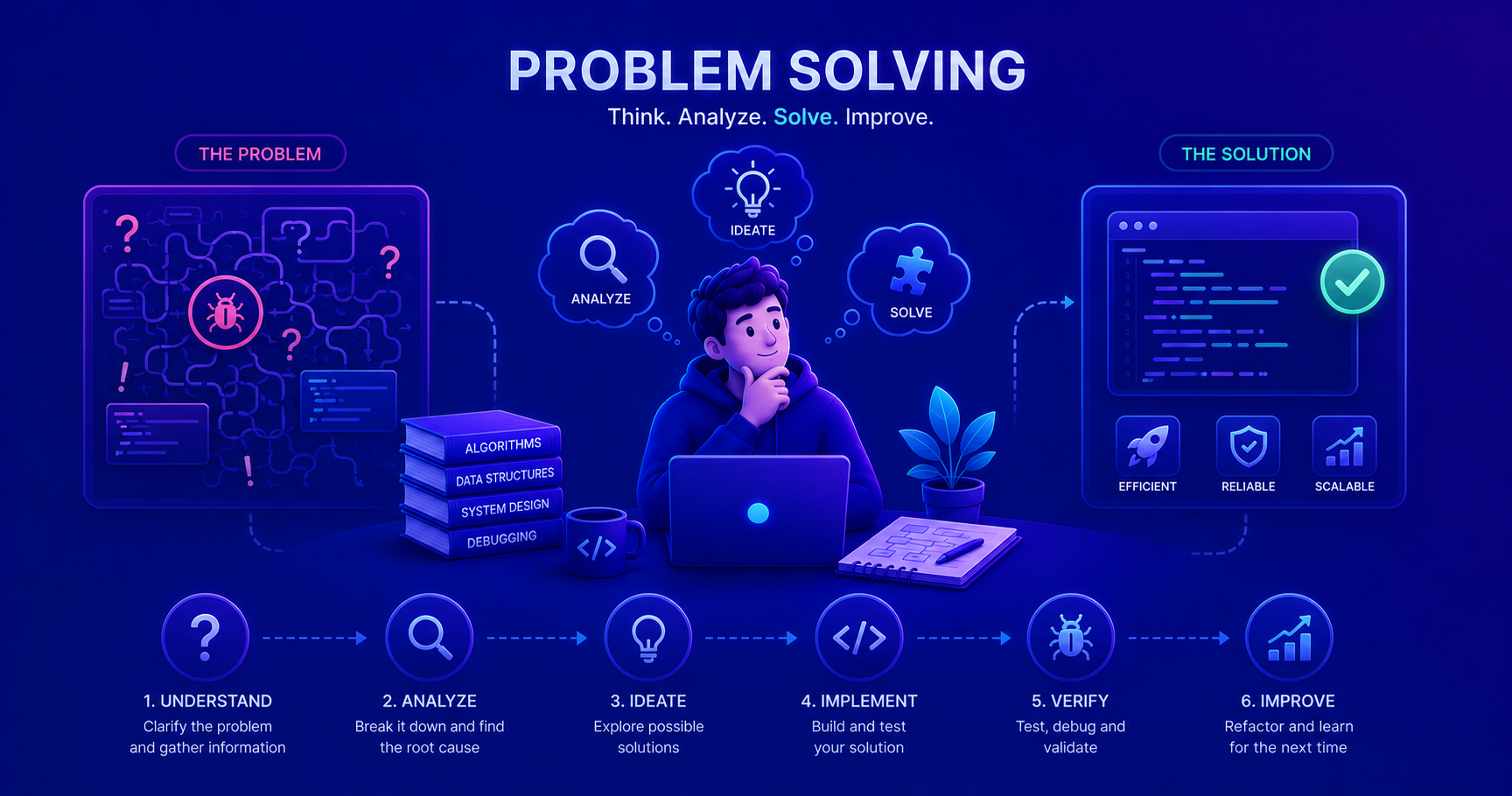
Programming is essentially problem-solving. This post introduces structured problem-solving frameworks and debugging techniques that will serve you throughout your entire engineering career.
What is Problem Solving in Software Engineering?
At its core, software engineering is professional problem-solving. Every line of code you write is a solution to a problem. Every bug you fix is a problem you’ve overcome. Every feature you implement solves a user’s need.
Problem solving in our field isn’t just about fixing broken code, it’s about:
- Understanding unclear requirements and turning them into working software
- Debugging mysterious errors in production systems
- Optimizing slow-performing applications
- Designing systems that scale with user growth
- Making trade-offs between competing technical approaches
Fun fact: According to research, developers spend 35-50% of their time debugging and problem-solving, not writing new code. Mastering this skill is essential!
Why Problem Solving is Critical for Junior Engineers
As a junior developer, you’ll face countless challenges:
- Code that works on your machine but fails in production
- Error messages that seem cryptic and unhelpful
- Features that need to integrate with unfamiliar systems
- Performance issues you’ve never encountered before
The difference between a struggling junior and a thriving one isn’t how much they know, it’s how effectively they approach problems they don’t immediately know how to solve.
"I remember my first production bug, the application crashed every Friday at 5 PM. I panicked and started randomly changing code. My senior engineer stopped me and said: 'Let's think about this systematically.' We discovered the issue in 20 minutes: a weekly cleanup job with a timezone bug. That moment taught me the power of structured thinking over panic-driven coding."
The Universal Problem-Solving Framework
Based on research from organizational psychology (see MindTools Problem Solving), effective problem-solving follows a structured approach. Let’s adapt this to software engineering:
graph TB
    Start([Problem Identified]) --> Define[1. Define the Problem]
    Define --> Analyze[2. Analyze Root Causes]
    Analyze --> Generate[3. Generate Solutions]
    Generate --> Evaluate[4. Evaluate & Select]
    Evaluate --> Implement[5. Implement Solution]
    Implement --> Review[6. Review & Learn]

    Review --> |Problem Solved| Success([Complete])
    Review --> |Issue Persists| Define

    style Start fill:#e1f5ff
    style Success fill:#d4edda
    style Define fill:#fff3cd
    style Analyze fill:#fff3cd
    style Generate fill:#fff3cd
    style Evaluate fill:#f8d7da
    style Implement fill:#d1ecf1
    style Review fill:#d1ecf1
Step 1: Define the Problem Clearly
The mistake juniors make: Jumping to solutions before understanding the problem.
The better approach: Invest time in clearly defining what’s wrong.
The 5W Framework
Ask these questions to clarify any problem.
- What is actually happening? (Observed behavior)
- Where is it happening? (Which environment, component, or module)
- When does it happen? (Always? Intermittently? Specific conditions?)
- Who is affected? (All users? Specific configurations?)
- Why does it matter? (Impact on users/business)
Example:
- ❌ Poor: “The app is slow”
- ✅ Better: “The user search feature takes 8+ seconds to return results when searching by email address in the production environment, affecting all users since yesterday’s deployment”
Practical Example: Defining a Real Problem
1
2
3
4
5
6
7
8
9
10
11
12
13
14
15
16
17
18
19
20
// User reports: "I can't log in"
// This is too vague. Let's define it properly:

public class LoginProblemDefinition {

    /**
     * WHAT: Login attempt returns "Invalid credentials" error
     * WHERE: Production environment, /api/auth/login endpoint
     * WHEN: Started after deployment v2.3.1, happens for ~30% of users
     * WHO: Only affects users who registered before March 2024
     * WHY: Users can't access their accounts, affecting revenue
     */

    // Now we have a clear problem to investigate!
    public void investigateLogin() {
        // Check deployment changes in v2.3.1
        // Focus on authentication logic for legacy users
        // Review database schema changes affecting user table
    }
}
Step 2: Analyze Root Causes
Once you’ve defined the problem, dig deeper to find the root cause, not just symptoms.
The 5 Whys Technique
Keep asking “why” to find the root cause.
This technique helps you move from symptoms to underlying causes:
- Why is the problem happening? (First level - symptom)
- Why is that happening? (Second level - proximate cause)
- Why is that happening? (Third level - deeper cause)
- Why is that happening? (Fourth level - systemic cause)
- Why is that happening? (Fifth level - root cause)
Example:
- Why is the app crashing? → Out of memory error
- Why out of memory? → Large ArrayList growing without bounds
- Why growing without bounds? → No pagination in API response
- Why no pagination? → Feature requirements didn’t specify limits
- Why weren’t limits specified? → No standard API design guidelines
Root cause: Missing engineering standards for API design.
Code Example: Finding Root Causes
1
2
3
4
5
6
7
8
9
10
11
12
13
14
15
16
17
18
19
20
21
public class UserService {

    // SYMPTOM: Application running out of memory
    public List<User> getAllUsers() {
        // PROBLEM: Loading ALL users into memory at once
        return userRepository.findAll(); // ❌ What if there are 1 million users?
    }

    // ANALYSIS using debugging:
    // 1. Memory profiler shows large User[] array
    // 2. Stack trace shows getAllUsers() being called
    // 3. Code review reveals no pagination
    // 4. Git blame shows feature added without considering scale
    // 5. Root cause: Missing pagination requirements

    // SOLUTION: Implement pagination
    public Page<User> getUsers(int page, int size) {
        Pageable pageable = PageRequest.of(page, size);
        return userRepository.findAll(pageable); // ✅ Memory efficient
    }
}
Step 3: Generate Possible Solutions
Don’t settle for the first solution that comes to mind. Consider multiple approaches.
| Approach | When to Use | Example |
|---|---|---|
| Quick Fix | Urgent production issue, temporary workaround | Add a try-catch to prevent crashes while investigating |
| Standard Solution | Common problem with known patterns | Use a design pattern (Factory, Strategy, etc.) |
| Optimized Solution | Performance-critical code | Replace O(n²) algorithm with O(n log n) approach |
| Architectural Change | Fundamental design issue | Refactor monolith to microservices |
1
2
3
4
5
6
7
8
9
10
11
12
13
14
15
16
17
18
19
20
21
22
23
24
25
26
27
public class SolutionGeneration {

    // PROBLEM: Need to send notifications to users
    // Let's generate multiple solutions:

    // OPTION 1: Simple synchronous approach
    public void sendNotification_Simple(User user, String message) {
        emailService.send(user.getEmail(), message); // Blocks until sent
    }

    // OPTION 2: Asynchronous approach
    @Async
    public void sendNotification_Async(User user, String message) {
        emailService.send(user.getEmail(), message); // Non-blocking
    }

    // OPTION 3: Queue-based approach (most robust)
    public void sendNotification_Queue(User user, String message) {
        NotificationJob job = new NotificationJob(user.getId(), message);
        messageQueue.publish(job); // Fault-tolerant, scalable
    }

    // EVALUATION:
    // Simple: Easy to implement, but blocks user request
    // Async: Better UX, but notifications might fail silently
    // Queue: Most reliable, but requires queue infrastructure
}
Step 4: Evaluate and Select the Best Solution
Consider these factors when choosing a solution:
graph TD
    Solution[Proposed Solution] --> Time[Implementation Time]
    Solution --> Risk[Technical Risk]
    Solution --> Impact[User Impact]
    Solution --> Maintain[Maintainability]
    Solution --> Scale[Scalability]

    Time --> Decision{Decision}
    Risk --> Decision
    Impact --> Decision
    Maintain --> Decision
    Scale --> Decision

    Decision -->|High Score| Implement[Implement]
    Decision -->|Low Score| Reject[Consider Alternative]

    style Solution fill:#e1f5ff
    style Decision fill:#fff3cd
    style Implement fill:#d4edda
    style Reject fill:#f8d7da
Decision Matrix
Score each solution against criteria.
Create a simple table to objectively compare solutions:
| Solution | Speed to Implement | Risk Level | Maintenance | Total Score |
|---|---|---|---|---|
| Quick Fix | 9/10 | 3/10 | 2/10 | 14/30 |
| Standard Pattern | 7/10 | 8/10 | 9/10 | 24/30 |
| Custom Architecture | 3/10 | 5/10 | 6/10 | 14/30 |
Higher scores indicate better solutions for your context.
Step 5: Implement the Solution
Now execute your chosen solution with a methodical approach:
1
2
3
4
5
6
7
8
9
10
11
12
13
14
15
16
17
18
19
20
21
22
23
24
25
26
27
28
29
30
31
32
33
34
35
36
37
38
39
public class ImplementationExample {

    // PROBLEM: Users can submit duplicate orders
    // SOLUTION CHOSEN: Add database unique constraint + application-level check

    // Step 1: Write a failing test first (TDD approach)
    @Test
    public void shouldPreventDuplicateOrders() {
        Order order = new Order(userId, productId);
        orderService.createOrder(order);

        // Attempting duplicate should throw exception
        assertThrows(DuplicateOrderException.class, () -> {
            orderService.createOrder(order);
        });
    }

    // Step 2: Implement the solution incrementally
    public Order createOrder(Order order) throws DuplicateOrderException {
        // Check if order already exists
        boolean exists = orderRepository.existsByUserIdAndProductId(
            order.getUserId(),
            order.getProductId()
        );

        if (exists) {
            throw new DuplicateOrderException(
                "Order already exists for user " + order.getUserId()
            );
        }

        // Create the order
        return orderRepository.save(order);
    }

    // Step 3: Add database constraint as backup
    // ALTER TABLE orders ADD CONSTRAINT unique_user_product
    // UNIQUE (user_id, product_id);
}
Pro Tip: Always implement solutions incrementally. Make one small change, test it, then proceed. This makes it easier to identify what went wrong if something breaks.
Step 6: Review and Learn
After implementing your solution, always review the outcome:
1
2
3
4
5
6
7
8
9
10
11
12
13
14
15
16
17
18
19
20
21
22
23
public class SolutionReview {

    /**
     * POST-IMPLEMENTATION CHECKLIST
     *
     * ✅ Does it solve the original problem?
     * ✅ Are there any side effects or new issues?
     * ✅ Is the code maintainable by others?
     * ✅ Did we update documentation?
     * ✅ What did we learn for next time?
     */

    public void documentLearnings() {
        // Example: Update team wiki
        WikiPage page = new WikiPage("Duplicate Order Prevention");
        page.addSection("Problem", "Users could submit multiple orders...");
        page.addSection("Solution", "Added unique constraint + validation...");
        page.addSection("Lessons Learned",
            "Always consider both application and database-level validation");

        wiki.save(page);
    }
}
The Debugging Process: Problem Solving in Action
Debugging is problem-solving under pressure. Here’s a systematic approach:
graph TD
    Bug[Bug Reported] --> Reproduce{Can Reproduce?}

    Reproduce -->|Yes| Isolate[Isolate the Problem]
    Reproduce -->|No| Gather[Gather More Info]
    Gather --> Reproduce

    Isolate --> Hypothesize[Form Hypothesis]
    Hypothesize --> Test[Test Hypothesis]

    Test -->|Hypothesis Wrong| Hypothesize
    Test -->|Hypothesis Correct| Fix[Implement Fix]

    Fix --> Verify[Verify Fix Works]
    Verify -->|Still Broken| Hypothesize
    Verify -->|Fixed| Prevent[Add Test to Prevent Regression]

    Prevent --> Done([Bug Resolved])

    style Bug fill:#f8d7da
    style Done fill:#d4edda
    style Fix fill:#d1ecf1
    style Test fill:#fff3cd
Real-World Debugging Example
1
2
3
4
5
6
7
8
9
10
11
12
13
14
15
16
17
18
19
20
21
22
23
24
25
26
27
28
29
30
31
32
33
34
35
36
37
38
39
40
41
42
43
44
45
46
47
48
49
50
51
52
53
54
55
56
57
58
59
60
61
62
63
64
65
66
67
68
public class DebugginInAction {

    // BUG REPORT: "Shopping cart total is wrong sometimes"

    // STEP 1: Reproduce the issue
    @Test
    public void reproduceCartBug() {
        Cart cart = new Cart();
        cart.addItem(new Item("Book", 29.99), 2);
        cart.addItem(new Item("Pen", 1.99), 3);

        double expected = (29.99 * 2) + (1.99 * 3); // 65.95
        double actual = cart.getTotal();

        // Bug reproduced! Total is 59.98 instead of 65.95
        assertEquals(expected, actual); // FAILS ❌
    }

    // STEP 2: Isolate - Where is the calculation happening?
    public class Cart {
        private List<CartItem> items = new ArrayList<>();

        public void addItem(Item item, int quantity) {
            items.add(new CartItem(item, quantity));
        }

        // HYPOTHESIS 1: Is getTotal() the problem?
        public double getTotal() {
            double total = 0;
            for (CartItem cartItem : items) {
                total += cartItem.getSubtotal(); // Delegates to CartItem
            }
            return total;
        }
    }

    // STEP 3: Test hypothesis - Check CartItem.getSubtotal()
    public class CartItem {
        private Item item;
        private int quantity;

        public double getSubtotal() {
            // BUG FOUND! 🎯
            // Should be: item.getPrice() * quantity
            return item.getPrice() + quantity; // ❌ Adding instead of multiplying!
        }
    }

    // STEP 4: Fix the bug
    public class CartItemFixed {
        private Item item;
        private int quantity;

        public double getSubtotal() {
            return item.getPrice() * quantity; // ✅ Fixed!
        }
    }

    // STEP 5: Verify and add regression test
    @Test
    public void verifyCartTotalIsCorrect() {
        Cart cart = new Cart();
        cart.addItem(new Item("Book", 29.99), 2);
        cart.addItem(new Item("Pen", 1.99), 3);

        assertEquals(65.95, cart.getTotal(), 0.01); // PASSES ✅
    }
}
Common Problem-Solving Techniques
Rubber Duck Debugging
Explain your problem out loud to an inanimate object.
The act of explaining your code line-by-line to a rubber duck (or any object) forces you to articulate your assumptions. Often, you’ll spot the issue while explaining.
Why it works: Verbalizing makes implicit assumptions explicit.
How to do it:
- Get a rubber duck (or any object)
- Explain what your code is supposed to do
- Go through the code line by line, explaining what each line does
- When you reach the bug, you’ll often realize: “Wait, this line should be doing X, but it’s doing Y!”
Binary Search Debugging
Divide and conquer to find the problem area.
If you know a feature worked before and is broken now:
- Find the midpoint between “working” and “broken” versions
- Test if the bug exists at that point
- If yes, the bug is in the first half; if no, it’s in the second half
- Repeat until you find the exact change that introduced the bug
Example with Git:
1
2
3
4
5
git bisect start
git bisect bad          # Current version is broken
git bisect good v2.1.0  # This version worked
# Git will checkout midpoint commits for you to test
git bisect good/bad     # Mark each commit until bug is found
Timeboxing
Set a time limit before asking for help.
The rule: Spend 30-60 minutes trying to solve it yourself, then ask for help if stuck.
Why:
- Too quick to ask: You don’t develop problem-solving skills
- Too long struggling: You waste time on something a senior could answer in 2 minutes
Good question to ask: “I’m trying to solve X. I’ve tried A and B, which led to C. I think the issue might be in D, but I’m not sure how to verify. Could you point me in the right direction?”
Breaking Down Complex Problems
Large problems are just many small problems in disguise.
1
2
3
4
5
6
7
8
9
10
11
12
13
14
15
16
17
18
19
20
21
22
23
24
25
26
27
28
29
30
31
32
33
34
35
36
37
38
39
40
41
42
43
44
45
46
47
48
49
50
51
52
53
54
public class ComplexProblemDecomposition {

    // BIG PROBLEM: Build a file upload system with virus scanning

    // DECOMPOSE into smaller sub-problems:

    // 1. File Upload
    public String uploadFile(MultipartFile file) {
        // Sub-problem: Validate file
        validateFile(file);

        // Sub-problem: Store file temporarily
        String tempPath = saveTempFile(file);

        // Sub-problem: Scan for viruses
        boolean isSafe = scanForViruses(tempPath);

        // Sub-problem: Move to permanent storage or reject
        if (isSafe) {
            return moveToStorage(tempPath);
        } else {
            deleteFile(tempPath);
            throw new UnsafeFileException();
        }
    }

    // Now solve each sub-problem independently:

    private void validateFile(MultipartFile file) {
        // Problem: Check file size
        if (file.getSize() > MAX_FILE_SIZE) {
            throw new FileTooLargeException();
        }

        // Problem: Check file type
        String contentType = file.getContentType();
        if (!ALLOWED_TYPES.contains(contentType)) {
            throw new InvalidFileTypeException();
        }
    }

    private String saveTempFile(MultipartFile file) {
        // Problem: Generate unique filename
        String filename = UUID.randomUUID() + "_" + file.getOriginalFilename();

        // Problem: Write to disk
        Path tempPath = Paths.get(TEMP_DIR, filename);
        file.transferTo(tempPath.toFile());

        return tempPath.toString();
    }

    // Each method solves ONE small, manageable problem
}
Pro Tip: If you can’t explain a problem in 2-3 sentences, it’s too complex. Break it down further.
When to Ask for Help vs. Solve Independently
This is a crucial judgment call for junior engineers.
| Ask for Help When… | Solve Independently When… |
|---|---|
| Security or data integrity is at risk | You’re learning a new concept/technology |
| You’ve been stuck for 60+ minutes | Error messages are clear and Google-able |
| It’s blocking other team members | It’s a coding challenge or practice problem |
| You need access/permissions | You have similar solved examples |
| It involves critical production systems | You’re building a side project or POC |
graph TD
    Stuck[I'm Stuck on a Problem] --> Critical{Critical/Blocking?}

    Critical -->|Yes| Ask1[Ask for Help Immediately]
    Critical -->|No| Time{Spent 30+ min?}

    Time -->|No| Research[Research & Try Solutions]
    Time -->|Yes| Progress{Made Any Progress?}

    Research --> Time

    Progress -->|Yes| Continue[Continue Another 30 min]
    Progress -->|No| Ask2[Ask for Help]

    Continue --> Check{Solved?}
    Check -->|No| Ask2
    Check -->|Yes| Done[Solved]

    Ask1 --> Done
    Ask2 --> Done

    style Stuck fill:#f8d7da
    style Done fill:#d4edda
    style Ask1 fill:#fff3cd
    style Ask2 fill:#fff3cd
How to Ask Good Technical Questions
1
2
3
4
5
6
7
8
9
10
11
12
13
14
15
16
17
18
19
20
21
22
23
24
25
26
27
28
29
30
31
32
33
34
public class GoodQuestion {

    /**
     * ❌ BAD QUESTION:
     * "My code doesn't work. Help?"
     *
     * ✅ GOOD QUESTION:
     * "I'm getting a NullPointerException in my UserService.getUserById() method.
     *
     *  What I'm trying to do:
     *  - Fetch a user from the database by ID
     *
     *  What's happening:
     *  - NPE on line 45: user.getEmail()
     *
     *  What I've tried:
     *  1. Added null check after database query - still fails
     *  2. Verified user exists in database - it does
     *  3. Added logging - user object is null even though query returns data
     *
     *  Code snippet:
     *  User user = userRepository.findById(id);  // Returns Optional<User>!
     *  return user.getEmail();  // NPE here
     *
     *  I think the issue might be related to Optional handling, but I'm not
     *  sure how to properly unwrap it."
     */

    // This question shows:
    // 1. Clear problem statement
    // 2. What you've already tried
    // 3. Relevant code
    // 4. Your current hypothesis
}
Common Pitfalls in Problem-Solving for Juniors
1. Solution-Jumping
The mistake: Immediately coding a solution without understanding the problem.
1
2
3
4
5
6
7
8
9
10
11
12
13
// ❌ BAD: Jump to solution
public void fixSlowSearch() {
    // Just add caching! That always makes things faster, right?
    return cache.get(searchTerm);
}

// ✅ GOOD: Understand first
public void improveSearch() {
    // 1. MEASURE: Is it really slow? How slow? Where?
    // 2. PROFILE: Which part is slow? DB query? Processing? Network?
    // 3. ANALYZE: Why is that part slow? Missing index? Too much data?
    // 4. SOLUTION: Based on analysis, maybe we need an index, not cache
}
2. Ignoring Error Messages
The mistake: Seeing an error and randomly changing code hoping it goes away.
1
2
3
4
5
6
7
8
9
10
11
12
// ❌ BAD: Ignore the actual error
// Error: "Cannot find symbol: variable usrName"
// Developer: "Let me just restart the IDE..."

// ✅ GOOD: Read and understand the error
// Error: "Cannot find symbol: variable usrName"
// Analysis: I wrote 'usrName' but declared 'userName'
// Solution: Fix the typo
public void printUserName() {
    String userName = "John";  // Declared
    System.out.println(userName);  // Use correct name
}
Warning: Error messages are your friends, not enemies. They tell you exactly what’s wrong, read them carefully!
3. Not Reproducing the Bug
The mistake: Trying to fix a bug you can’t consistently reproduce.
1
2
3
4
5
6
7
8
9
10
11
12
13
14
15
16
17
18
19
// ❌ BAD: Guess at fixes
// "User reported a crash sometimes"
// "Let me add try-catch everywhere and hope it helps"

// ✅ GOOD: Reproduce first
@Test
public void reproduceBugFromIssue123() {
    // Steps from bug report:
    // 1. Create user with email containing '+'
    // 2. Try to login
    // Expected: Login succeeds
    // Actual: Email validation fails

    User user = new User("test+alias@example.com");
    boolean result = authService.login(user);
    assertTrue(result);  // This test will fail, reproducing the bug

    // Now we can fix it with confidence
}
4. Changing Multiple Things at Once
The mistake: Making many changes simultaneously, then not knowing which change fixed (or broke) it.
1
2
3
4
5
6
7
8
9
10
11
12
13
14
15
// ❌ BAD: Change everything at once
public void fixOrderProcessing() {
    // Changed: validation logic
    // Changed: database query
    // Changed: email notification
    // Changed: logging
    // Now it works... but which change fixed it? 🤷
}

// ✅ GOOD: Change one thing at a time
public void fixOrderProcessing() {
    // Test 1: Fix validation logic → Still broken
    // Test 2: Revert validation, fix database query → Fixed! ✓
    // Now we know: the database query was the issue
}
Problem-Solving Practice: Real Scenarios
Scenario 1: The Intermittent Bug
Problem: A user reports that occasionally (maybe 1 in 20 times) their form submission fails with “Invalid data” error, but the same data works when they retry.
Your approach:
Solution:
1
2
3
4
5
6
7
8
9
10
11
12
13
14
15
16
17
18
19
20
21
22
23
24
25
26
27
28
29
30
31
32
33
// STEP 1: Define - What varies between success and failure?
// - Same data, different results = timing or state issue
// - Intermittent = concurrency or external dependency

// STEP 2: Hypotheses to test
// H1: Race condition in form validation
// H2: External API timeout
// H3: Database connection pool exhausted

// STEP 3: Add logging to gather evidence
@PostMapping("/submit")
public Response submitForm(@RequestBody FormData data) {
    long startTime = System.currentTimeMillis();
    log.info("Form submission started: {}", data.getId());

    try {
        // Log each step
        log.info("Validating form...");
        validate(data);

        log.info("Calling external API...");
        ExternalResponse response = externalApi.verify(data);
        log.info("API response time: {}ms", System.currentTimeMillis() - startTime);

        // Bug found! API times out after 5 seconds intermittently
        // Solution: Add retry logic or increase timeout

    } catch (Exception e) {
        log.error("Form submission failed after {}ms",
                  System.currentTimeMillis() - startTime, e);
        throw e;
    }
}
Scenario 2: The Performance Mystery
Problem: Your application works fine with test data, but becomes unusably slow in production with real data.
Your approach:
Solution:
1
2
3
4
5
6
7
8
9
10
11
12
13
14
15
16
17
18
19
20
21
22
23
24
25
26
27
28
29
// STEP 1: Define the difference
// Test: 100 records → fast
// Production: 100,000 records → slow
// Conclusion: Doesn't scale with data volume

// STEP 2: Profile to find bottleneck
public List<Order> getOrdersForUser(Long userId) {
    // Find all user orders
    List<Order> orders = orderRepository.findByUserId(userId);

    // For each order, get related data
    for (Order order : orders) {
        // ⚠️ FOUND IT: N+1 query problem!
        // Each order loads items separately = 100,000 queries!
        order.setItems(itemRepository.findByOrderId(order.getId()));
    }

    return orders;
}

// SOLUTION: Use JOIN to fetch everything in one query
public List<Order> getOrdersForUser_Fixed(Long userId) {
    // Single query with JOIN - much faster!
    return orderRepository.findByUserIdWithItems(userId);
}

// Repository method:
@Query("SELECT o FROM Order o LEFT JOIN FETCH o.items WHERE o.userId = :userId")
List<Order> findByUserIdWithItems(@Param("userId") Long userId);
Key Takeaways
- Problem-solving is THE core skill - You’ll use it every single day as an engineer
- Be systematic, not random - Follow the framework: Define, Analyze, Generate, Evaluate, Implement, Review
- Understand before coding - Invest time in defining and analyzing problems
- Break down complexity - Large problems are many small problems combined
- Learn from every bug - Each problem you solve teaches you something new
- Know when to ask - Balance independence with efficiency
- Document your solutions - Help your future self and teammates
The best engineers aren’t those who know all the answers, they’re the ones who systematically find answers they don’t know.
Practice Exercises
Want to sharpen your problem-solving skills? Try these exercises:
Debug Challenge: Take a working program and intentionally break it 5 different ways. Then swap with a peer to debug each other’s code.
Root Cause Drill: For every bug you encounter this week, practice the “5 Whys” technique and document the root cause.
Algorithm Practice: Solve coding challenges on platforms like LeetCode or HackerRank, but focus on explaining your thought process, not just getting the right answer.
Code Review Mindset: Review your own code from last month. What problems could arise? How would you debug them?
Further Reading
- MindTools: Problem Solving Techniques - Research-backed problem-solving frameworks adapted in this post
- Book Recommendation: “Think Like a Programmer” by V. Anton Spraul - Excellent resource for developing problem-solving skills
- The Debugging Mindset - Talk on systematic debugging approaches